Start every workday prepared.

Smart automations that connect to any MCP server. A second brain that records and learns from your meetings.

Free for macOS, iOS and watchOS. Your files stay yours.

On your phone? Get the Mac download link in your inbox.

7:30 AM · Morning briefing

Know what matters today.

One briefing before you sit down: your calendar for the day, the emails that need a reply, and the open commitments coming due.

  • Today’s meetings, each with the context you need
  • Emails sorted into reply now and can wait
  • Commitments you made, still open

Install the Morning Briefing recipe

The Routines app showing a Morning Briefing output: today’s calendar, priority emails, and open commitments.

The Morning Briefing routine, scheduled for 7:30 each morning.

10:00 AM · Meeting

Walk into meetings prepared.

Context, agenda and the relevant notes before the call. The decisions and next steps written down after it.

See how meeting notes work

A recorded meeting in Routines with the AI summary: the decisions, and action items that each carry an owner.

A recorded meeting: summary, decisions and action items, written before everyone leaves.

5:45 PM · Wrap-up

End the day with clarity.

What moved, what slipped, and what tomorrow needs, written down before you close the laptop.

See how routines work

The Routines app showing a Daily Wrap-up output: what moved, what slipped, and tomorrow’s first priorities.

The Daily Wrap-up, run at the end of the workday.

See it live

Watch a day run itself.

The meeting, live. The call transcribes itself and the summary is filed when it ends.
Dictation, live. Press the hotkey, talk, and the text lands where the cursor is.
Routines, chained into one flow and left to run on their own.

Routines AI included

Sign in. The AI is already there.

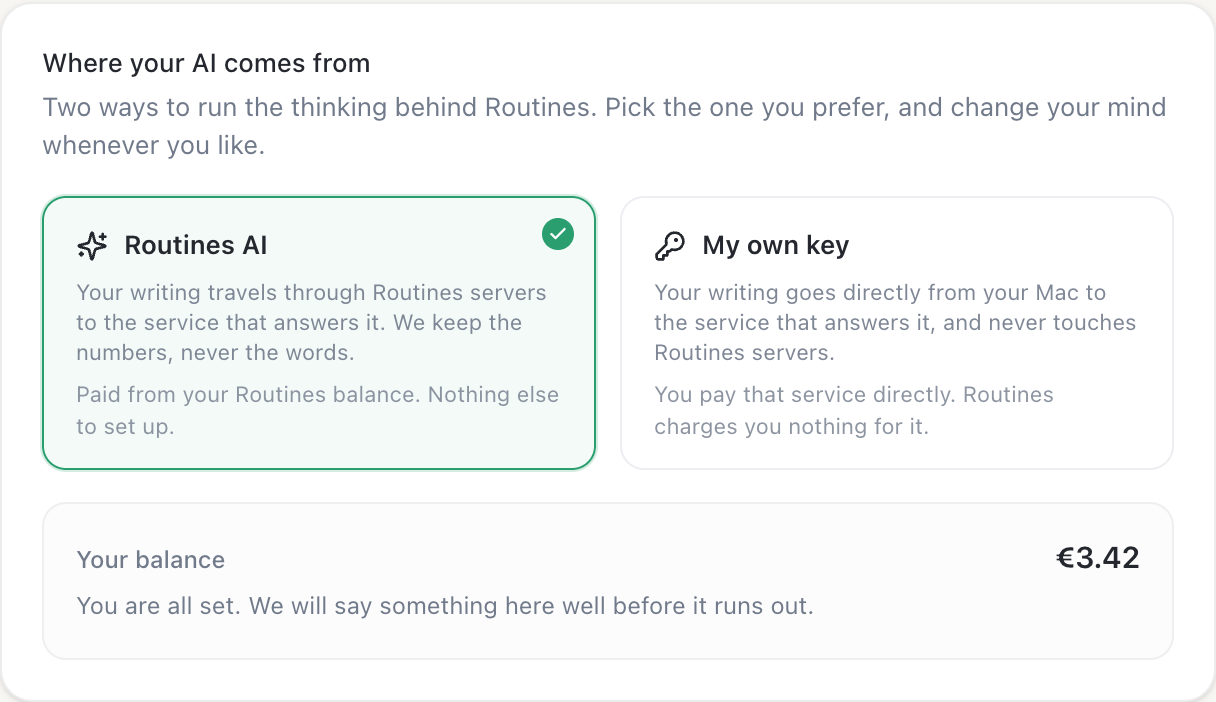
Every new account starts with €5 of Routines AI credit, granted once, so there is no key to paste and nothing to set up. Those requests pass through our servers on the way to the AI provider, and we keep the token count, never the text. Top up with a one-time pack when you need more, or bring your own key and the requests go straight from your Mac.

  • €5 of credit, granted once
  • No API key, nothing to set up
  • Or bring your own key
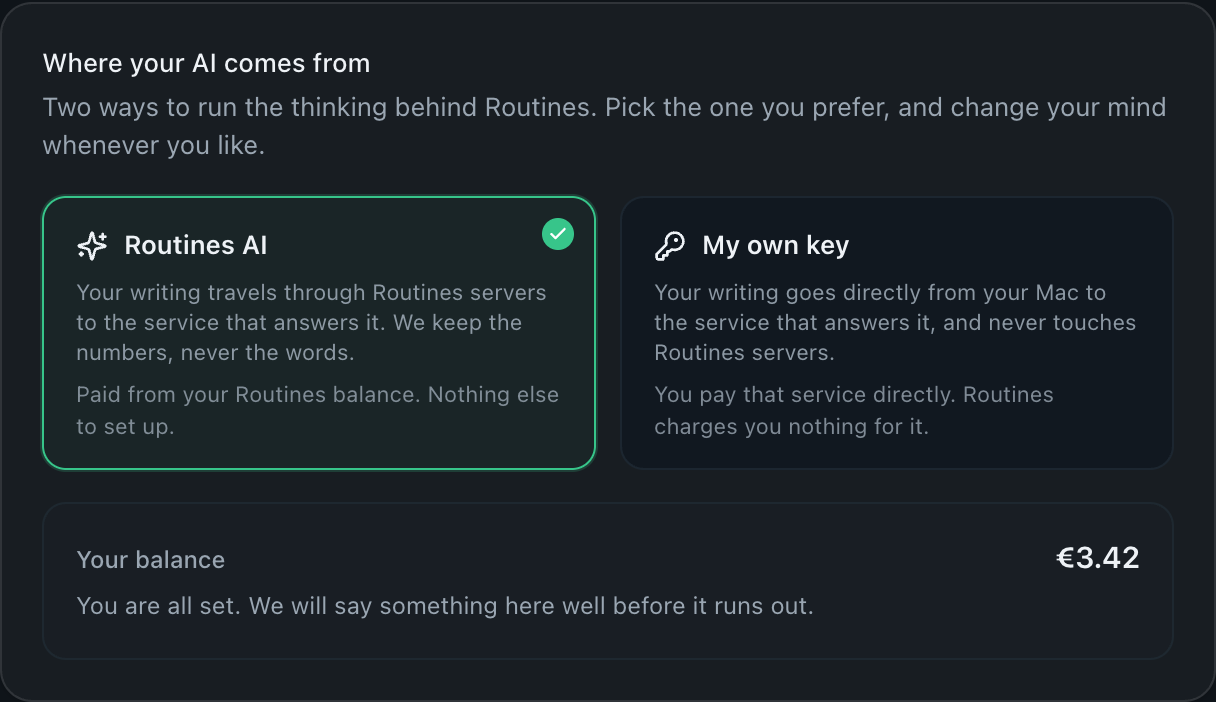
The Routines settings panel titled "Where your AI comes from", with Routines AI selected beside the "My own key" option and the account balance underneath.

Settings: run on Routines AI, or point Routines at a key of your own.

Privacy proof

Exactly what leaves your Mac, and what stays.

What leaves

Meeting audio goes to Deepgram (Whisper as fallback) to be transcribed. Prompts, including note text used as context by chat, go to an AI provider to be answered.

Two AI modes

On Routines AI, prompts pass through our servers to Anthropic and we keep the token count, never the text. On your own key, they go straight from your Mac to your provider and we bill nothing.

Works offline

Notes and memory stay readable markdown files, with or without a connection.

Recipes, skills and guides

Start from something that already works.

Install a routine in one click, add a skill so the assistant writes in your format, or read how the tools compare before you pick one.

Ownership by design

Your AI. Your Mac. Your data.

Routines is a native Mac app that charges for the app, not for a seat in someone else’s cloud. The AI is included and metered at usage, or you point it at your own key and we bill nothing for it.

  • Files you keep

    Notes and memory are plain markdown in a folder you pick. Cancel us and the second brain still opens.

  • You pick the AI

    Use the AI included with your account, metered at usage, or a Claude or ChatGPT plan or your own API key. On your own key the credentials stay on your Mac and we add nothing to your AI bill.

  • Menu-bar native

    Everything is a keystroke away, right from the menu bar. ⌥ Space

routines · menu bar

Dictate a reply

Ready

⌥DRun

Summarize last meeting

Done 2 min ago

Open

Morning Do-Brief

Scheduled 8:00 AM daily

Edit

Who builds it

Routines is built by BinarCode. This is what our clients say.

These quotes are about the product work our team shipped for other companies over the past decade, not about Routines itself. We would rather show you real ones than write new ones.

  • Since the inception of our company, BinarCode has been an integral part of our journey. They consistently deliver top-notch, user-friendly designs, fully understanding and aligning with our business objectives...

    Alex Cojocaru

    CEO, Licenseware

  • Launching the Vue.js products, which regularly receive 5-star reviews, has boosted general sales by 20%. BinarCode always delivers immaculate code and thorough documentation.

    Alex Paduraru

    CEO, CreativeTim

  • The automation project was completed quickly and effectively, with the team producing an excellent dashboard. The overall performance of BinarCode was impressive.

    Khaled Kteily

    Founder & CEO, Legacy

  • You have done an excellent job of creating Project.co and I am looking forward to working together for the long term. Not only do you do very good work but you also make very good suggestions.

    Matt Byrom

    CEO, Project.co

  • BinarCode provides timely, high-quality code and development work. Their team is not only extremely efficient and productive but also easy to work with and highly communicative.

    Jon Garrity

    CEO, Tagup

  • Their knowledge of frontend development sets them apart from other firms. I specialize in backend, and their experience with frontend systems has been enormously helpful for me.

    Koen Blokland Visser

    CTO, Jobmatix

Security posture

  • HIPAA-friendly by design
  • SOC 2 In progress
  • Keys in the macOS Keychain
  • Processing stays on your Mac
  • Your notes work offline

Your recordings, notes and clipboard never reach our servers, so there is nothing on our side to breach. To be exact: we are not a HIPAA business associate, and we are not SOC 2 certified yet. This row changes the day that does.

iPhone & Apple Watch On the App Store

Record from your wrist. Review on your Mac.

Free companion apps. Capture meetings from your phone or wrist, check off todos anywhere, and it all syncs quietly back to the Mac app.

Get the iPhone app on the App Store

  • Your day, in your pocket

    Meetings, todos, and your morning brief, synced with your Mac.

  • One tap to record

    Start a meeting recording from your wrist and find the notes waiting on your Mac.

  • The Mac stays in charge

    The apps are free companions. The Mac stays the place your files and your API key live.

Routines for iPhone showing today's meetings and todos
Routines for Apple Watch with a one-tap record button

Pricing

One price for the whole stack.

A free plan with the AI already in it and no API key to paste, a Pro tier that costs less than a single meeting-notes app on its own, and Teams when everyone needs the same memory.

Free

€0

€5 of AI credit included, or bring your own Claude or ChatGPT plan or API key. Three routines and the everyday utilities.

  • €5 of Routines AI credit, granted once
  • Up to 3 active routines
  • Gmail, Calendar, and Slack connectors
  • Meeting notes with your own Deepgram key
  • Dictation, clipboard history, screenshots
  • Your notes and history stay on your Mac as files
Download free

No credit card, no subscription

Pro

€19/mo · €16 yearly

Managed meeting transcription, routines without a cap, and every connector.

  • Everything in Free
  • Unlimited routines
  • Managed meeting transcription, 50 hours/mo included
  • All connectors: Jira, Telegram, browser, any MCP
  • Priority support
Start 7-day trial

Still cheaper than Granola alone

Teams

€20/seat/mo · €13.33 yearly

One shared memory for the whole team, an MCP endpoint for every teammate, and seats you manage in the browser.

  • Everything in Pro, for every seat
  • Shared team memory with per-member folder access
  • An MCP endpoint for every teammate
  • Pooled transcription, 50 hours per seat
See Teams pricing

14-day free trial, minimum 2 seats

See the full pricing page for what every plan includes, the yearly prices, and how seats are billed.