
Granola AI pricing looks gentle on the pricing page and adds up quietly on your invoice. The sticker numbers are $0, $14, and $35 per user per month. The number that actually decides anything is what a year costs once you multiply by your team and keep paying, month after month, for as long as you want your notes to stay reachable. For a five-person team on the paid plan, that is about $840 a year, every year. This is a plain breakdown of Granola's pricing as of July 2026: what each tier costs, what the free plan really gets you, and what you end up spending over twelve months.
Quick disclosure: we build Routines, a native Mac app that competes with Granola, so we have a stake in this. We will keep the numbers straight and the comparison honest, because the honest version is a better sales pitch than a rigged one.
Granola AI pricing at a glance (July 2026)
Granola restructured its plans in 2026 as the company moved upmarket. It raised $125M at a $1.5B valuation in March 2026 and now positions itself as an enterprise AI app rather than a simple notetaker. The old single tier around $18 a month is gone. The current public structure, straight from Granola's pricing page, is three tiers.
| Plan | Price | Meeting history | Built for |
|---|---|---|---|
| Basic | Free | Last 30 days only | Trying it out solo |
| Business | $14 / user / month | Unlimited | Teams that meet all day |
| Enterprise | $35 / user / month | Unlimited | Companies that need SSO and controls |
Business adds unlimited history, the stronger AI models, and integrations with Notion, Slack, HubSpot, and Zapier, plus API and MCP access. Enterprise layers on single sign-on, org-wide auto-deletion, admin controls, and priority support.
One detail worth flagging before you budget: Granola does not publish an annual discount. Plenty of tools in this category knock 40 to 50 percent off if you pay yearly. As of July 2026, Granola charges the same rate whether you pay monthly or commit for a year, so the monthly sticker is the real rate, not a teaser.
What the free tier really gets you
The Basic plan is genuinely free and genuinely good for a first look. You get the thing people love about Granola: quiet capture with no bot in the call, and clean AI summaries. The catch is history.
Granola's own pricing page calls the free tier "limited meeting history." Its billing docs spell out what that means: on the free plan you can only see and use notes from the last 30 days in the app, and notes older than that stay stored but out of reach until you upgrade (checked August 2026). In practice the free plan is a rolling one-month window. This week's calls are there; the call where a client agreed to terms six weeks ago is not.
So the free tier is best understood as a generous trial you can live in for a while, not a permanent home for a working professional's meeting archive. The moment you want your notes to stay searchable past that window, you are on a paid plan. That is not a trick, it is how freemium cloud tools work, and it is where free quietly becomes $14 a user, forever.
Does Granola have a student discount?
Yes, through a program rather than the price list. The pricing page itself shows no student rate. The program lives at granola.ai/students: currently enrolled students at accredited universities in the US, UK, and Canada get 12 months of Granola Business free (checked August 31, 2026). Granola's billing docs add the fine print: the Student Pack must be used with your academic email address, it cannot be transferred to a personal email, and once you are accepted the coupon applies at checkout under Settings, then Billing.
When the free year ends, the plan continues at the standard $14 per user per month, about $168 a year, unless you cancel. If you do not qualify, the free Basic plan still works, with the same 30-day note window described above.
What you actually pay over a year
Here is the math the pricing page does not do for you. Take the Business plan at $14 per user per month with no annual discount.
- One person: about $168 per year.
- A team of five: about $840 per year.
- A team of ten: about $1,680 per year.
- A team of ten on Enterprise ($35 per seat): about $4,200 per year.
Two things make the annual number bigger than the sticker suggests. First, it is per seat, so the price scales linearly with headcount. Add a teammate, add $168 a year. Second, it never ends. This is a subscription, not a purchase, so year two costs the same as year one, and year five costs the same again. Over three years, that team of five has paid roughly $2,520, and they own nothing at the end of it. Stop paying and access to your own back catalogue of notes goes with the subscription.
None of that is unusual for cloud SaaS, and for many teams the convenience is worth it. But it is the honest total to compare against, not the $14.
The cost the sticker price hides
There is a second cost that never shows up on the invoice: where your notes live. To deliver sync and polish, Granola processes and stores your transcripts and the notes generated from them in its cloud. Your meeting archive sits on infrastructure you do not control, for as long as you keep paying, and it is a written record of things like roadmaps, client names, salaries, and board conversations. We read Granola's own published policies and docs and wrote up what they say in our privacy audit of Granola.
How long that archive sits there is still being decided on their side. Their Enterprise tier already lists org-wide auto-deletion (their pricing page, checked August 12, 2026), and their CEO Chris Pedregal told Platformer (published July 30, 2026, checked August 2026), "Right now we're looking into whether we should delete the transcript automatically after a certain amount of time for all users." On the other tiers they have not shipped it, so there is nothing to budget for yet. On your Mac the files were always yours to keep or delete. Cloud Sync and Backup is off by default; turn it on and your vault, your meeting transcripts and your notes are copied to your Routines account so your devices share them.
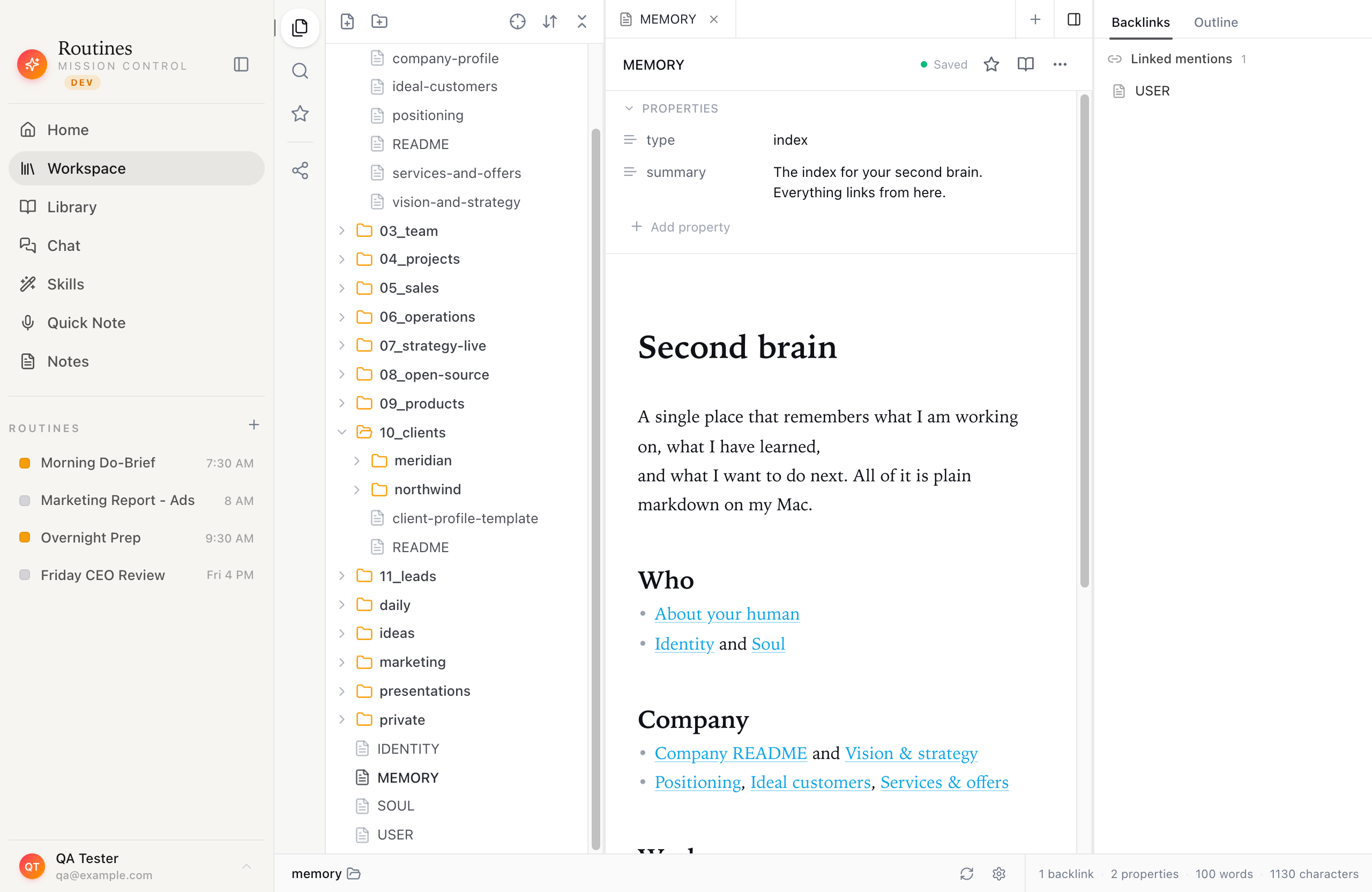 The alternative to renting cloud storage for your meetings: an ordinary folder of markdown files on your own Mac.
For most internal calls, cloud storage is a non-issue. It stops being a non-issue when the content of the meeting is the sensitive part, or when you simply do not like the idea that your subscription is also your data's landlord. If that trade sits wrong with you, the pricing conversation and the privacy conversation turn out to be the same conversation, and there is a different model worth knowing about.
The other model: pay for the work, own the app
A per-seat cloud fee is rent. It bills the same every month for every teammate on the list, whether they met four times that week or not at all, because the vendor is running the servers and holding the data for all of them. Bill the AI by what it actually does instead, and the shape of the cost changes.
That is the model Routines uses. You download a native Mac app instead of renting a seat in someone else's cloud, and the AI works one of two ways. Sign in and Routines AI is on immediately, drawn from the credit on your account, with €5 included the first time. Or bring your own AI key: Claude, GPT, or any OpenRouter model, or a ChatGPT account you already pay for, and your provider bills you directly with nothing from us on top.
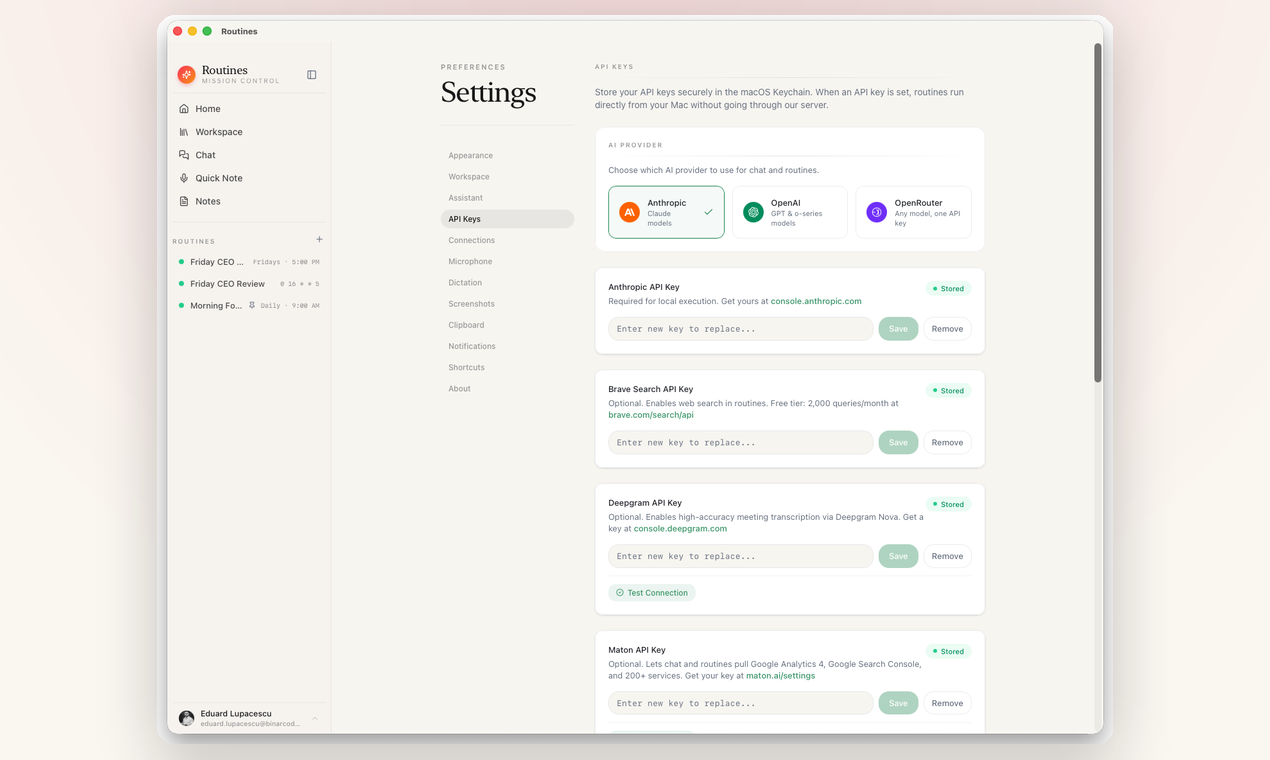 Model settings in Routines: use the AI that comes with your account, or add your own key and pay your provider directly.
Either way you are paying for the work the AI does, not for a seat that bills whether you meet or not. A new account starts with €5 of AI credit, which covers a first stretch of meetings before you decide anything, and on your own key a normal day of meeting summaries is often only a few dollars a month at Claude or GPT API prices, or nothing extra at all with a ChatGPT sign-in you already have. Heavy, all-day use costs more, so this is not a magic "free" claim, it is a "pay for what you use" claim.
Routines itself is not free either, and it would be dishonest to imply it is. You get a 7-day trial with no credit card, and then a license key unlocks the app. The difference that matters for this article is the shape of the bill. It is a single app license, not a per-seat subscription that multiplies with every teammate, and your notes are saved as plain markdown and a local SQLite database on your Mac. You can open them in Obsidian, back them up, or walk away with them, because they are just files in a folder you chose. Check the current price on the download page.
And because it is one local app, meeting notes are only part of what it does. The same license covers dictation, clipboard history, AI chat, and scheduled routines like a morning briefing that pulls your day together before you start it. That is three or four separate subscriptions collapsed into one thing you own.
So which should you pick?
This is not a case where one tool is right and the other is a rip-off. It comes down to two honest questions.
-
Is your team's convenience worth a recurring per-seat bill? If you want zero setup, effortless cross-device sync, and a fully managed cloud, and $840 a year for five people reads as cheap against the time it saves, Granola is an excellent product and you should buy it without guilt.
-
Do you want to own the app and the data instead of renting both? If a bill that grows with every hire bothers you, or you would rather your meeting notes stayed in files on your own Mac, or you want dictation and clipboard and routines in the same license, then the pay-for-what-you-use model earns a look before you commit.
If you are still deciding on Granola itself, our Granola AI review covers what it nails and the one catch, and the Granola alternatives rundown compares five tools on the one thing most posts skip: where your notes actually live.
Try the local option
Routines is a native macOS app with a 7-day free trial, no credit card, and no bot in your calls. Sign in with Google and use the AI credit that comes with the account, or your own key, and your next meeting is recorded to a markdown file on your Mac, with no per-seat cloud fee attached.
FAQ
How much does Granola AI cost in 2026? As of July 2026, Granola has three tiers: a free Basic plan with limited meeting history, Business at $14 per user per month, and Enterprise at $35 per user per month. Granola does not publish an annual discount, so the monthly rate is what you pay.
Is Granola AI free? There is a free Basic plan with AI notes, AI chat, and templates, but it limits your meeting history. Granola's billing docs say the free plan only shows notes from the last 30 days, and older notes stay stored but out of reach until you upgrade, so it works as a rolling window rather than a permanent archive.
How much is Granola per year? On the Business plan at $14 per user per month, one seat is about $168 per year and a five-person team is about $840 per year. Enterprise at $35 per user per month is about $420 per seat per year. The cost recurs every year and scales with every person you add.
Does Granola have a one-time or lifetime plan? No. Granola is a recurring per-seat subscription billed monthly. There is no one-time purchase or lifetime license, and your notes live in Granola's cloud for as long as you keep paying.
Is there a cheaper alternative to Granola? Routines is a local-first Mac app you pay for once with a license, after a 7-day free trial. The AI comes with your account, starting with €5 of credit, or you add your own key and your model provider bills you directly. Either way you pay for what the AI does instead of a per-seat cloud fee, and your notes stay as markdown on your Mac.
Why does Granola charge per user per month? Granola is cloud software that processes and stores your transcripts and notes on its servers, so pricing scales per seat. That model funds the sync and polish, but it also means the price grows with your team and never ends.
Is there an annual subscription for Granola? No. As of August 2026, Granola's pricing page shows only per user per month rates with no monthly or annual toggle, and its billing docs state that annual plans are not currently available and billing is monthly only. There is no published annual discount, so the monthly rate is the yearly rate. One Business seat is $14 times twelve months, about $168 a year.
How do I cancel a Granola subscription? Open Settings, then Billing, then Manage subscription, which opens Stripe's billing portal, and select Cancel subscription there. If you cannot get into the app, log in on the web and open Billing the same way. Granola's docs at docs.granola.ai say the subscription runs to the end of the current billing period, and after that the workspace moves to the free Basic plan with no further charge (checked August 2026).
Is Granola free for students? Yes, through a program rather than the price list. The pricing tiers show no student rate, but Granola's Student Pack gives 12 months free of Granola Business. You apply at granola.ai/students, and the program is open to currently enrolled students at accredited universities in the US, UK, and Canada; the pack must be used with your academic email address and cannot be transferred to a personal email (checked August 31, 2026). When the free year ends you pay the normal $14 per user per month. If you do not qualify, the free Basic plan is still there, with its limited note history.
How long is Granola free? The Basic plan has no end date, so it is not a trial that runs out on a set day. What runs out is your reach into older notes. Granola's billing docs say that on the free plan you can only see and use notes from the last 30 days in the app, and notes older than that stay stored but are not accessible until you upgrade (checked August 2026).
Is Granola better than ChatGPT? They do different jobs. Granola is a meeting notetaker that captures your calls without sending a bot into the meeting and turns them into structured notes. ChatGPT is a general assistant that works on what you bring to it, and it does not sit in your meetings and write them up on its own. If you want your calls captured and summarized, that is what Granola is built for. If you want help thinking, drafting, or answering questions about text you paste in, that is ChatGPT.
Is Granola AI legal? Using an AI notetaker is legal in general, but recording and transcription rules differ by jurisdiction, and some places require every participant to agree first. Granola's own consent docs say recording laws vary by region, point to a third-party guide on state recording laws, and state that Granola does not configure meeting platform notice settings on customers' behalf, so customers remain responsible for deciding what notice or consent their use case and jurisdiction require (checked August 2026). Granola offers two transparency features for this, an automated message in the meeting chat and a watermark on your video while it transcribes. Check your local rules and your company policy before you record. This is not legal advice.
Related reading
- Routines vs Granola AI: the honest side-by-side on features, privacy, and cost
- AI Meeting Notes That Stay on Your Mac: how Routines records on your Mac, sends the audio to Deepgram to be transcribed, and writes the summary
- Download Routines: 7-day free trial, no credit card