Routines Routines

Compare / Todoist

A Todoist alternative. Where the to-do writes its own prompt.

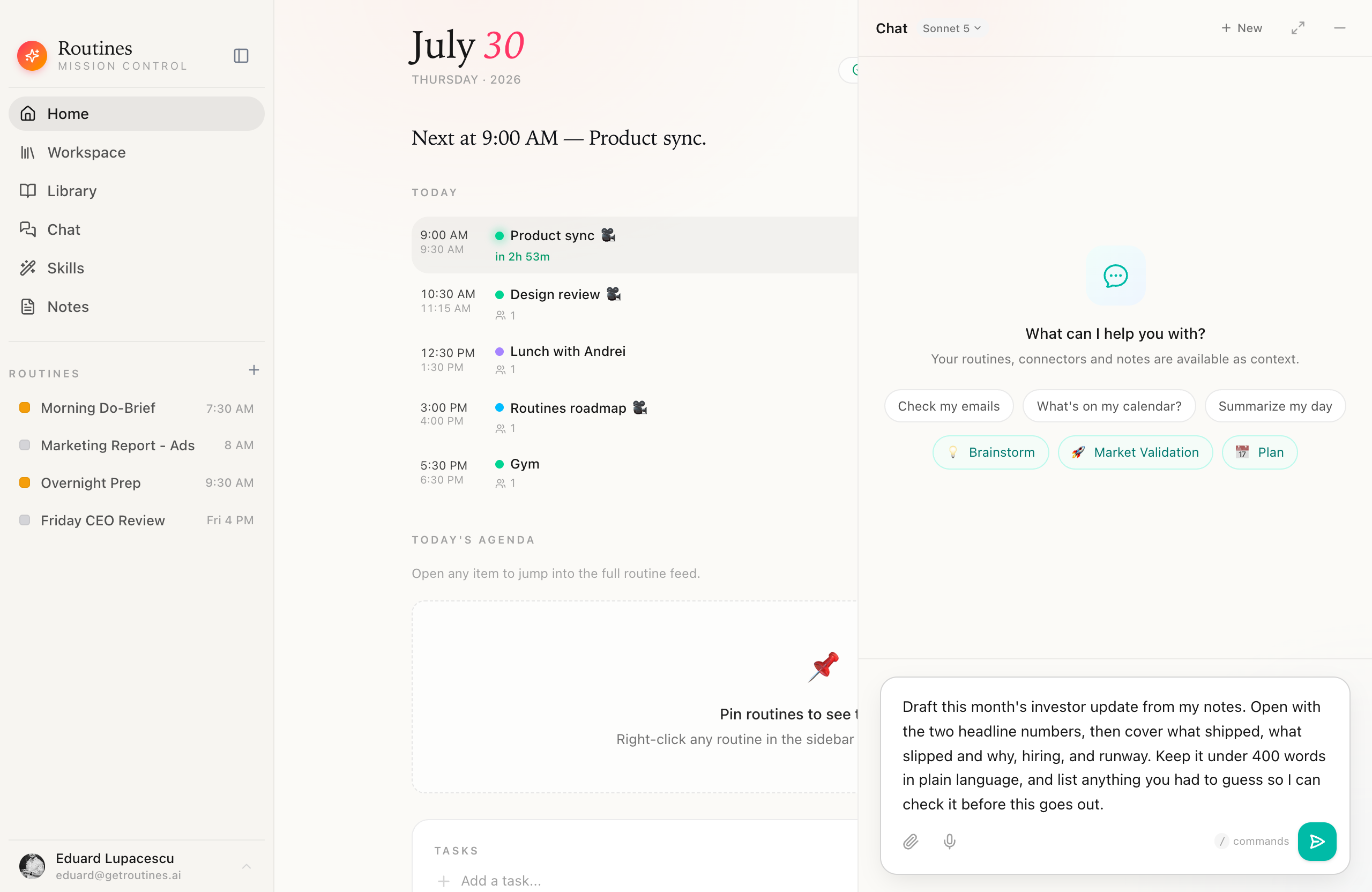
Todoist stores the sentence you typed. Add a to-do in Routines and it drafts the prompt for getting that task done, in the background, from the title and what you have been working on today. One click loads it into chat. One terminal command runs it.

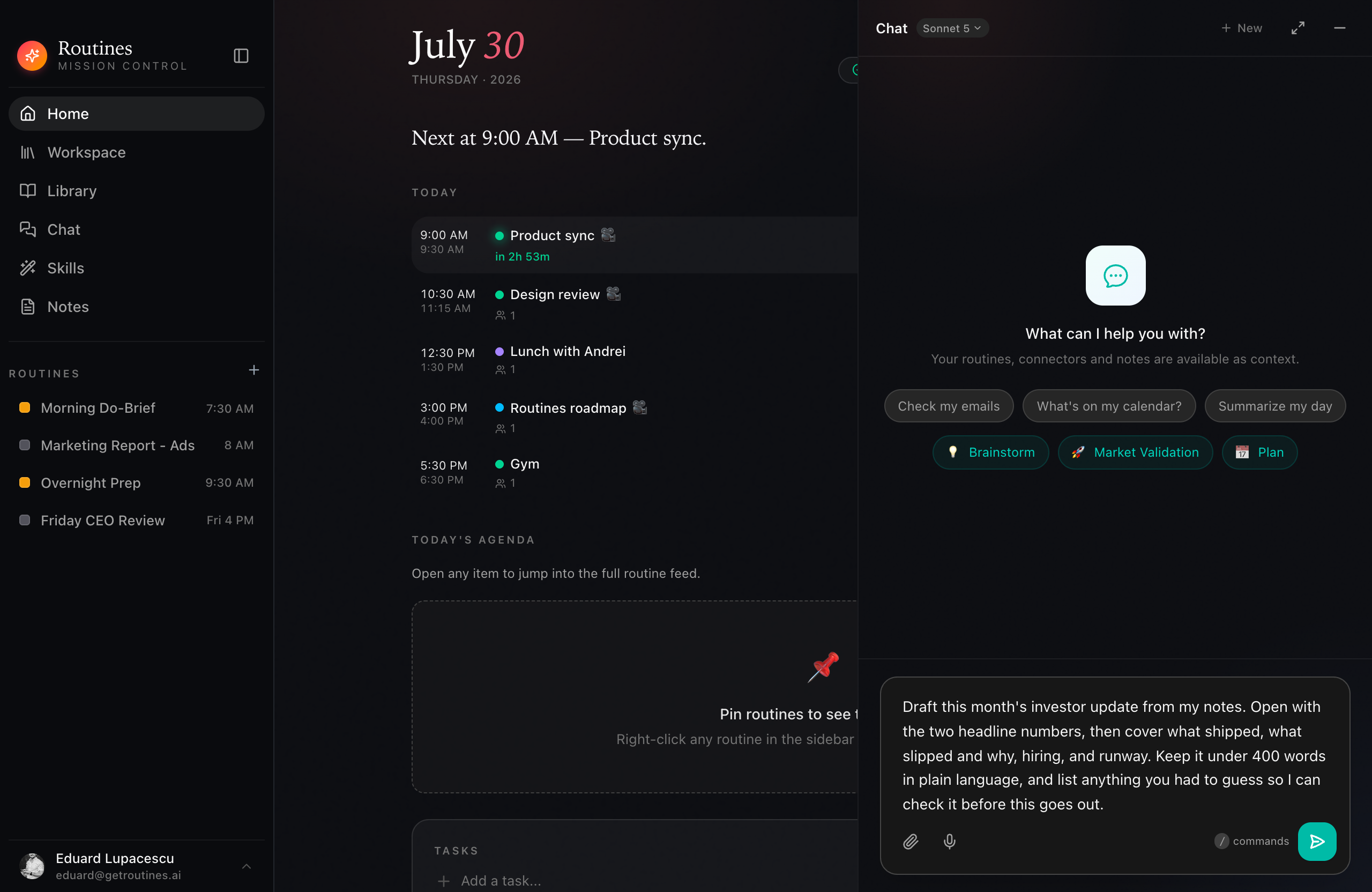
The Routines app with the Home view on the left and the chat panel open on the right, holding a drafted investor-update prompt in the composer with the send button not yet pressed

Written by the app · loaded on one click · sent by you

The difference

You did not write that prompt.

Auto-generation is on by default. You add the task and carry on, and the prompt fills itself in behind you.

  1. 01

    You type a title

    The same thing you would type into any list. Nothing else is asked of you, and there is no form to fill in.

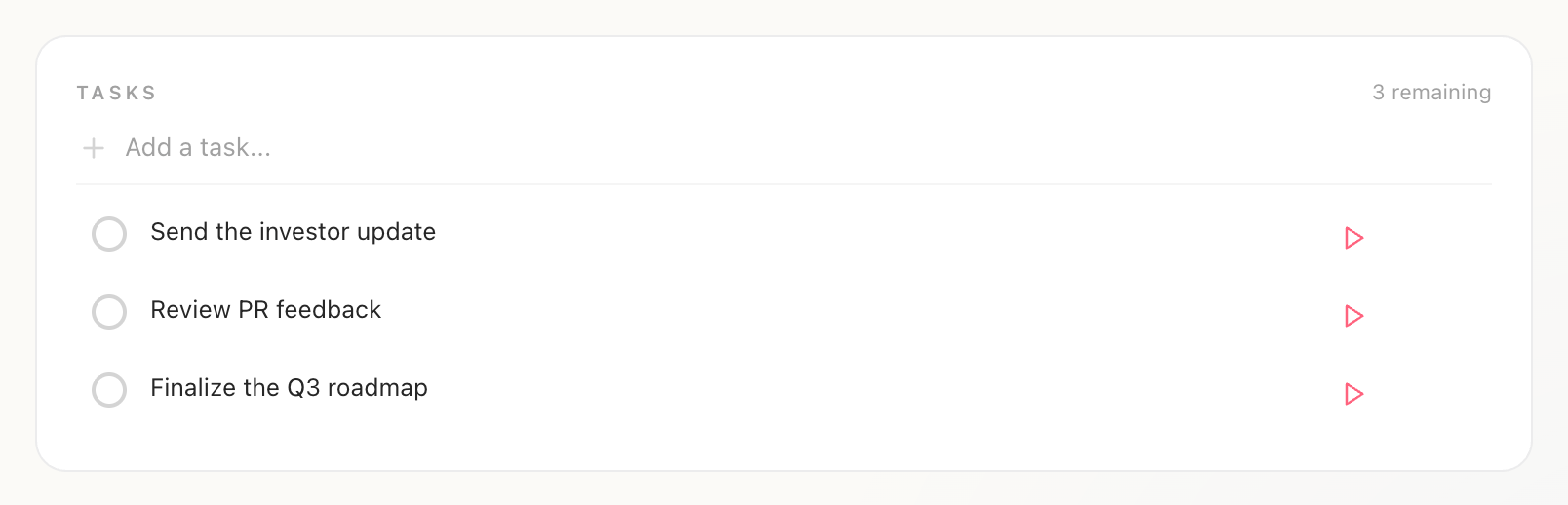
    The Tasks list in Routines with three open items, Send the investor update, Review PR feedback, and Finalize the Q3 roadmap, each with a play button on the right and three remaining in the corner
  2. 02

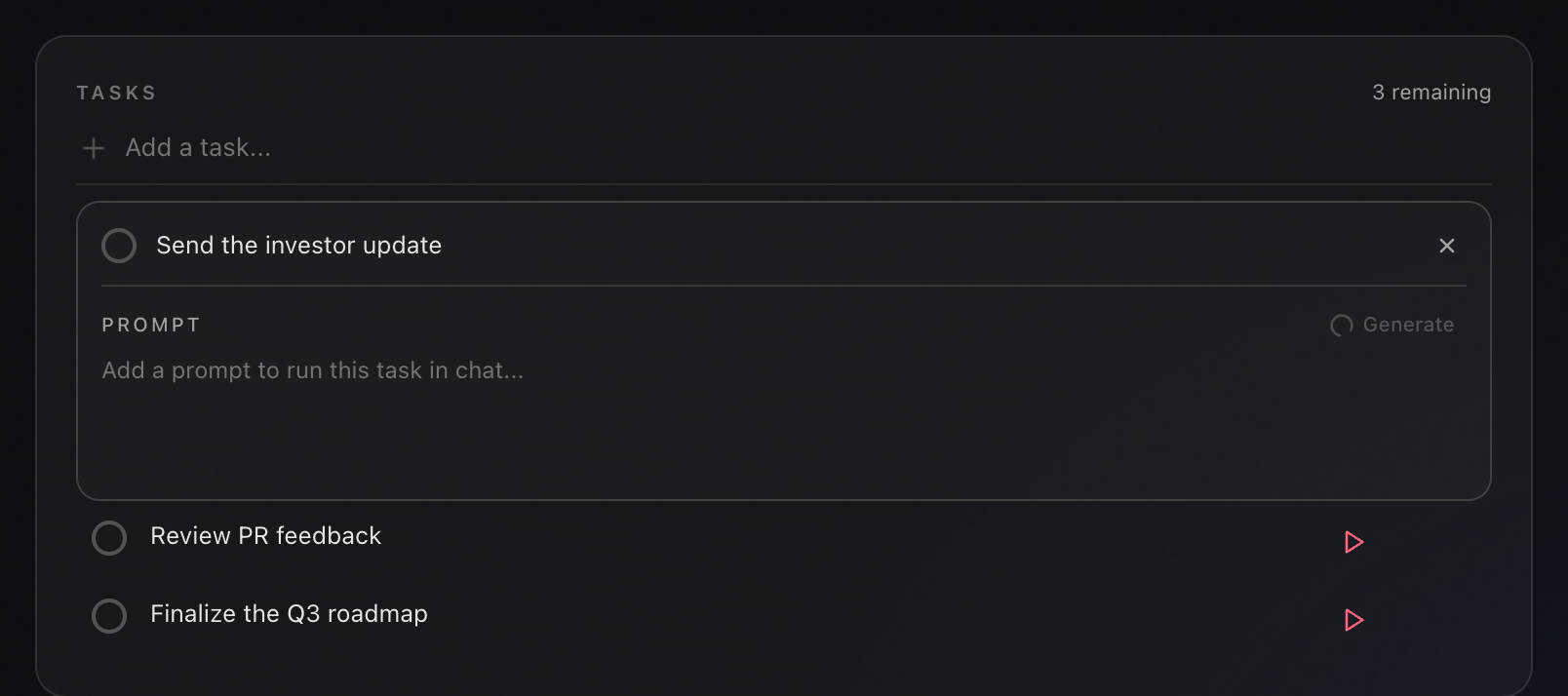
    Routines drafts the prompt in the background

    It reads the title and the context around it, such as yesterday's notes and what you copied today, then writes the instructions for finishing the task. You can also press Generate yourself, or turn the whole thing off in Settings.

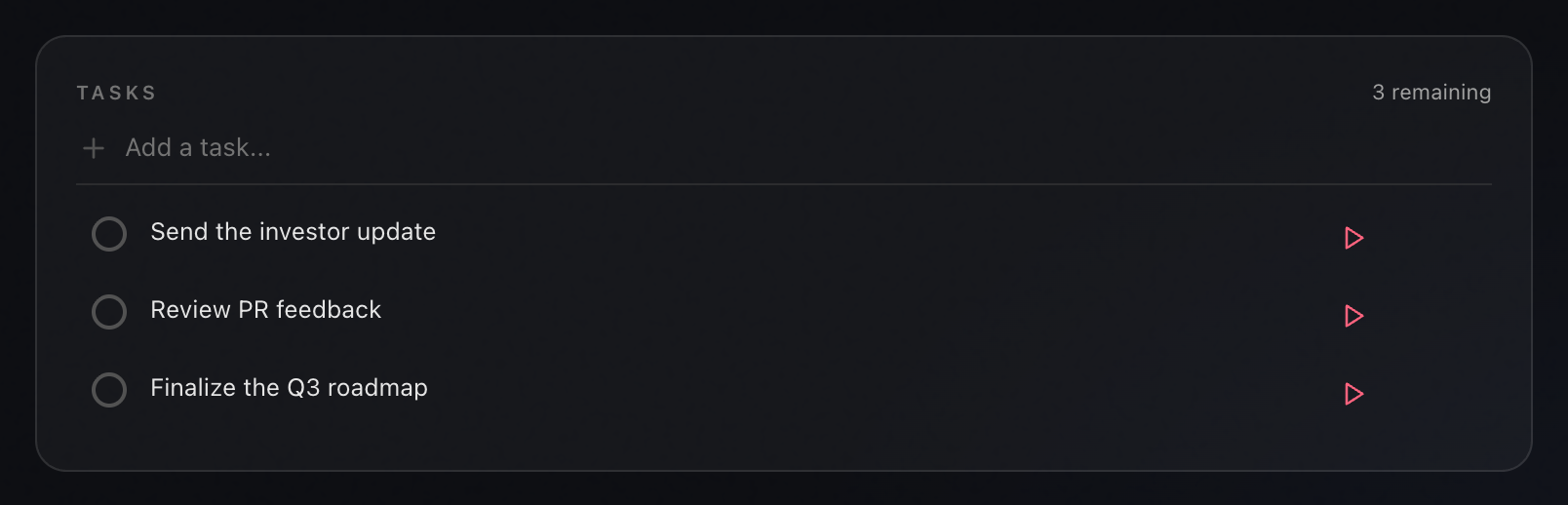
    The Send the investor update task expanded in Routines with an empty prompt field reading add a prompt to run this task in chat, and a spinner on the Generate button
  3. 03

    The to-do now carries the work

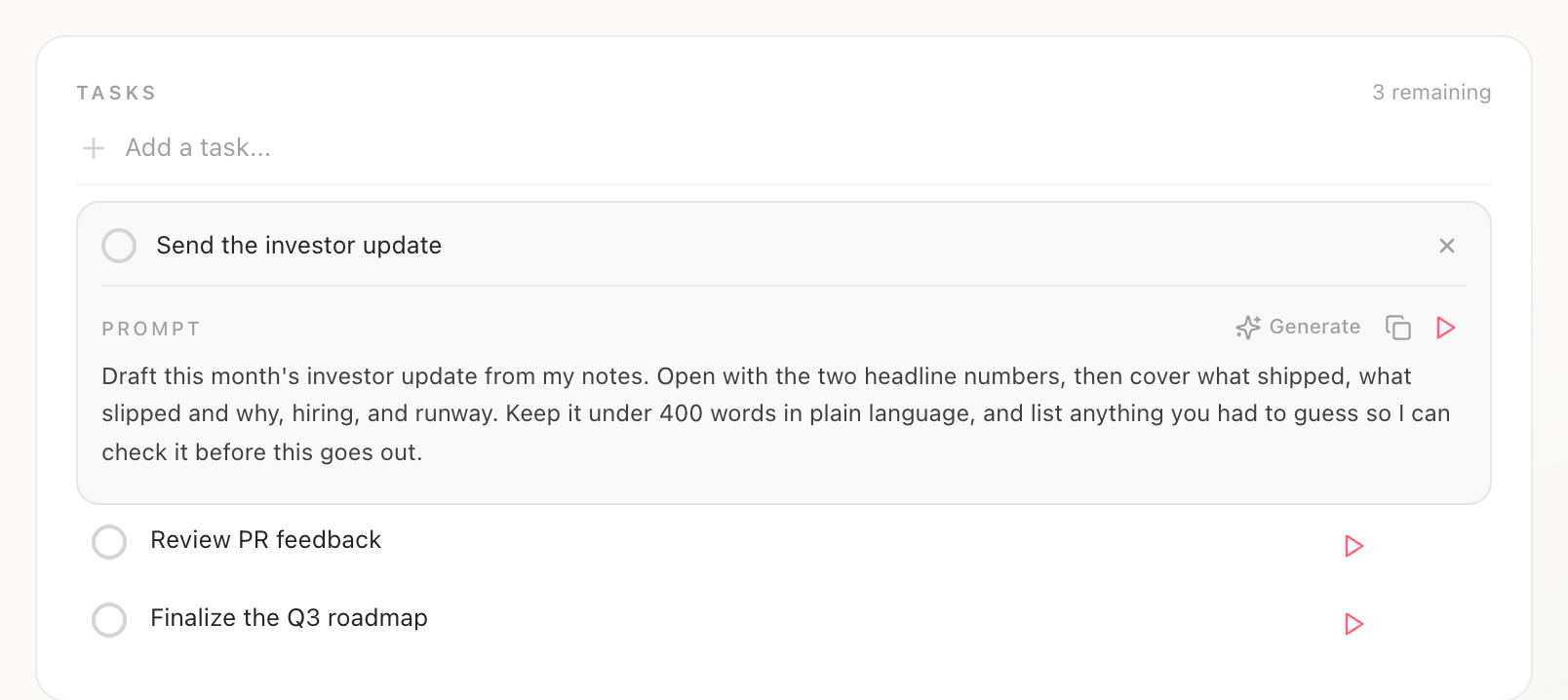
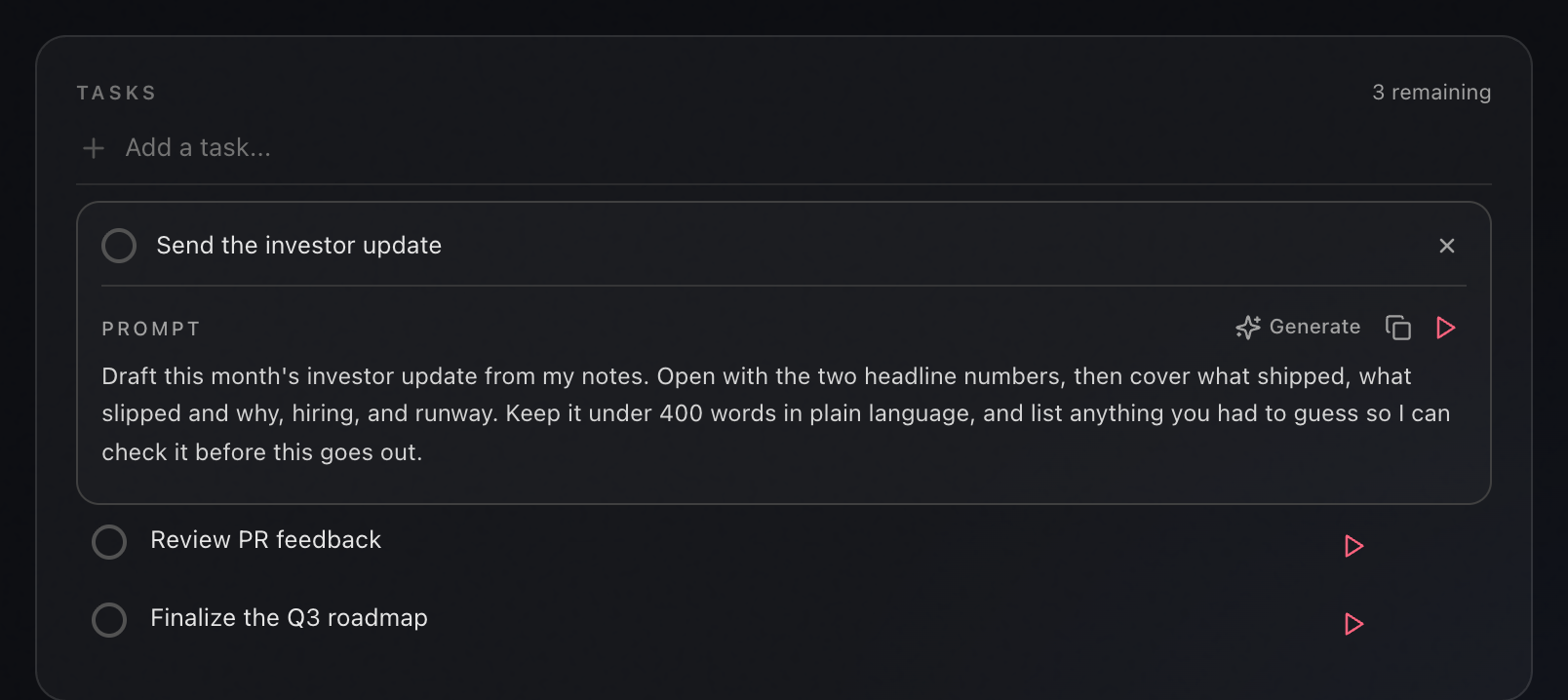
    A real prompt sits on the item, in plain text you can read, edit, copy, or replace with your own. This is the whole difference between a record of the task and a start on it.

    The Send the investor update task expanded in Routines with a drafted prompt asking for this month's update from the notes, opening with two headline numbers, then what shipped, what slipped and why, hiring and runway, under 400 words

Title in · prompt out · nothing typed twice

Then it does the work

Press play. Read it. Press Enter.

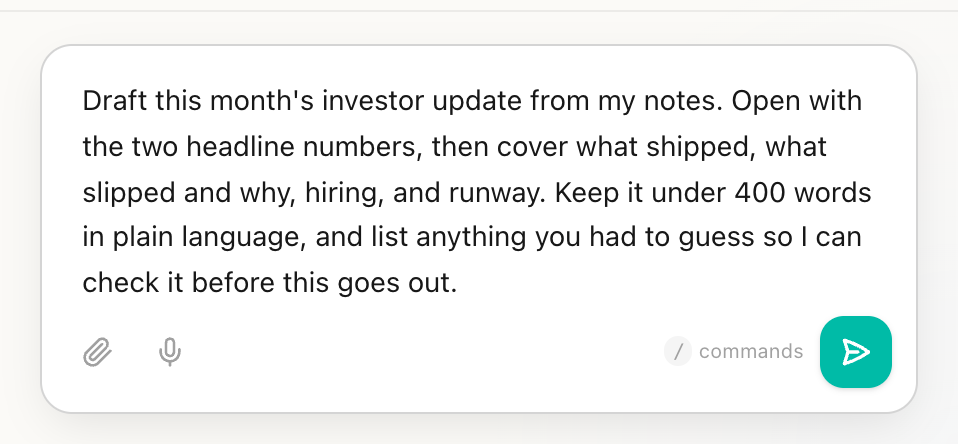
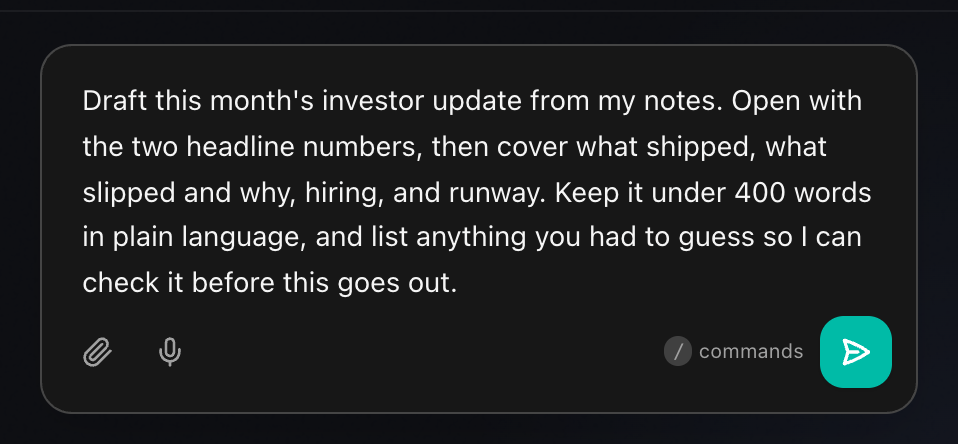
Play loads the prompt into the chat composer with the cursor waiting. It is not sent for you.

The Routines chat composer holding the drafted investor-update prompt, with the attachment and microphone buttons on the left, the commands hint in the middle, and the green send button on the right

In the app, you stay in the loop

The prompt lands in the box and stops there. You read what it is about to do, change anything you want, then send it. Nothing goes out behind your back.

In the terminal, it runs end to end

routines todos run executes the prompt through the same assistant, with your connected accounts attached. Add --done and it ticks the item off when it finishes.

One keystroke away from done · not zero

Three screens

One list on your Mac, your phone, and your wrist.

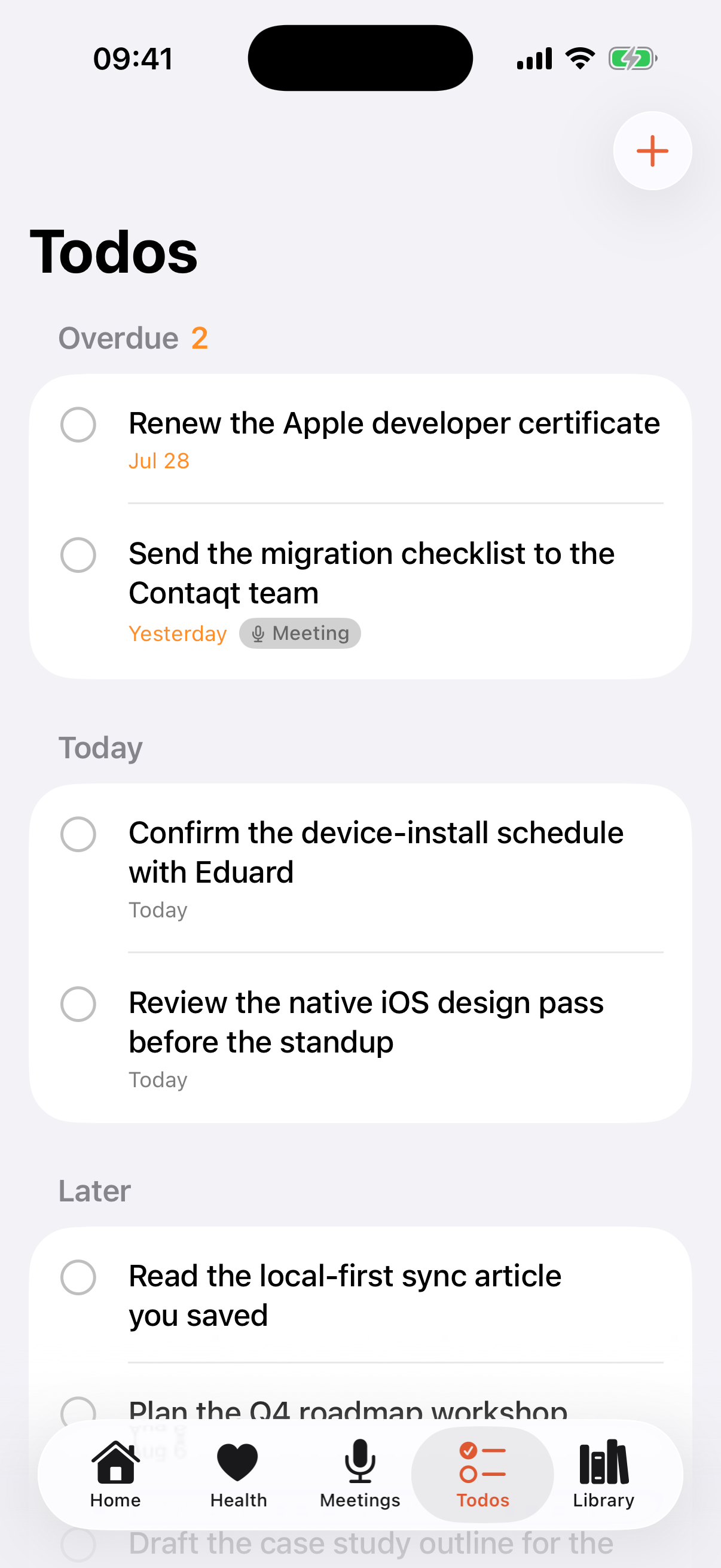
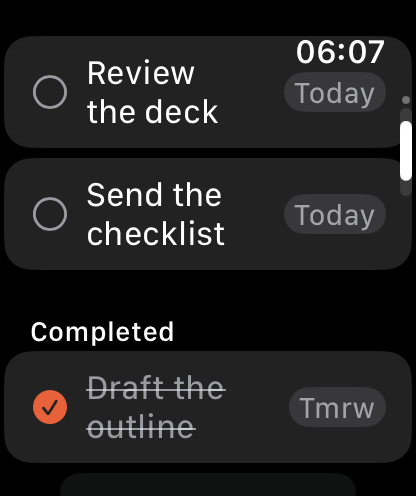
Check something off on the Watch and it is done on the Mac. Action items from your meetings arrive tagged.

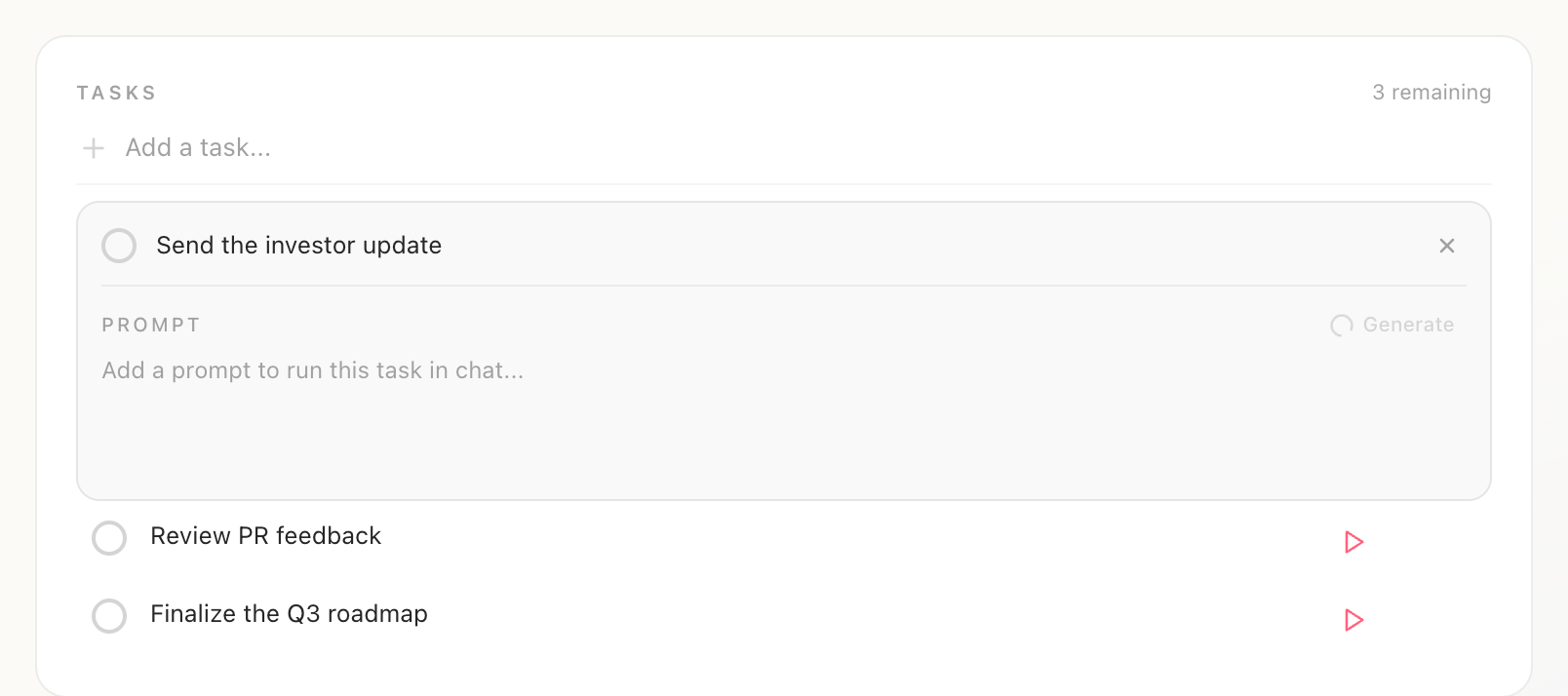
The Tasks list on the Routines Mac app with three open items and a play button beside each one
Mac · the prompt lives here
The Todos tab in the Routines iPhone app showing an Overdue group of two, a Today group, and a Later group, with one item tagged Meeting and a tab bar for Home, Health, Meetings, Todos, and Library
iPhone · Todos tab and widget
The Routines Apple Watch app listing two open to-dos due today with tap circles, and a Completed group below with one item struck through
Apple Watch · tap to complete

One honest exception

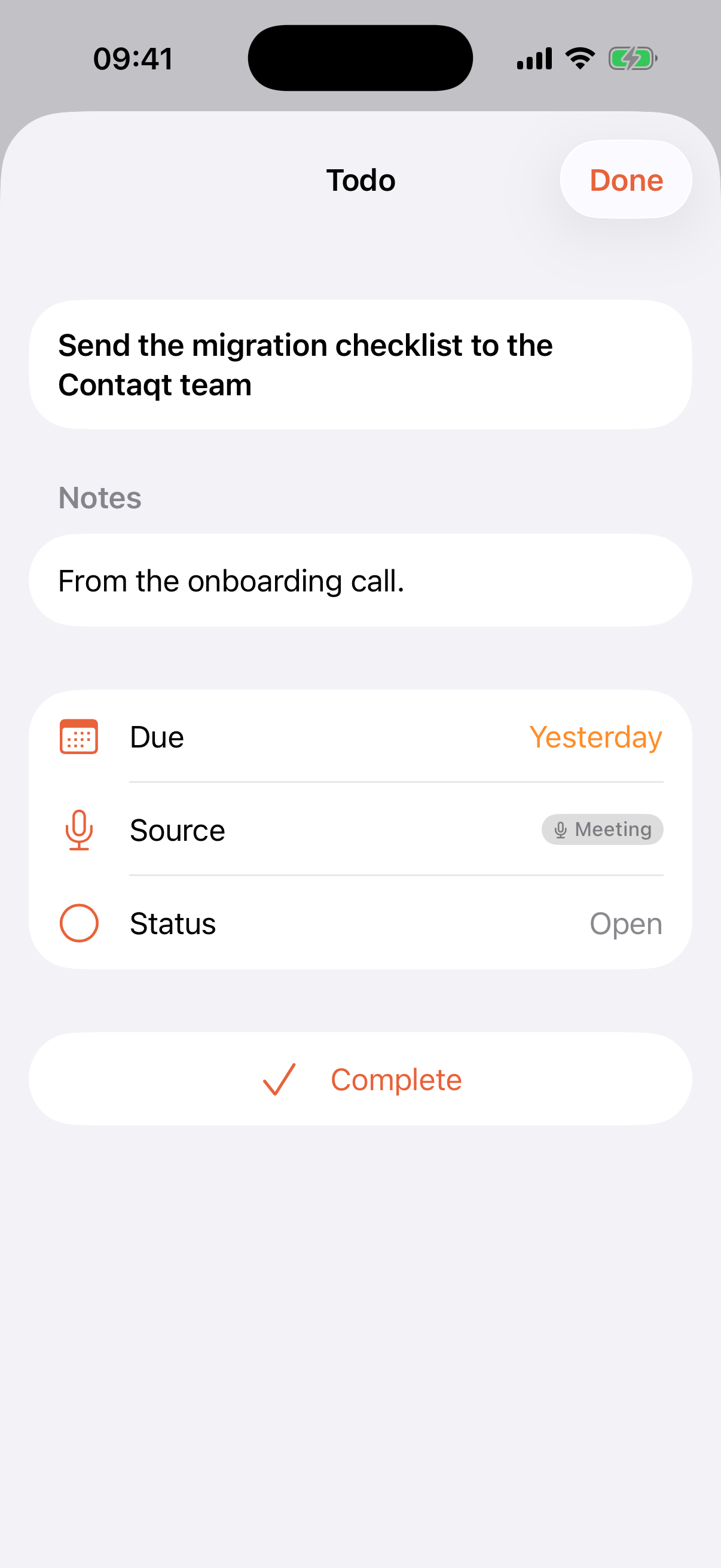
The prompt stays on the Mac

Open a to-do on the phone and you get the title, notes, the due date, where it came from, and a Complete button. There is no prompt field, because the prompt is not part of what syncs. It is stored on your Mac, and reachable from the CLI on that Mac.

A to-do open in the Routines iPhone app showing the title, a Notes field reading from the onboarding call, Due yesterday, Source tagged Meeting, Status open, and a Complete button, with no prompt field
Feature
Routines
Todoist
A to-do that carries a prompt
Drafted for you from the title, in the background
No equivalent
Running that prompt
One click loads it into chat, or run it from the CLI
Not included
To-dos from your meetings
Your action items are pulled out of the notes for you
Manual entry, or a third-party integration
Where your to-dos live
Local SQLite on your Mac, yours to back up
Your account, in the Todoist cloud
Phone and watch
A Todos tab, a home-screen widget, Watch check-off
Apps on iPhone, Android, Apple Watch, and the web
Platforms
Mac, iPhone, Apple Watch
Web, iOS, Android, Mac, Windows, Linux, extensions
Recurring tasks and natural-language dates
Due date and priority, natural-language dates in the CLI
Repeating rules and Quick Add, refined over years
Projects, labels, filters, sub-tasks
Not included. One flat list
All of it, and the reason many people stay
Working with other people
Your own devices only
Shared projects, assignees, and comments
Price model
7-day trial, then €19/mo (€16 billed yearly)
Free Beginner plan, Pro from US $5 per user per month

Checkmarks both ways · an honest comparison

When Todoist is the better choice

  • Your work is organised into projects, sections, sub-tasks, labels, and saved filters. Routines has one flat list and no query language.
  • You live on repeating tasks and on typing a due date into the same box as the task. Todoist wrote the reference implementation for both.
  • Other people are in your list. Shared projects, assignees, and comments do not exist in Routines at all.
  • You capture from everywhere. Todoist is on the web, iOS, Android, Mac, Windows, Linux, and in your browser. Routines is Mac, iPhone, and Apple Watch.

When Routines fits

  • The hard part is starting the task, not remembering it. Each item arrives with the prompt for doing it already drafted.
  • You are in meetings all day. Your action items are pulled out of the notes and land in the list linked back to the recording.
  • You want the list in a file you own. It is SQLite on your Mac, and the prompts stay in that file instead of syncing to your phone.
  • You would rather one native app do to-dos, meeting notes, dictation, and clipboard history than pay for four.

FAQ

Routines vs Todoist, answered.

What is the best Todoist alternative?

It depends on which half of Todoist you actually use. If you use projects, labels, filters, and shared lists, the honest answers are the other mature list managers, because Routines has none of that. If what you want is a short personal list where each item carries the instructions for finishing it, and you are on a Mac, that is what Routines does and it is the reason this page exists.

Is Routines a good Todoist alternative?

For a personal list on Apple devices, yes. You get one list across your Mac, iPhone, and Apple Watch, action items lifted out of your meetings, and a prompt attached to each item that an assistant can run. As a replacement for a Todoist workspace with projects, labels, saved filters, recurring chores, and other people in it, no. Routines does not have those.

Why are people looking for a Todoist alternative?

Todoist raised its prices, and a lot of the searching that followed is people pricing up the alternatives rather than people unhappy with the app. Todoist is still good software. If the price is the only thing pushing you, compare against its free Beginner plan first, since that is the cheapest way to stay.

How much does Todoist cost?

Todoist has a free plan called Beginner at US $0, with 5 personal projects, 3 filter views, one week of activity history, 5 MB file uploads, and up to 5 people per personal project. Pro is US $7 per user each month billed monthly, or US $5 per user each month billed yearly at US $60. Business is US $10 per user each month plus local tax billed monthly, or US $8 per user each month plus tax billed yearly at US $96. Check todoist.com for the current figures before you decide.

Is there a free Todoist alternative?

The free Beginner plan from Todoist is the obvious first stop. Routines has a free plan too, where you bring your own Anthropic, OpenAI, or OpenRouter key and pay the model provider directly instead of paying us. Pro is a 7-day trial with no credit card, then €19 a month, or €16 a month billed yearly.

How much does Routines cost?

There is a free plan that runs on your own API key, and Pro at €19 a month, or €16 a month billed yearly. Pro starts with a 7-day trial and no credit card. Routines is one app, so the same subscription also covers meeting notes, dictation, clipboard history, and scheduled AI routines.

Can a to-do run itself?

Not on a schedule, and we will not pretend otherwise. What a Routines to-do carries is a prompt: the instructions for getting that task done. Clicking play opens a chat with the prompt already loaded and the cursor in the box, so you read it and press Enter. From the terminal, routines todos run executes that prompt end to end through the same assistant, with your connected accounts attached, and can tick the item off when it finishes. It is one keystroke away from done, not zero.

What can a Routines to-do do that a Todoist task cannot?

Carry the work, not just the reminder. Add a to-do and Routines drafts a prompt for it in the background from the title and what you have been working on today, which you can edit or replace. That prompt can then be run against your Gmail, Calendar, Slack, and any MCP server you have connected. A Todoist task is a very good record that something needs doing. It does not do it.

Does Routines have recurring tasks, projects, or labels?

No to all three. There are no repeating rules, no projects or sections, no labels, no sub-tasks, and no saved filters. A Routines to-do has text, an optional due date, an optional priority, and an optional prompt. If your week runs on a recurring chore list or a project tree, Todoist is the better tool and switching would cost you.

Do Routines to-dos sync to my iPhone?

Yes. Your list is the same list on your Mac, your iPhone, and your Apple Watch, with a Todos tab on the phone and a home-screen widget that shows what is open. You can check something off on your wrist and it is done on your Mac. The prompt attached to a to-do is the exception: it is not in the sync payload, so it never reaches your phone.

Where are my tasks stored?

In a SQLite file on your Mac. If you sign in, your to-dos also sync through a Routines account so your iPhone and Watch see the same list, and deleting an item removes it everywhere and keeps it gone. Prompts are the exception: they are stored only on the Mac and are never part of what syncs. Drafting one, or running it, sends it to your own model provider, the same as any chat message.

Should I switch from Todoist?

If Todoist is working, keep it. This is not a like-for-like replacement, and moving a real Todoist workspace into a flat list would lose your projects, labels, filters, and recurring tasks. The switch is worth it when your list is short and personal, you are on Apple hardware, and the friction is not remembering the task but starting it.

Keep the list. Attach the work.

7-day free trial, no credit card. Action items from your meeting notes land in the same list, and every plan is on the pricing page.

Download