
Condition met
The next step runs, and the run records the verdict plus the model’s one-sentence reason, so you can see what it keyed on.
16 / Flows
You wake up and the work is done in order. Your analytics check ran, the page analysis ran on its numbers, the decision ran on that, and the draft only got written because one page was actually losing traffic. Flows chain the scheduled AI routines you already trust into one graph with its own daily schedule, an AI agent workflow builder that lives on your Mac rather than on someone else’s servers.
The canvas
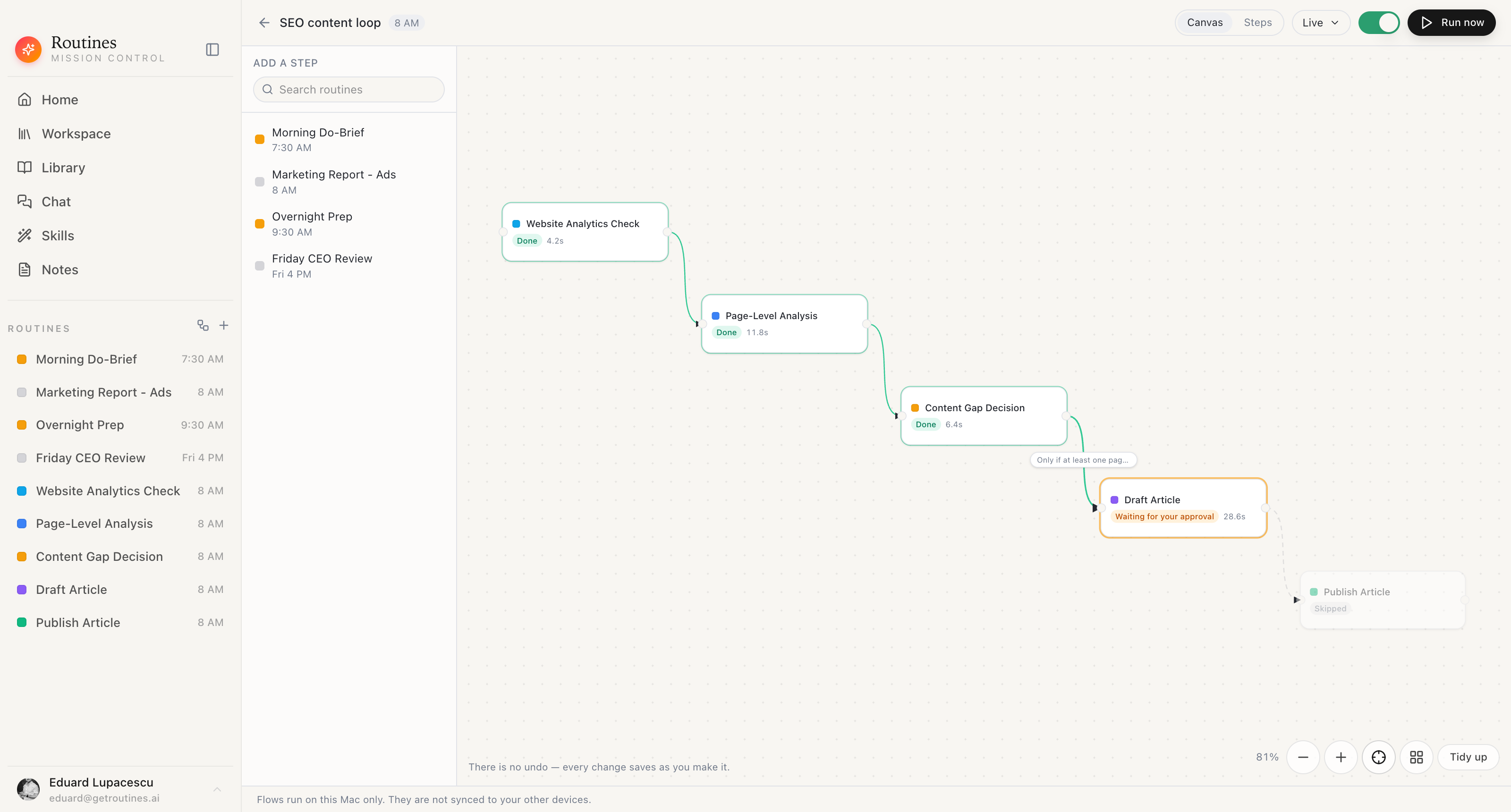
The palette on the left is your own routine list. Drop one on the canvas, drag from one port to the next, and you have a chain. Click a connection to give it a condition, click a step to open that routine. After a run the canvas paints itself with what happened: what finished, how long it took, what stopped for approval, what was skipped.
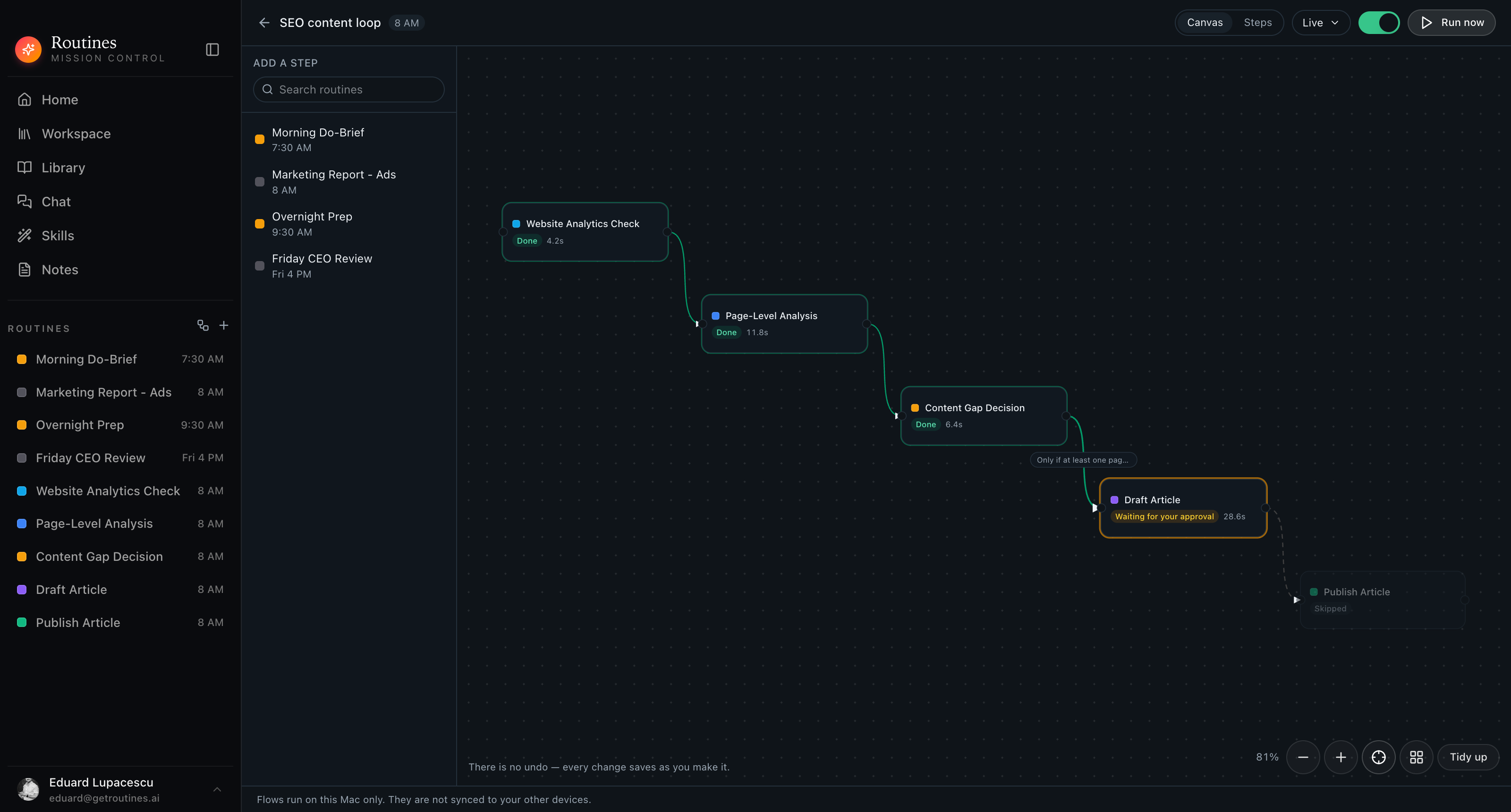
Real app · your routines as steps · runs on this Mac only
One flow, start to finish
This is an agentic workflow in practice, the flow in the screenshots above, on its 8 AM schedule. Five routines you already own, one condition, and a run that stopped exactly where it should have.
01
Your existing analytics routine runs first, at the flow’s scheduled time. It pulls the numbers it always pulls, with the connectors and the prompt you already tuned.
Done · 4.2s
02
The next routine does not start from nothing. It gets the first routine’s result handed into its prompt, so it goes straight to which pages moved and by how much.
Done · 11.8s
03
A third routine reads that analysis and writes the call: which page is slipping, what is missing from it, what should be written. Still your routine, still your prompt.
Done · 6.4s
04
On the connection into the next step you typed: “Only if at least one page is losing organic traffic.” Before drafting anything, a small model call reads the decision above and answers that one question.
Condition met — continued
05
Because the check came back met, the drafting routine runs, working from the result of Content Gap Decision. In this run it queued its actions for your approval, so nothing was sent yet.
Waiting for your approval · 28.6s
06
The last step never ran, and the replay says so plainly rather than pretending. Skipped, with no duration, because the step before it stopped to ask you first.
Skipped
Conditions
Click the connection and type when the next step is allowed to run. “Only if at least one page is losing organic traffic.” The check reads the first ~12,000 characters of the previous step’s result, so keep the question about something that shows up near the top of it.
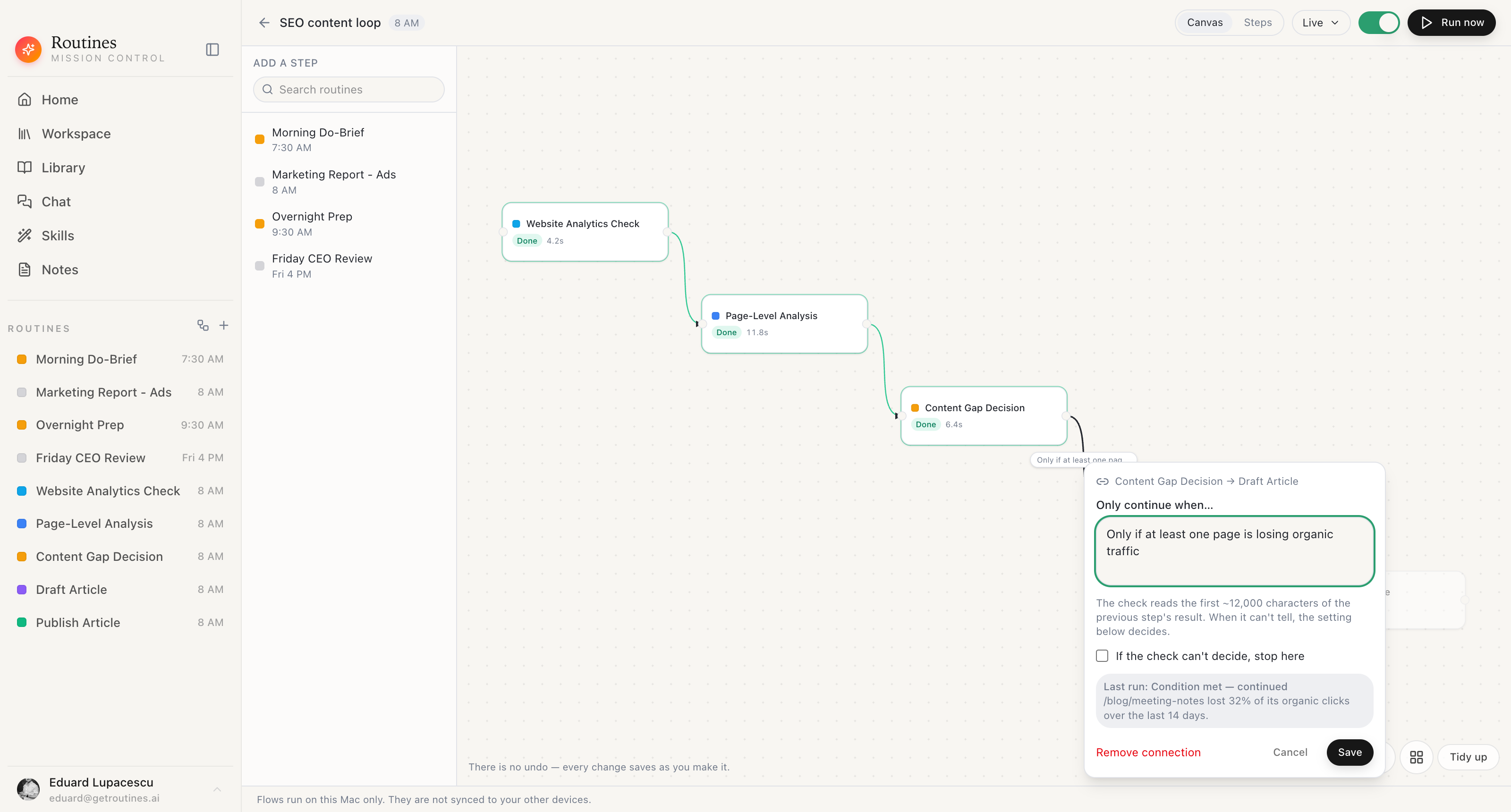
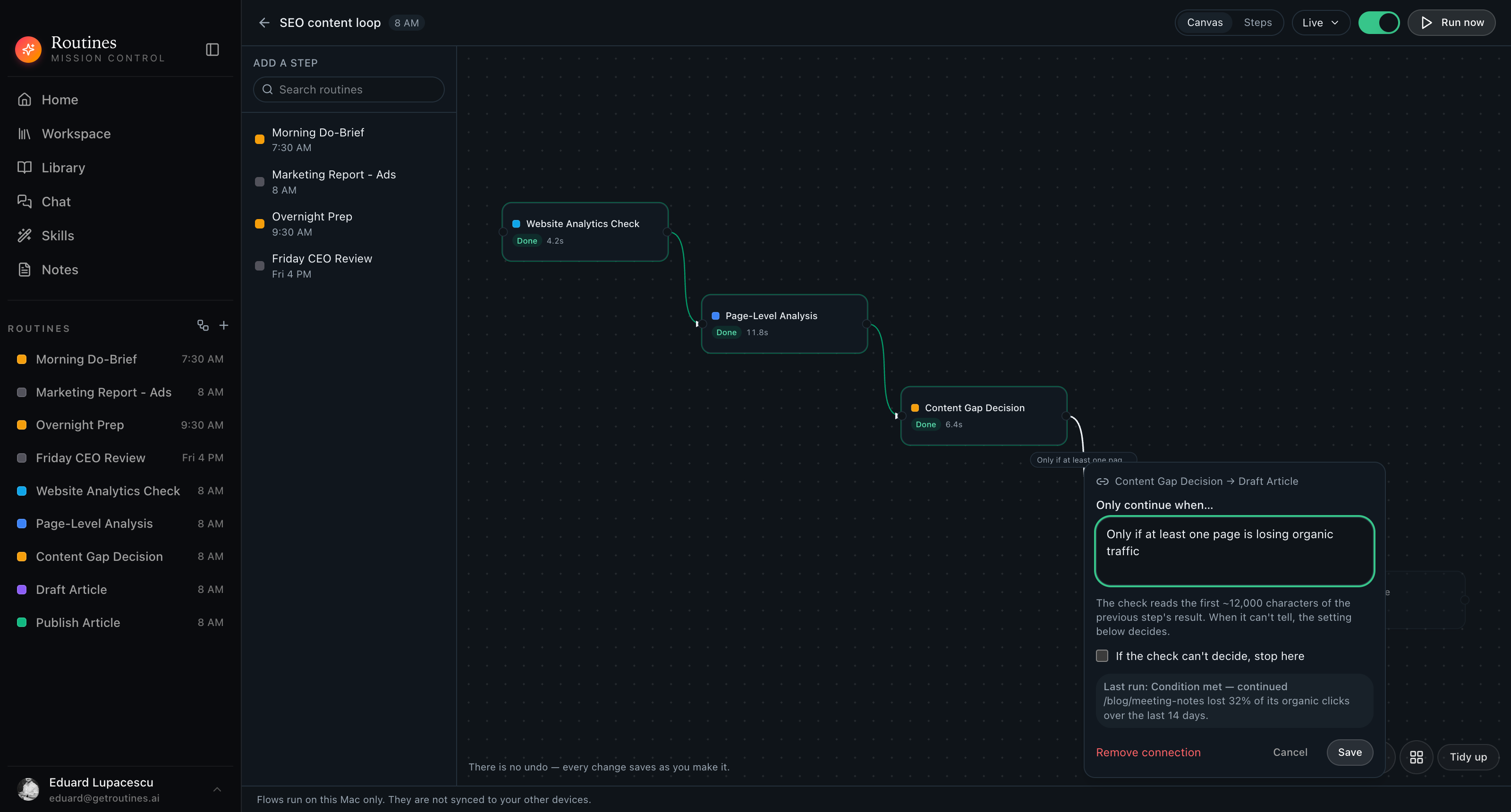
Type it in English · set the undecided policy · save
Being straight about the check
A condition is not a rule engine and we are not going to pretend it is. A small model reads the previous result and answers your question, which means it can be met, not met, or genuinely undecided. So the flow shows you all three, and lets you decide per connection what undecided should do.
Condition met
The next step runs, and the run records the verdict plus the model’s one-sentence reason, so you can see what it keyed on.
Not met
Everything downstream is skipped and marked Skipped. No half-finished draft, no silent failure, no email you did not want sent.
Could not tell
Your call, on this connection. Tick “If the check can’t decide, stop here” for the steps you would rather do by hand, and leave it off where continuing is harmless.
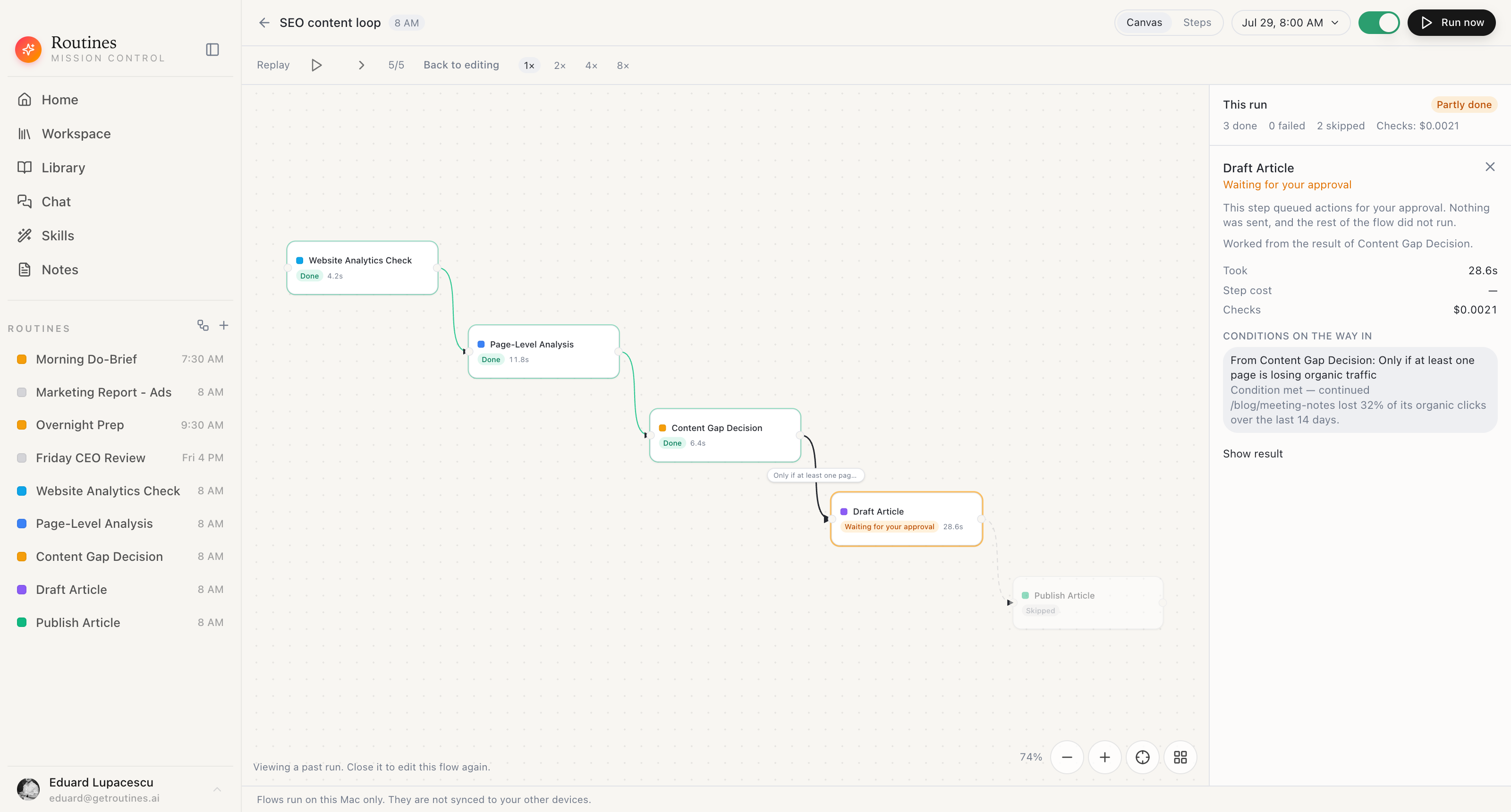
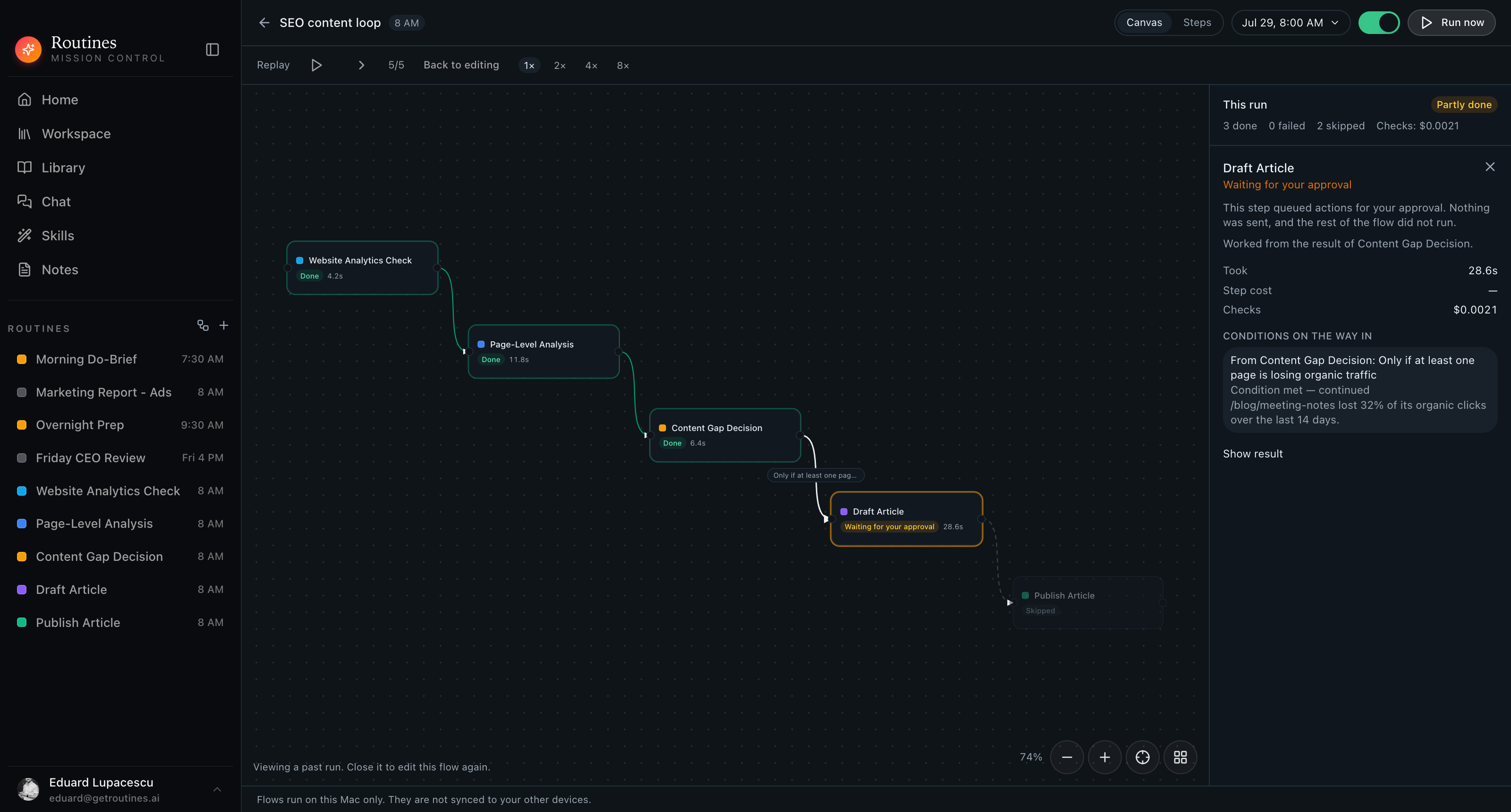
Verdict · reason · what it worked from · what the checks cost
Run replay
Pick a dated run and scrub through it on the same canvas you built. Three done, none failed, two skipped, and $0.0021 in condition checks. Every step carries its status and its duration, so “why is there no article this morning” takes one look instead of an investigation.
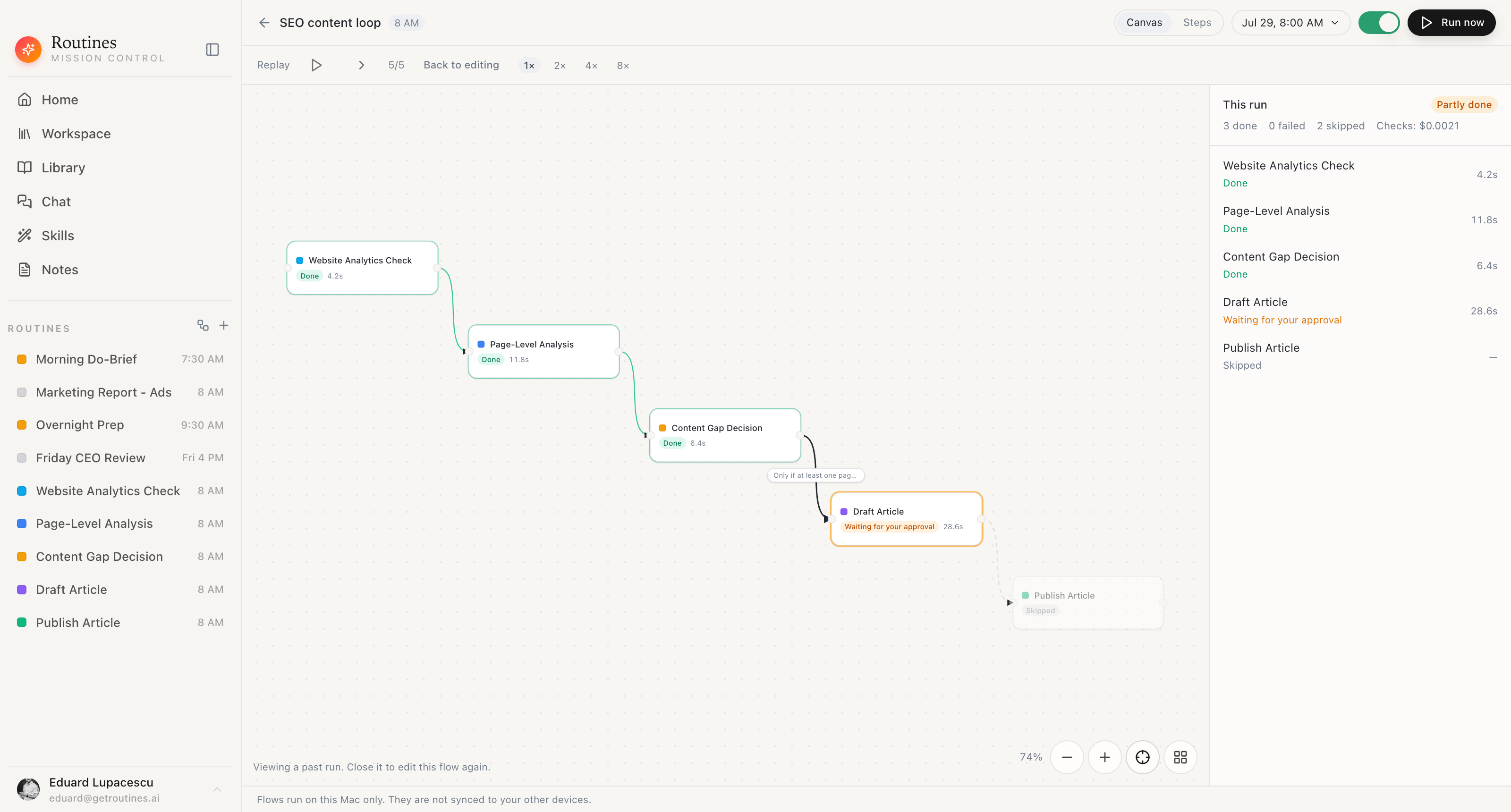
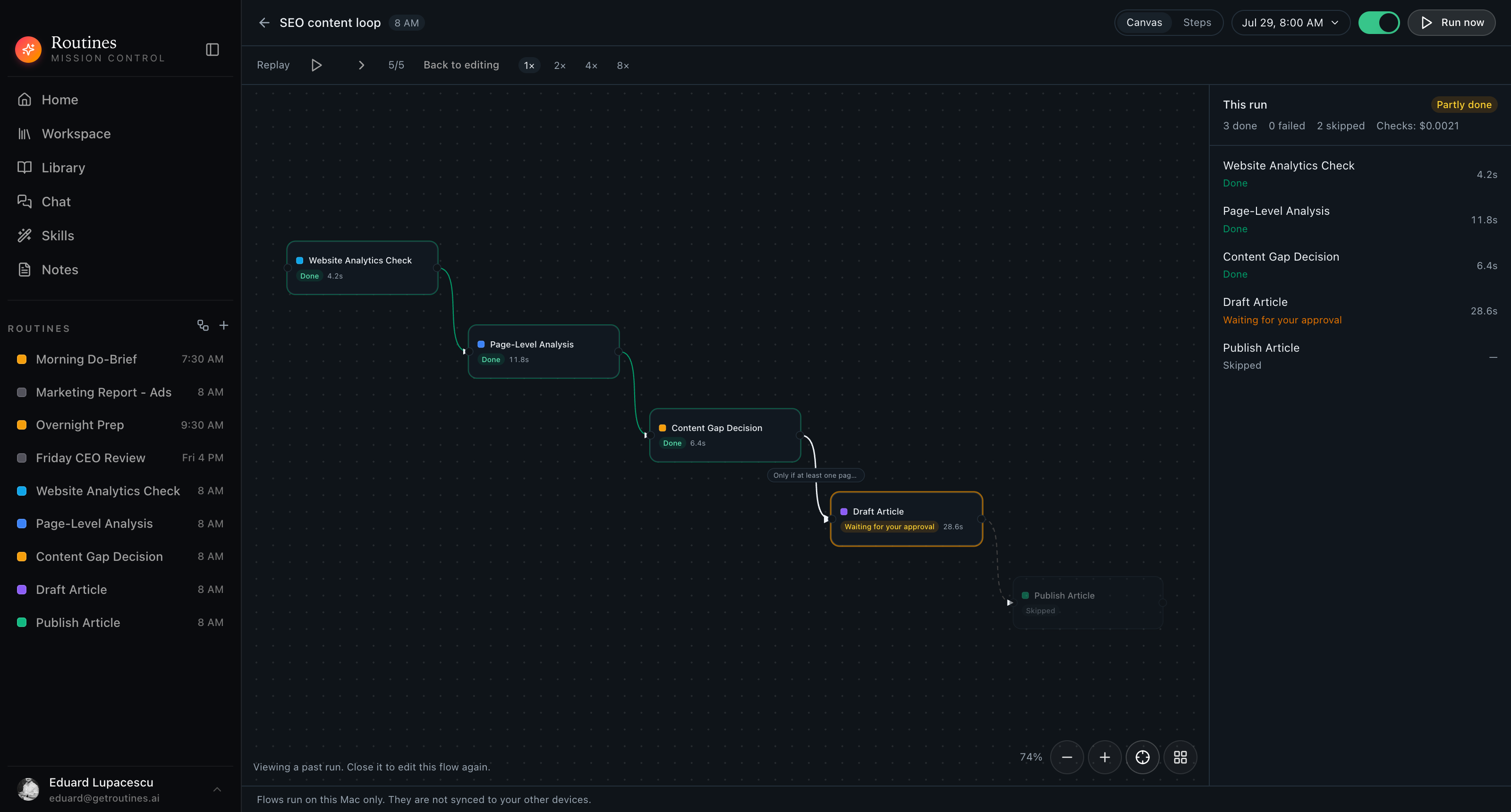
Per-step status · duration · check cost · kept on your disk
Pinned steps
Right-click a step on the canvas and choose “Pin last result”. Routines takes that routine’s most recent successful output, freezes it onto the step, and from then on, whenever the flow reaches that step, it finishes with the frozen text instead of running the routine again. That is how you iterate on step four without waiting on step one and paying for its model call every time you test. A step can only be pinned once its routine has produced at least one successful result, so run it once first.
While it is pinned
The routine never runs for that step. The frozen text is handed into the downstream prompts, and the conditions on the step’s outgoing connections are checked against it, the same as a fresh result. A replay of that run shows the step as pinned and says the routine did not run.
Only re-pinning refreshes it
A pin is a snapshot of the moment you took it. Running that routine on its own later leaves the pin untouched, so pin it again when you want the newer result in the chain.
When a pin stops applying
Unpin from the same right-click menu and the step goes live again. Pointing the step at a different routine clears the pin by itself, because an old routine’s output has no business riding along under a new routine’s name.
01
Each step points at a routine that already exists. The same routine can sit in several flows, and clicking it on the canvas opens the real thing. Edit it once and every flow using it changes.
02
Adding a routine to a flow does not take its schedule away. Your 8 AM analytics check still runs at 8 AM on its own, and still runs as step one of the chain.
03
Every flow gets its own daily schedule, separate from the ones its steps keep. Turn the flow on and the whole chain runs from the top without you opening the app.
04
A connection is not just an arrow. The upstream routine’s result is handed into the downstream routine’s prompt, which is why step two can start where step one finished.
05
Every flow has a Steps view that shows the same chain, order, connections, conditions, and last run, as a list you can read and navigate from the keyboard.
06
There is no undo on the canvas. Every change saves the moment you make it, which means what you are looking at is exactly what will run tonight.
07
Flows run on this Mac only. They are not synced to your other devices. The graph, the schedule, and the run history sit on your disk. When a step calls a model, that request either passes through Routines AI, which never stores it, or goes straight from your Mac to your provider when you run on your own key.
Not another node editor
n8n, Zapier, and Make hand you an empty canvas and a thousand integrations to configure. Flows hands you the routines that already read your inbox, your calendar, and your notes, and asks which order you want them in.
The connectors those routines use are the same ones you already set up in Connectors, reading from the local memory on your disk.
An AI agent workflow is a chain of AI steps where one step’s output becomes the next step’s input, and the whole chain runs on a schedule instead of waiting for you to press a button. In Routines each step is one of your existing routines, so the chain inherits the prompts, connectors, and memory those routines already use.
A multi-agent workflow splits a job across several agents, each with its own instructions, and passes the result along the chain. A flow is exactly that: one routine gathers the data, another interprets it, another decides, another writes. Each one is a separate routine with its own prompt, so you can fix one without touching the rest.
Two ways. They do the work inside a step, like reading your analytics or drafting the article. And they decide whether the next step should run at all: a condition on a connection is a small model call that reads the previous step’s result and answers the plain-English question you typed.
In n8n, Zapier, or Make you wire generic API blocks together, so you own the endpoints, the auth, and the field mapping. In Flows you are chaining your own AI routines, which already have your context, your connectors, and your memory. There is nothing to map, and the branch logic is a sentence rather than an expression.
This one does not. The graph, the schedule, and the run history live on your Mac, and the schedule fires locally. The one step that leaves is the model call: on Routines AI it passes through our server to Anthropic and is not stored, and on your own key it goes straight from your Mac to your provider.
No. Flows run on this Mac only. They are not synced to your other devices. If you want the same chain on a second machine, you build it there.
A condition is a model call, not a rule engine, so it has three possible answers: met, not met, and could not tell. You decide what undecided means for each connection with the “If the check can’t decide, stop here” setting. Leave it off and the flow continues. Either way the verdict and the model’s one-line reason are recorded on the run.
The check reads the first ~12,000 characters of the previous step’s result and nothing else. Keep the question about something that appears near the top of that result, and write it as one clear sentence, like “Only if at least one page is losing organic traffic.”
Yes. A step is a reference to the routine, not a copy of it, so one routine can appear in several flows and still keep its own independent trigger for standalone runs.
They are small calls, and the run panel shows the total for you instead of hiding it. In the run pictured on this page five steps and one check came to $0.0021 in checks. Every replay reports per-step duration and the cost of the checks for that run.
An agentic workflow is any process where an AI agent takes more than one step on its own: reading a result and deciding what happens next instead of stopping after a single reply. A flow in Routines is a concrete version of that. Each step is one of your routines, the output of one becomes the input to the next, and a plain-English condition decides whether the chain continues.
Regular automation runs the same fixed steps every time. An agentic AI workflow lets a model read what happened in the step before it and decide what to do next, which is what the condition on a Flows connection does before letting the next step run. That is also why a check can come back could not tell instead of being forced into a yes or a no.
Keep exploring
The steps a flow is made of. Write one in plain English, give it a time, and it runs on your Mac.
Gmail, Calendar, Slack, and any MCP server, already wired into the routines your flow chains.
The markdown second brain every step in the chain can read from, stored on your Mac.
One graph, one daily schedule, conditions written in English, and a replay that tells you the truth about last night. Flows run on this Mac only, and they are not synced to your other devices.
Download for Mac