
For sales
Sell on the call. Routines keeps the notes.
Press record when the call starts. Routines writes down what the client agreed and your next steps, so you can listen for what they need instead of typing.

Free for macOS, iOS and watchOS. Your files stay yours.

A deal with Routines
From the call to the follow-up, nothing to type up.
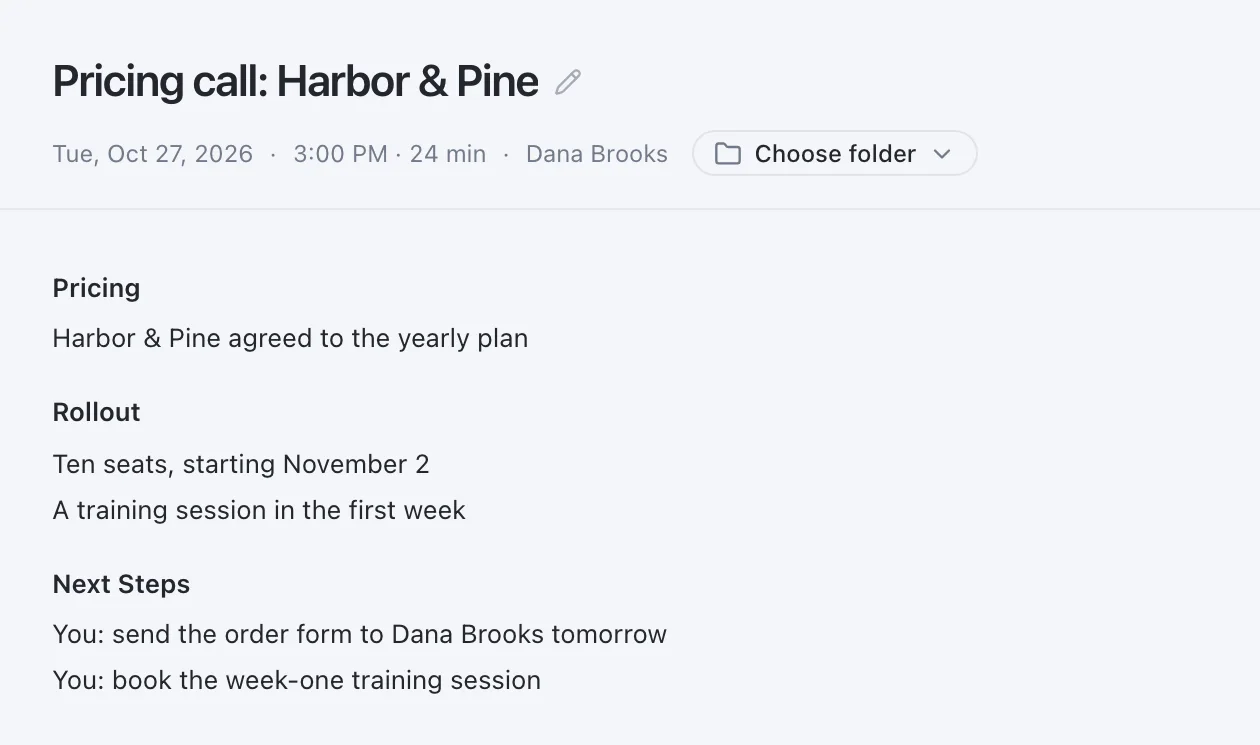
Call notes
Hang up with the deal written down.
When the call ends, the notes carry what the client agreed and the next steps, under clear headings. Copy them into your CRM, or share the meeting by link when you choose to.
Follow-ups
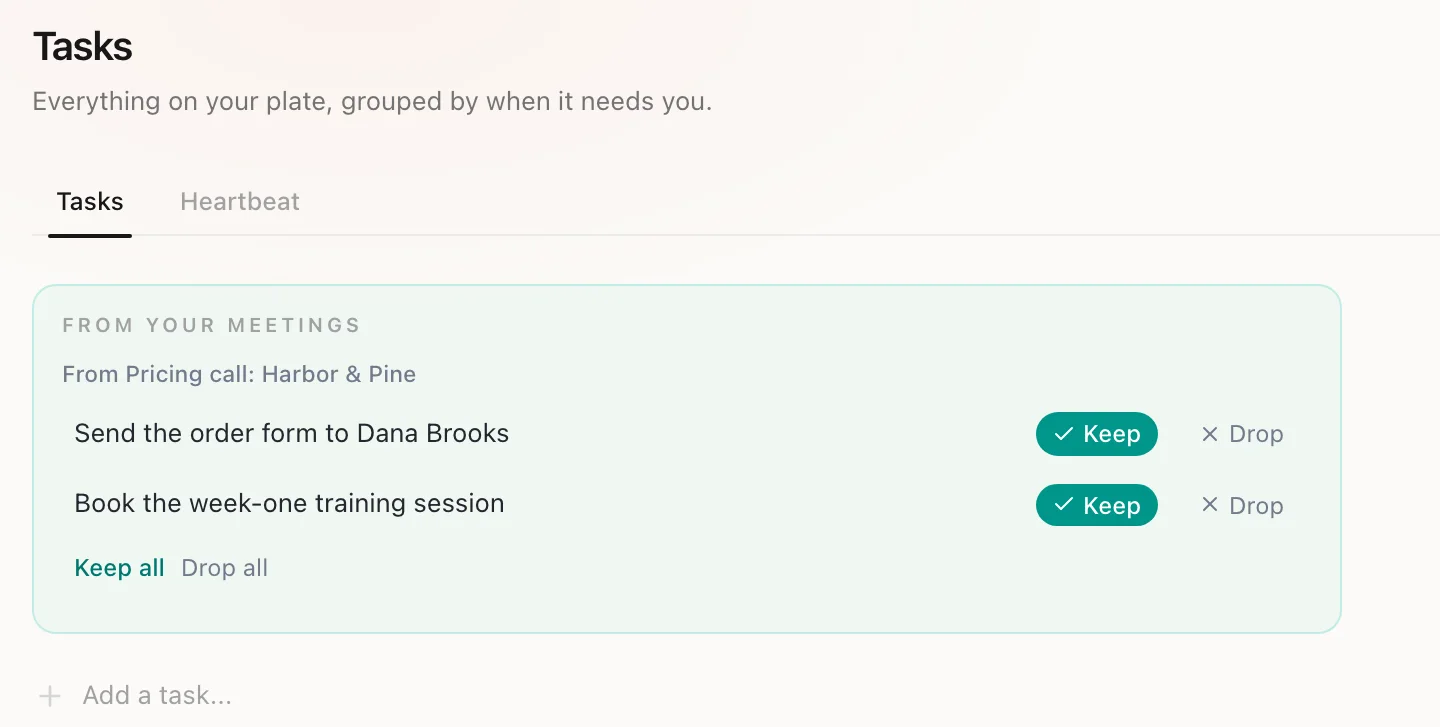
Your follow-ups, proposed, never assigned.
Your own next steps come back as proposed to-dos, like sending the order form. Keep the ones you want. Need the email too? Ask the meeting chat to draft a follow-up, then edit it before it goes out.
Before the next call
Ask what the client agreed, from your phone.
On the way to the next meeting, ask on your Mac or your iPhone. Routines answers from your call notes and names the meeting. On the iPhone it reads the meetings you sync with Cloud Sync, which is off by default.
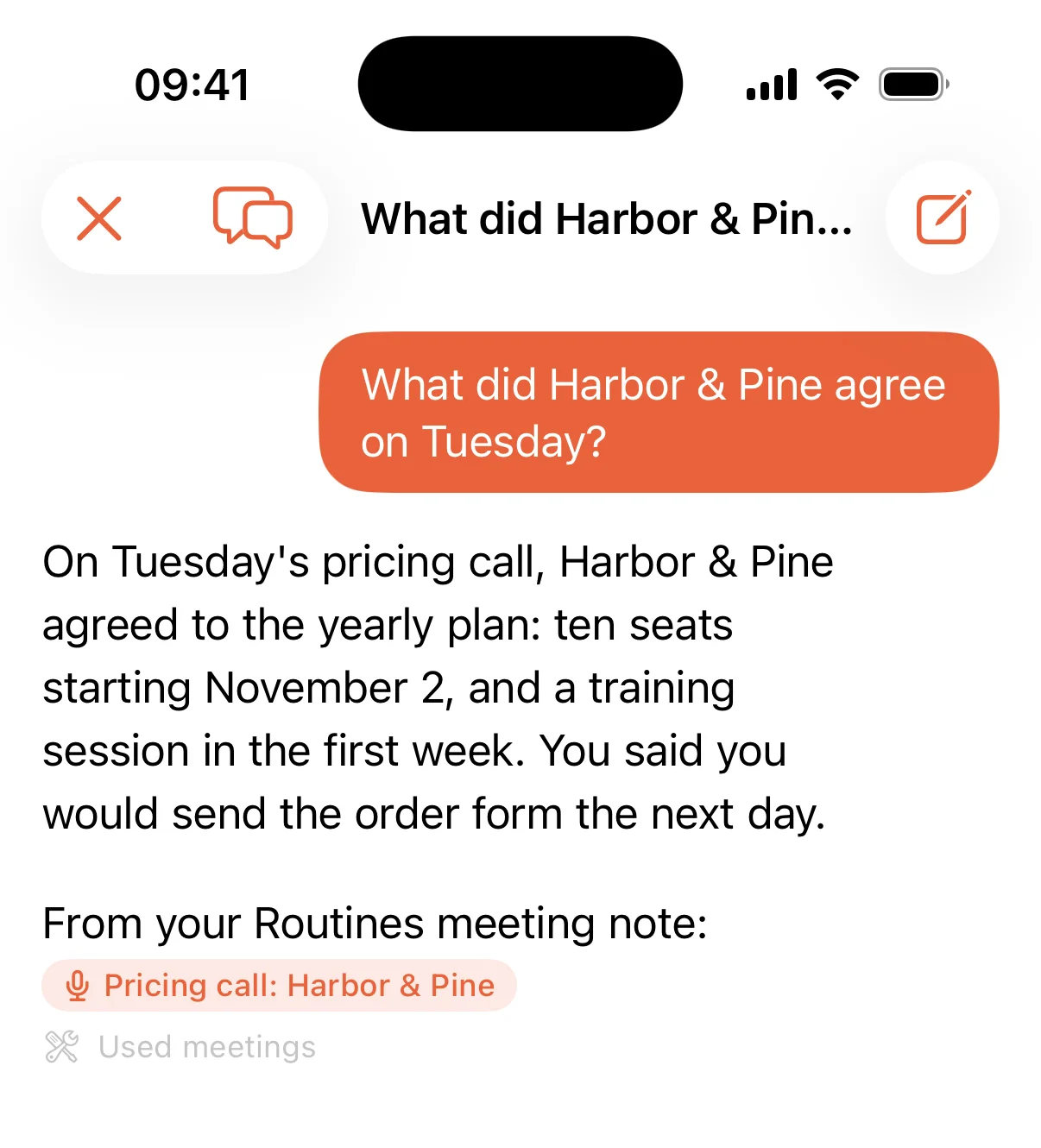
Asked on iPhone, with Cloud Sync on.
Questions before you download.
- Who starts the recording?
- You do, every time. Routines ships no disclosure watermark, no automatic announcement and no consent prompt today, so telling the people in the call is your responsibility, and we recommend saying you record.
- Can it draft the follow-up email?
- Yes. Ask the meeting chat to draft a follow-up email and it writes one from the call. You edit it and decide when it goes out.
- Can I share a call with a colleague?
- Yes. Copy the notes, or share a meeting by link when you choose to. Sharing uploads that one meeting so the link works, with Cloud Sync on or off.
- Where is the audio transcribed?
- Meeting audio streams to Deepgram to be turned into text. On Pro, Teams and the trial Routines supplies the Deepgram key. On Free you add your own key before your first recording.
Try it on your next meeting.
Press record when the call starts, and read the notes when it ends.