
For scrum masters
Run the standup. Routines writes the notes.
Press record when the standup starts. Routines writes down the blockers, who owns what and what the team agreed, so you can listen instead of typing.

Free for macOS, iOS and watchOS. Your files stay yours.

A sprint with Routines
From the standup to the retro, written down for you.
Daily standup
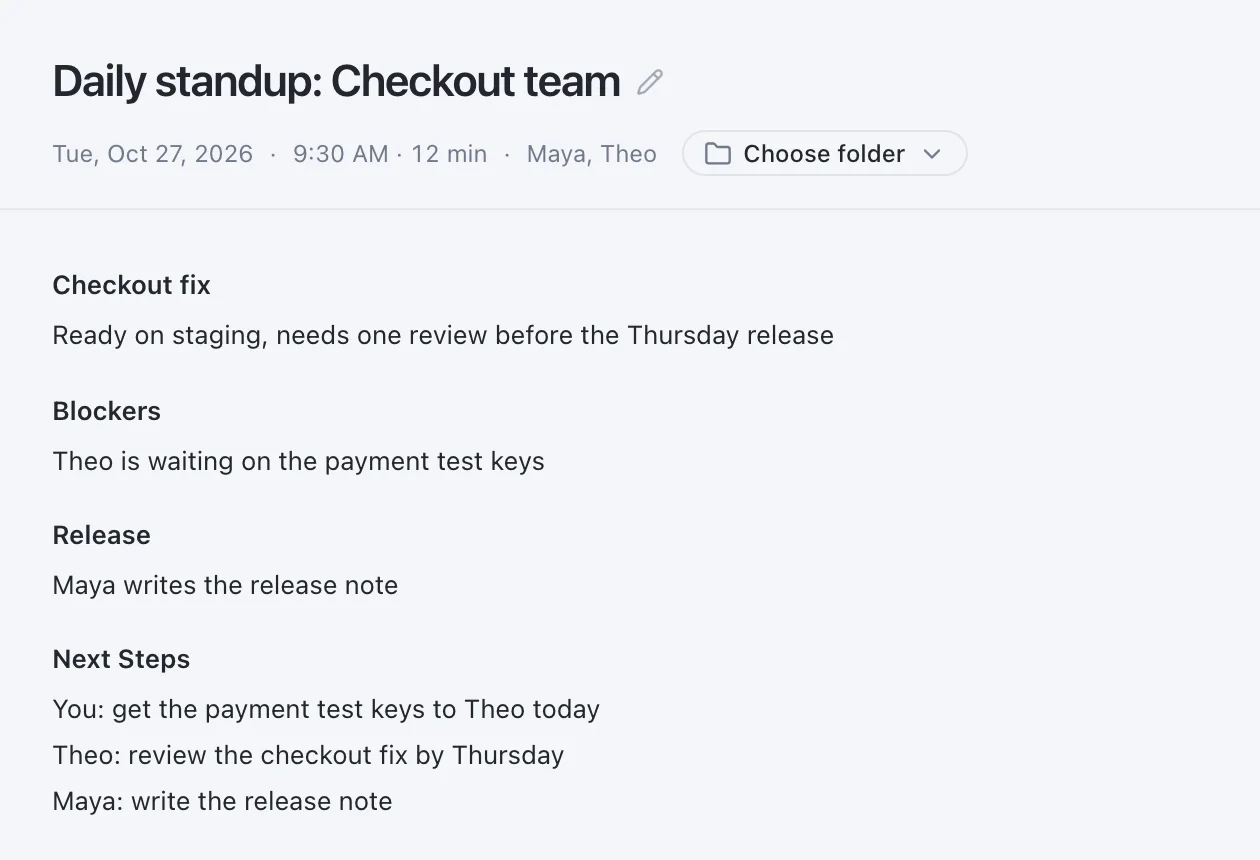
Every blocker written down while you listen.
When the standup ends, the notes say what moved, what is blocked and who does what next. You stay on the conversation, not on the keyboard.
After the standup
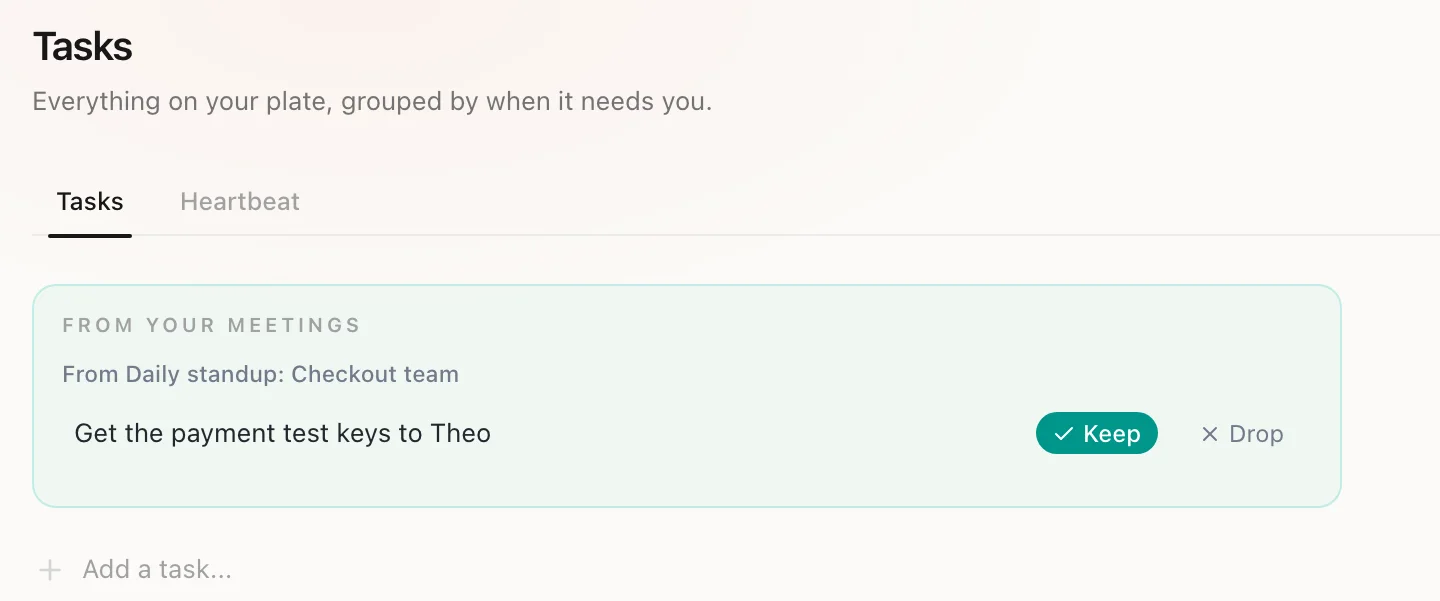
Your action items wait for your yes.
Your own action items come back as proposed to-dos, grouped by the meeting they came from. Keep the ones you want and drop the rest. Only a kept one goes on your list.
Retro
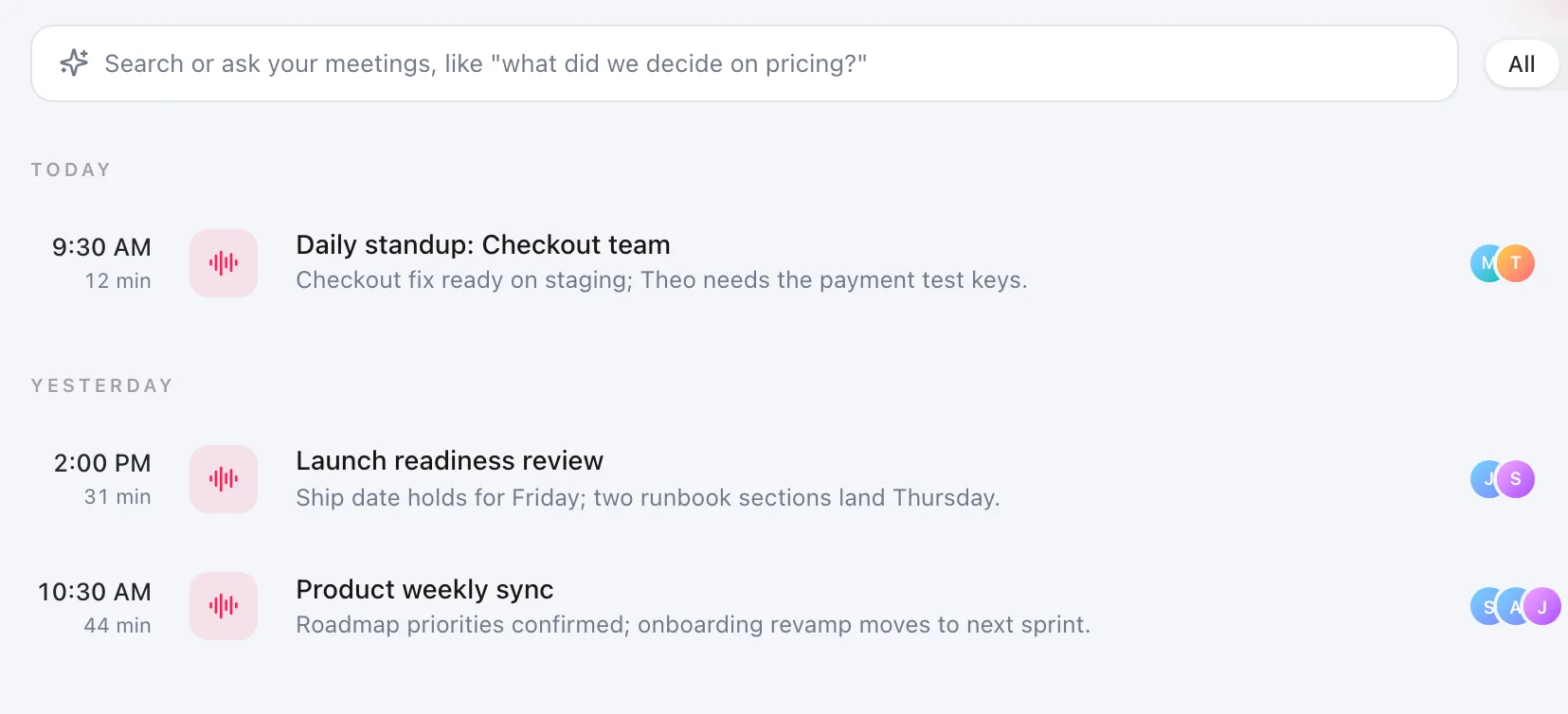
At the retro, look back across the sprint.
Every standup and review you recorded sits in one list, each with its outcome in one line. Ask in plain words, like what you decided about the release, and Routines answers from those meetings.
Questions before you download.
- Who starts the recording?
- You do, every time. Routines ships no disclosure watermark, no automatic announcement and no consent prompt today, so telling the people in the call is your responsibility, and we recommend saying you record.
- Does it add to-dos on its own?
- No. Your own action items come back as proposed to-dos. You keep or drop each one, and only a kept one goes on your list.
- Can I find what we decided three sprints ago?
- Yes, if you recorded that meeting. Ask in plain words and Routines answers from your meetings and notes, and shows which meeting the answer came from.
- Where is the audio transcribed?
- Meeting audio streams to Deepgram to be turned into text. On Pro, Teams and the trial Routines supplies the Deepgram key. On Free you add your own key before your first recording.
Try it on your next meeting.
Press record when the call starts, and read the notes when it ends.