
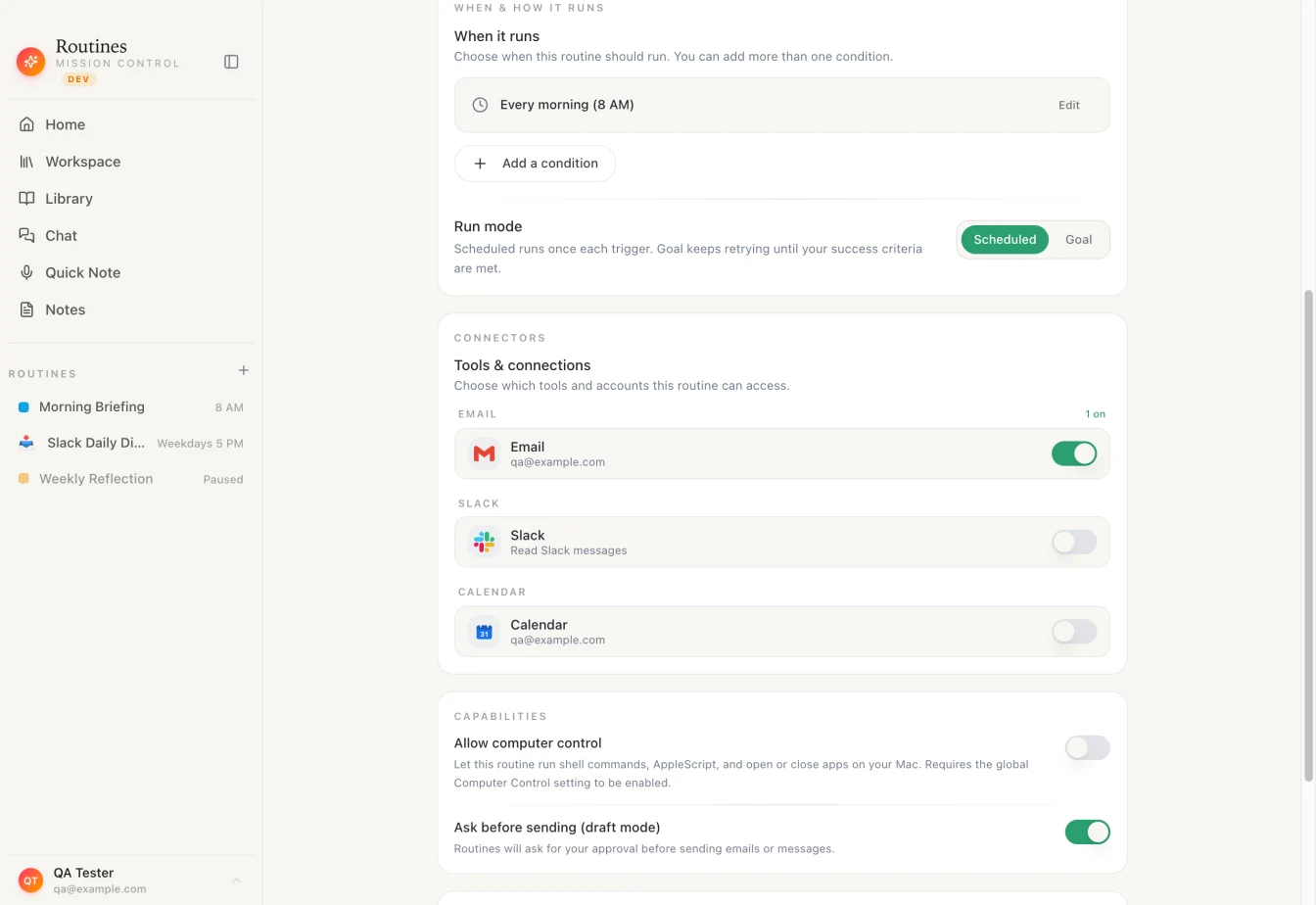
A scheduled routine in Routines for Mac: one schedule, the accounts it may use, and how it runs.
You already pay for Claude or ChatGPT, and both can now run a prompt on a schedule. The catch is that "Claude scheduled tasks" is three or four different features, and each one runs in a different place. Where a task runs decides whether it fires while your Mac sleeps, whether it can see your files, and whose usage it burns.
Below they are side by side, with every Claude and ChatGPT fact checked against the vendors' own docs as of September 30, 2026. We build Routines for Mac, a Mac app for scheduled AI routines, so it is in the table too, along with an honest section on when you do not need it. One naming note: Anthropic has a separate cloud feature called Routines, which we call "Claude cloud routines" below to keep the two apart.
What Claude scheduled tasks do today
As of September 30, 2026, Anthropic documents several kinds of scheduled work:
- Desktop scheduled tasks (docs). A task runs on your own machine, with direct access to your files and tools, but only fires while the Claude Desktop app is open and your computer is awake. If the computer sleeps through a scheduled time, that run is skipped. When the app starts or the computer wakes, it checks the last seven days and starts exactly one catch-up run for the most recently missed time. Presets are Manual, Hourly, Daily, Weekdays and Weekly, the minimum interval is one minute, and each run shows up as a desktop notification plus a new session under a Scheduled section in the sidebar. It needs Claude Desktop 1.1.5368 or later.
- Claude cloud routines (docs). A research preview that runs on Anthropic-managed cloud infrastructure, "so they keep working when your laptop is closed." They are available on Pro, Max, Team and Enterprise plans, can be triggered on a schedule, by API or by GitHub events, and a schedule can run no more often than once an hour. They start from a fresh clone of your GitHub repositories rather than your local files, include your connected claude.ai connectors by default, and draw down your subscription usage like an interactive session.
- Cowork scheduled tasks (help article). These run remotely on all paid plans, so they keep their cadence while your computer is asleep or the app is closed (a task that needs local files or apps only runs locally). They can use Cowork's connected tools, skills and plugins, but cannot be tied to a folder on your computer.
- /loop in Claude Code (docs). A repeat inside one session: it fires only while Claude Code is running and idle, does not replay missed fires, and expires after seven days.
So "does it run while my Mac is off?" has two answers inside Claude alone. The desktop kind does not. The cloud kinds do, and give up your local files in exchange.
ChatGPT scheduled tasks, compared
As of September 30, 2026, OpenAI's help page for scheduled tasks describes one-time and recurring tasks, managed from a Scheduled view. The limits depend on your plan: 3 active tasks on Free and Go, 5 on Plus, 10 on Business and Edu, and 15 on Pro and Enterprise. Free tasks run at most once a day in flexible windows like morning or night, while eligible paid plans get recurring tasks up to once an hour and exact delivery times.
Tasks can use supported apps such as Gmail, Slack and GitHub. Actions that send messages or change data may need your approval, and the task pauses until you review it. Results reach you as push notifications, email, or both. On eligible paid plans there are also event-triggered tasks that react to Gmail, Slack or GitHub activity.
On a Mac, if Scheduled does not appear in the ChatGPT desktop app, OpenAI says to use ChatGPT on the web. The help page does not say in plain words whether your computer needs to be on, so we do not claim either way.
Where each one runs, and what happens when your Mac sleeps
Cloud tasks (Claude cloud routines and most Cowork tasks) run on Anthropic's side, not on your Mac. You can close the lid and the 7 AM task still fires. The trade is reach: they see the accounts you connected to Claude, not the folders on your disk, and cloud routines draw on your Claude plan.
Local tasks (Claude desktop scheduled tasks and Routines for Mac) run on your Mac, next to your apps and files, and they stop when the Mac stops.
Routines for Mac does not run while your Mac is off. When Routines opens, a scheduled routine whose time passed while the app was closed runs once, not once per missed time. If you want something to happen the moment you open the lid, there is a separate trigger for that, "When Mac wakes", which runs every time your Mac wakes from sleep.
The other failure mode is running out of usage. When a scheduled routine runs through your Claude plan and your usage window is exhausted, Routines records the run as deferred, not failed, sends no error notification, and queues it again for when the window resets. A rate limit waits 30 minutes, and a dropped network waits 5 minutes.
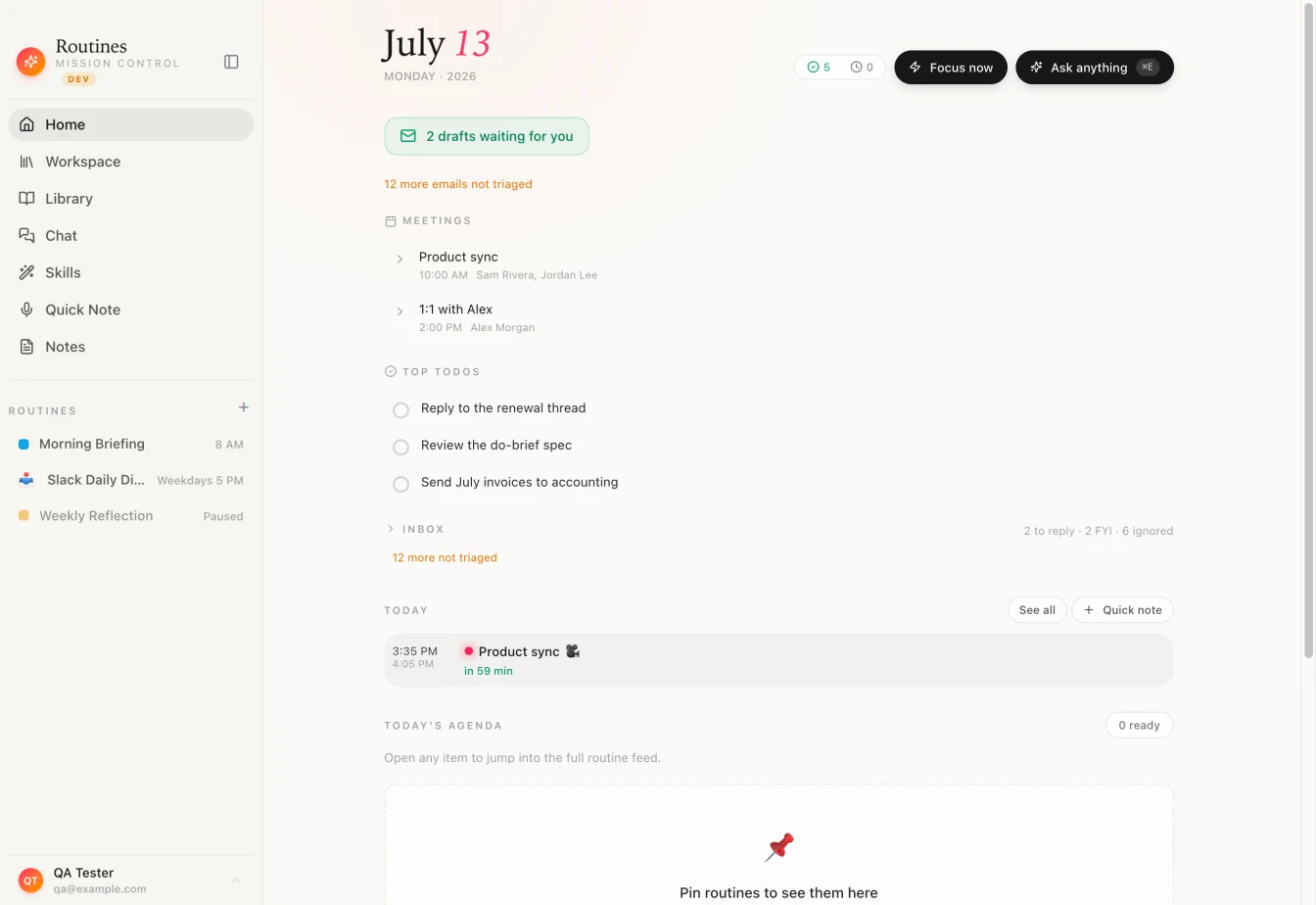
The sidebar lists every routine with its schedule, and marks the paused ones.
Scheduled routines on your Mac with the Claude plan you already pay for
If you like Claude and want scheduled work that runs on your Mac, Routines for Mac can run it through your own Claude subscription. In Settings, open Assistant, then the Provider & Model tab. With "My own AI" chosen, the Execution Engine card offers two engines: Direct API, which "uses your Anthropic API key," and Claude Code CLI, which "uses your Claude Code CLI and its Claude subscription. No API key or per-token costs."
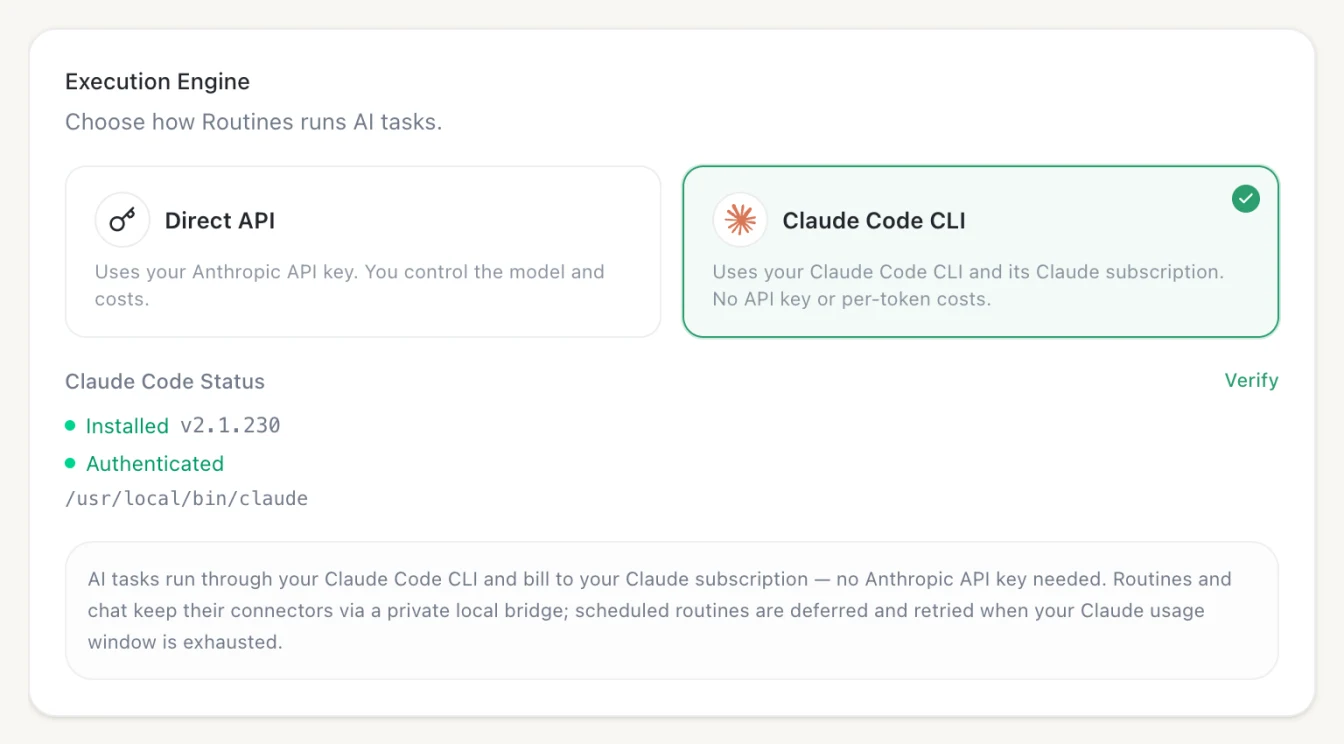
Pick Claude Code CLI and your routines bill to your Claude plan, not to per-token API usage.
This engine needs the Claude Code CLI installed on your Mac and signed in. If it is missing, the card tells you to install it with npm install -g @anthropic-ai/claude-code; if it is not signed in, it tells you to run claude in your terminal. Until both are true, Routines keeps your current engine. With the engine on, your routines and chat keep their connectors through a private local bridge.
That is one of four ways to power Routines, not the only one. You can also sign in with ChatGPT and use the plan you pay for there, add an API key from a provider you choose, or use Routines AI, which starts with a welcome credit and needs nothing set up. With "My own AI", in the app's own words, "your writing goes from your Mac straight to that service and never touches Routines servers," and Routines adds nothing to your AI bill. With Routines AI, your writing passes through our servers to the model, and we keep the usage numbers, never the words.
Side by side: triggers, connectors, output and cost
All Claude and ChatGPT cells are as of September 30, 2026, from the pages linked above.
| Claude desktop scheduled tasks | Claude cloud routines | ChatGPT scheduled tasks | Routines for Mac | |
|---|---|---|---|---|
| Where it runs | Your computer | Anthropic's cloud (research preview) | In ChatGPT (some tasks run only on your computer) | Your Mac |
| Needs Mac awake or app open | Yes, app open and computer awake; one catch-up run after a sleep | No | The help page does not say | Yes, Mac on and Routines running; one catch-up run when the app opens |
| Triggers | Schedule (Hourly to Weekly presets, down to every minute); manual | Schedule (at most hourly), API, GitHub events | One-time or recurring (up to hourly on paid plans); Gmail, Slack or GitHub events on eligible plans | Schedule, manual, after another routine, app launch, Mac wake, local webhook, file change, keyboard shortcut |
| Connectors | MCP servers from config files and connectors, plus local files | claude.ai connectors; GitHub repos cloned per run, no local files | Supported apps such as Gmail, Slack, GitHub | Gmail, Google Calendar, Slack, Jira and any MCP server |
| Where output lands | Notification plus a new session in the Scheduled sidebar | A new session you can review | ChatGPT, with push or email notifications | The routine's Latest output in the app |
| Cost and plan | The page does not say | Pro, Max, Team or Enterprise; uses subscription usage | Free (3 tasks, daily) to Pro and Enterprise (15 tasks) | Your Claude plan via Claude Code CLI, your ChatGPT plan, an API key, or Routines AI credit |
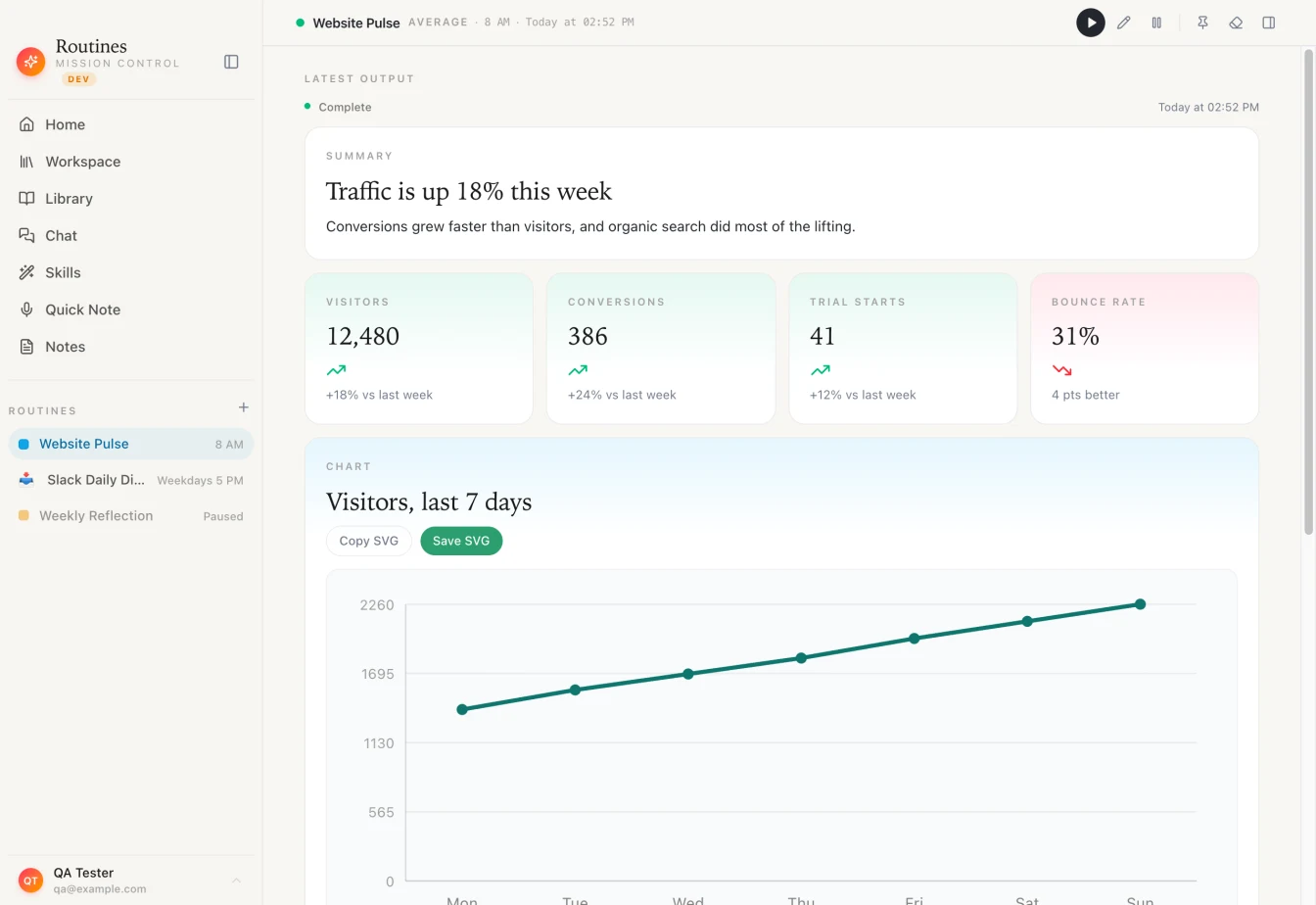
Output stays with the routine: a summary, the numbers, and a chart you can copy or save.
The row that matters most on a Mac is triggers. Cloud tasks react to time and to events in their own services. A routine on your Mac can also react to your Mac: an app opening, a file landing in a folder, a keyboard shortcut, or the lid coming up in the morning. A morning briefing is the usual first one.
When Claude's own scheduled tasks are enough
Plenty of people need nothing else. Use Claude's or ChatGPT's own scheduled tasks if:
- You need runs while your Mac is off. Claude cloud routines, and Cowork tasks that need no local files, keep going with the lid closed. Routines for Mac does not, and no setting changes that.
- Your work lives in GitHub. Cloud routines clone your repositories, run on a schedule or on a pull request, and hand you a session where you can review the change and open a pull request.
- You already live in Claude Desktop. Desktop scheduled tasks run on your machine with your files, need no extra app, and catch up once after a sleep.
- One or two tasks is all you want. ChatGPT covers a few scheduled prompts with email or push delivery.
Routines for Mac earns its place when you want many routines in one place, triggers tied to what happens on your Mac, output that stays with each routine, and a choice of which AI pays for it. Coming from the agent side? Our OpenClaw alternatives guide covers the same job without a terminal, and launching Claude Code sessions from your Mac covers the other half.
Routines for Mac has a Free plan and a Pro plan with a 7-day free trial. Download Routines for Mac, schedule one routine for tomorrow morning, and compare the result with what your Claude or ChatGPT task sends you.