
Routines records from your wrist now. The Apple Watch app comes with the iPhone app, and it exists for the conversations that happen nowhere near your Mac: a whiteboard session, a walking 1:1, a decision taken in a corridor that you will have half forgotten by lunch.
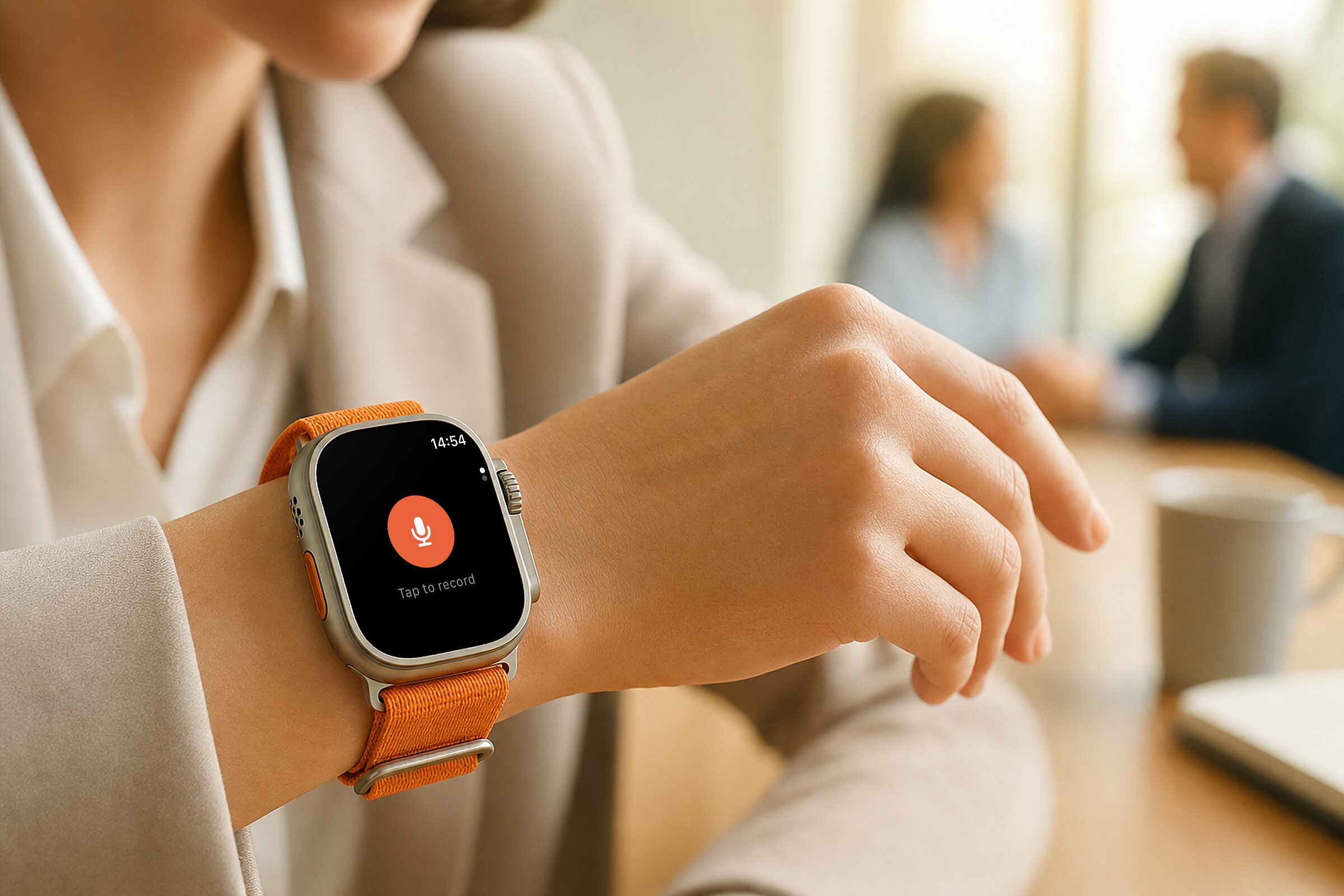
One tap starts a recording
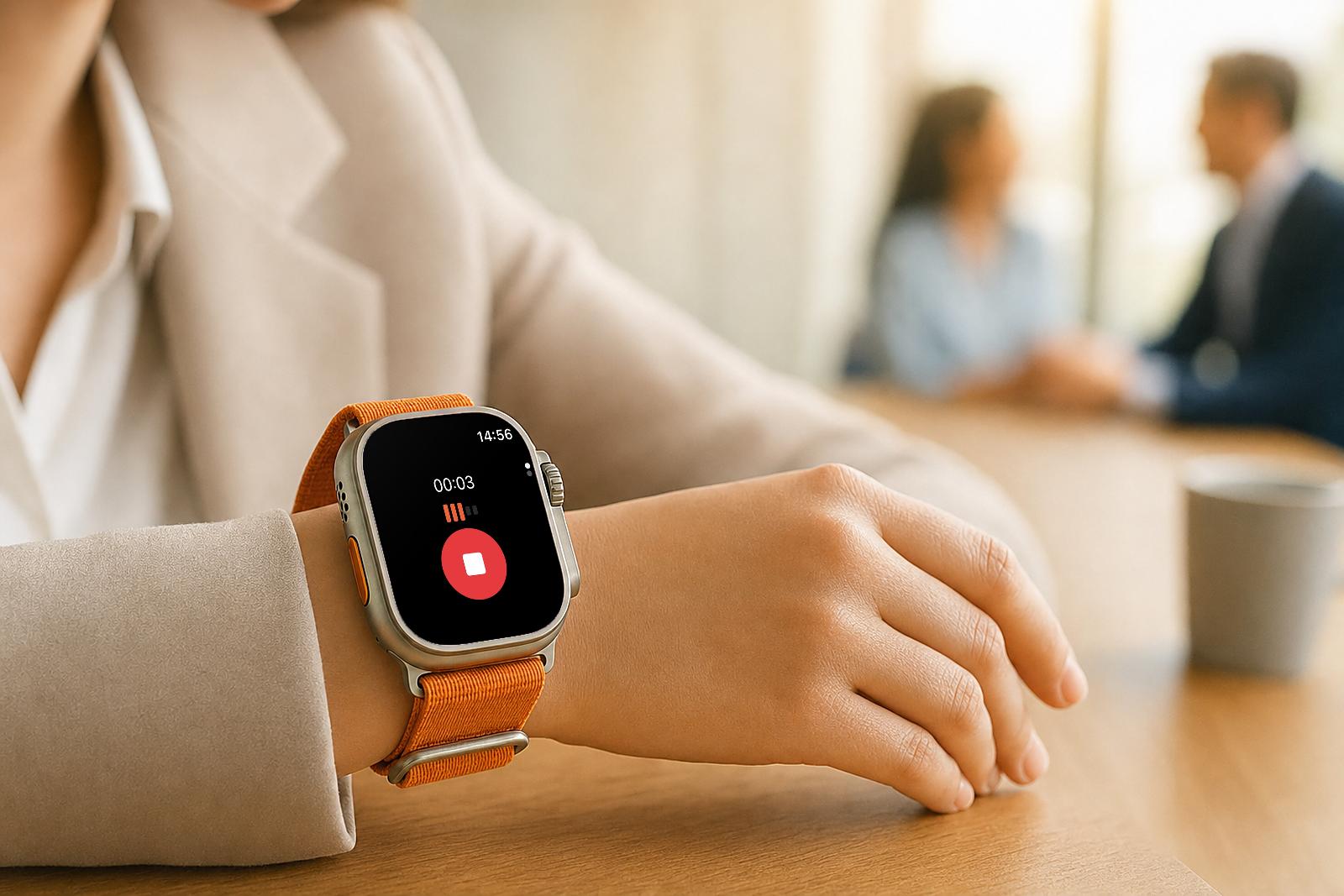
Tap the orange button and the watch records. The first tap asks for the microphone. After that the screen turns into an elapsed timer with a live level meter, so a glance tells you it is still listening. Tap the red stop button and you get "Sending to iPhone…", then "Sent to iPhone" once the phone has it.
A recording runs up to three hours. If a phone call interrupts one while the app is in the background, the watch finishes the clip, keeps it, and posts a time-sensitive notification: "Your meeting recording was interrupted and saved. Open Routines to record again."
Your iPhone does the heavy work
When you stop, the clip transfers to the iPhone in the background. Out of range, it waits on the watch and retries instead of failing. The recordings list shows the status of the last five, and opening the app again nudges anything still pending.
The phone takes it from there. It sends the audio to Deepgram for transcription in your transcription language, writes the meeting with the full transcript, generates the AI notes, and pushes the meeting to your Routines account. With Cloud Sync and Backup on the Mac, the Mac app picks it up alongside the rest of your meetings. If the transcription fails, the recording stays in the queue and is tried again on the next pass.
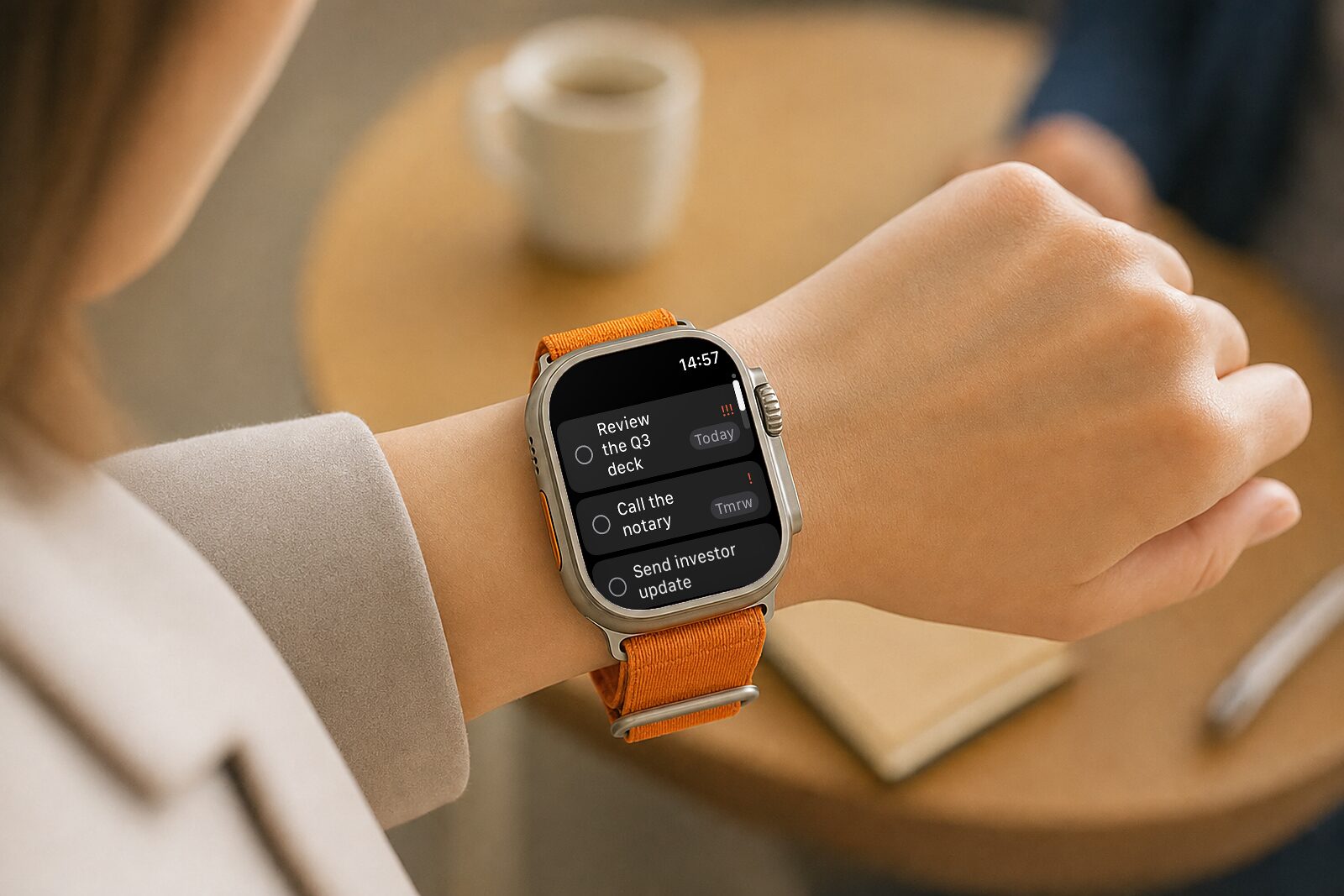
Todos on the second page
Turn the Digital Crown, or swipe up, and you land on your todos, mirrored from the Mac through the same account. Tap a row to check it off. It flips straight away with a haptic, and the ones you finish collect in a section underneath, where a tap puts them back. A row with a priority carries it as !, !! or !!!, plus a due chip reading Today, Tmrw or a date.
Check-offs travel back through the phone and sync through your Routines account, and the same switch brings them to the Mac. When the list is empty it says where it comes from: "Add them on your Mac."
A record button on the watch face
Routines ships a Record complication for the circular and corner slots. Tapping it opens the app and starts recording immediately when nothing else is running.
Available today
Routines for Apple Watch needs iOS 26 on the phone and watchOS 11 on the watch, and it arrives with the phone app rather than as a separate download. Get or update Routines for iPhone and sign in.
Try it in your next in-person conversation. We would love to hear what you think, so write to us at hello@getroutines.ai.