
tl;dv privacy audit
Is tl;dv safe? A privacy audit built from tl;dv's own documents.
The short answer
Last verified 2026-08-08
tl;dv is a cloud meeting recorder operated by Tldx Solutions GmbH, a German company. A bot joins your calls, and the recording, transcript and summary are stored on tl;dv's servers, which its Privacy Policy says sit primarily in the European Economic Area. The promise never to train AI on customer data is now a term of that Privacy Policy, section 9, and it is written more broadly than the marketing pages that carried the promise before. Other claims still land differently in different tl;dv documents: the SOC 2 status is stated three ways, the hosting providers differ between the policy's hosting section and its own subcontractor table, and free-plan retention is three months in the policy and six months in the comparison blog posts. In August 2026 a security researcher published a vulnerability disclosure about meeting metadata, and tl;dv published a response that contests parts of it. [1][2][3][4][17][22][23][24][28][27][26]
What tl;dv does well
- The no-training promise is in the binding document, not only in marketing. Section 9 of the Privacy Policy, headed "AI Model Training", states that Tldx Solutions GmbH does not use customer content to train, fine-tune or improve foundation models, large language models or other generative AI models, and that third-party AI providers may not use it to train their general-purpose models either. It covers notes and files as well as recordings and transcripts, which is wider than either marketing wording. The clause is recent: it appears in the version published July 1, 2026.
- EU hosting is the stated baseline. The Privacy Policy says all personal data collected through the platform is primarily processed and stored in facilities located in the European Economic Area, and names one exception: part of the AI service, depending on the AI hosting location you select.
- The Terms take no license over your content. No license grant covering user recordings, transcripts or notes appears anywhere in them, and none of the usual perpetual, irrevocable, sublicensable or royalty-free wording appears in the document.
- Staff access is consent-gated in writing. The Privacy Policy states that tldx does not access your recordings and transcriptions at any time unless you personally share access with individual employees for technical assistance, and that only the items you granted access to are reachable.
- The sale-of-data sentence is flat and unhedged: "We will not sell the collected data to other companies." No US state-law carve-out sits next to it in either legal document.
- Consent is a shipped feature, not just a disclaimer. An add-on requests recording consent from external invitees before the bot joins, and if consent is declined the bot is not allowed into the meeting room, per tl;dv's own documentation.
- Deletion is documented as immediate and final: tl;dv states it keeps no backups nor fallbacks and that a deleted recording cannot be recovered, and account deletion is a single self-serve click-path in settings.
What deserves caution
- tl;dv's own sources state its SOC 2 status three ways. Two comparison blog posts mark it "SOC2 Compliant 🔴 (certification underway)" and say tl;dv "is in the process of becoming SOC2 compliant" against competitors that already are; the Security Commitment page says it holds a SOC 2 Type II report; another tl;dv blog post says a Type 1 report. The same Security Commitment badge strip also reads "EU US PRIVACY SHIELD", a framework name the Privacy Policy never uses when it describes transfers.
- Encryption is described three ways. The Privacy Policy's encryption clause covers connections only; the AES-256 at-rest claim sits on the homepage and on the Security Commitment page, and the homepage also claims "end-to-end encryption" in the paragraph carrying the no-training promise. Neither legal document repeats the end-to-end claim, and the Privacy Policy's own staff-access clause describes tl;dv granting support employees access to stored recordings when you share them, an access model inconsistent with keys only the customer holds.
- A hosting provider named in the Privacy Policy is missing from its own subcontractor table. Section 5 says tl;dv hosts its software in Google Cloud Platform and AWS facilities, but the table in section 7.2 lists the hosting row as Google Cloud, Hetzner and Wasabi, with no AWS entry anywhere. The Security Commitment page names all four together, which accounts for Hetzner and Wasabi but not for the missing AWS row. The help center also offers an AI hosting region in France with Mistral, a vendor the subcontractor table does not list.
- No two-factor authentication is documented in any tl;dv source read for this audit, and SSO is described two ways. The Security Commitment page says "Single Sign-On (SSO) is available to all users", while two tl;dv comparison blog posts mark SAML-based SSO as "Only on Enterprise". Neither legal document nor the help center mentions SSO at all.
- Free-plan retention is stated two ways by the same vendor: three months in both the Privacy Policy table and the help-center article, six months in tl;dv's comparison blog posts.
- A vulnerability disclosure in August 2026 is disclosed and contested. A security researcher published a report of a Firestore access-control flaw affecting meeting metadata, Dark Reading reported it the same day, and tl;dv's CTO published a response the next day acknowledging a flaw and disputing the researcher's timeline. The two accounts differ on duration and on how much content was reachable. This audit states both and adopts neither; the detail is in the breach question below. (As of August 8, 2026.)
Quick facts
The privacy facts, at a glance.
- How audio is captured
- Bot-based by default: a tl;dv bot joins calendar meetings and can be denied entry or removed like any other participant. A bot-free desktop recording mode exists. The bot waits 10 minutes, caps recordings at 3 hours, skips events marked all day, and does not work with webinars. [11][12][13][15]
- Where transcription happens
- In tl;dv's cloud. The Privacy Policy says all personal data is primarily processed and stored in EEA facilities, with one stated exception: part of the AI service, which runs in the region you select. No on-device transcription path is described in any document. [1][7]
- Where your data is stored
- Google Cloud and AWS, per the Privacy Policy's hosting section, with the database in a Google Virtual Private Cloud. The subcontractor table in the same policy lists hosting as Google Cloud, Hetzner and Wasabi, and names no AWS row anywhere. The Security Commitment page names all four together and says all data centers are in Europe, which accounts for Hetzner and Wasabi but leaves AWS undisclosed in the table. [1][3]
- AI training defaults
- Section 9 of the Privacy Policy, "AI Model Training", states that customer content is not used to train, fine-tune or improve foundation models, large language models or other generative AI models, and that third-party AI providers may not use it to train their general-purpose models. The Security Commitment page and the homepage say the same thing in shorter marketing wording. The clause is recent: it appears in the version published July 1, 2026. [1][3][4]
- Retention
- Recordings and transcripts: three months for free accounts, until account deletion for paying ones, per the Privacy Policy table and the help center. Logs and site analytics are kept 10 days. Support ticket data: "This data is not deleted. A request may be made." Free recordings move to archive after 3 days. [1][17][18]
- Subprocessors
- 16 named vendors in a table inside the Privacy Policy; no standalone dated subprocessor page exists. The AI provider row names Anthropic and Google Vertex. A Platform-as-a-Service row names Paragon, described as the provider used to build, manage and operate customer-authorized integrations with third-party applications, which makes it the route meeting content takes into other tools. No human annotation or data-labelling vendor is disclosed anywhere, and Mistral, offered as an AI hosting region in the help center, does not appear in the table. [1][7]
- Encryption
- In transit: "All connections to Tldx Solutions GmbH are encrypted using the SSL protocol," with HTTP redirected to HTTPS. The Privacy Policy states no at-rest encryption clause; the AES-256 at-rest claim appears on the homepage and on the Security Commitment page instead. End-to-end encryption is claimed on the homepage only; neither legal document repeats it, and the policy's consent-gated staff-access clause describes vendor-side access to stored recordings. [1][4][3]
- Certifications
- SOC 2 is stated three ways by tl;dv itself: "Type II" on the Security Commitment page, "Type 1" in one blog post, and "certification underway" in two comparison blog posts that also say tl;dv "is in the process of becoming SOC2 compliant". ISO 27001 is attributed to the hosting providers, not to tl;dv. No HIPAA claim appears in the Privacy Policy, the Terms, the Security Commitment page or the homepage. The Vanta-hosted Trust Center returned no readable content to non-browser fetching. [3][22][23][24][1][5]
- Consent features
- The bot joins as a visible participant, and tl;dv states recording is not designed to run silently. An add-on can request consent from external invitees and blocks the bot if consent is declined. Bot-free recording carries no automated notice, and tl;dv puts that duty on the user. [7][25][15]
Data flows
What leaves your Mac.
Step 01
Meeting video, audio and transcripts
Uploaded to tl;dv and stored on its infrastructure. The policy names Google Cloud and AWS in its hosting section and Google Cloud, Hetzner and Wasabi in its subcontractor table. [1]
Step 04
Email addresses of people who never signed up
The Privacy Policy lists, as a collected category, the "Email address of people not subscribed but are participants in a meeting where the solution would be used", retained for 5 years or upon deletion request. [1]
Step 05
Meeting content pushed into third-party apps you connect
The subcontractor table names Paragon as the "Platform-as-a-Service provider used to build, manage, and operate customer-authorized integrations with third-party applications". Every integration you authorize is brokered through it. The table does not say which fields each integration carries. [1]
Step 06
Usage analytics and logs
IP address, geographic location, browser and version, operating system, referral source, visit duration, pages viewed and navigation paths. Retained 10 days, described as non-nominative. Mixpanel, Cloudflare and Sentry are the named analytics subcontractors. [1]
Step 07
Account, billing and support data
Email, name and profile image URL, plus credit card, billing email and billing address, processed with Stripe and kept until account deletion. Support conversations go to Intercom and Sentry, and support ticket data is not deleted unless requested. [1]
AI training
Training defaults, in tl;dv’s own words.
tl;dv states that it does not train AI on customer data, and the statement is a term of the Privacy Policy, not only marketing copy. The version published July 1, 2026 carries a dedicated section 9 headed "AI Model Training". It is the broadest of the three wordings tl;dv publishes: it names recordings, transcripts, notes and files, it covers fine-tuning and improvement as well as training, and it extends the restriction to the third-party AI providers tl;dv uses. The Security Commitment page and the homepage state the same promise in shorter form. One qualifier belongs on the record: this clause is recent, the marketing pages carried the promise before it existed, and neither marketing page is dated, so a reader cannot tell from tl;dv's own documents how long the binding version has been in force. [1][3][4][7][23][24]
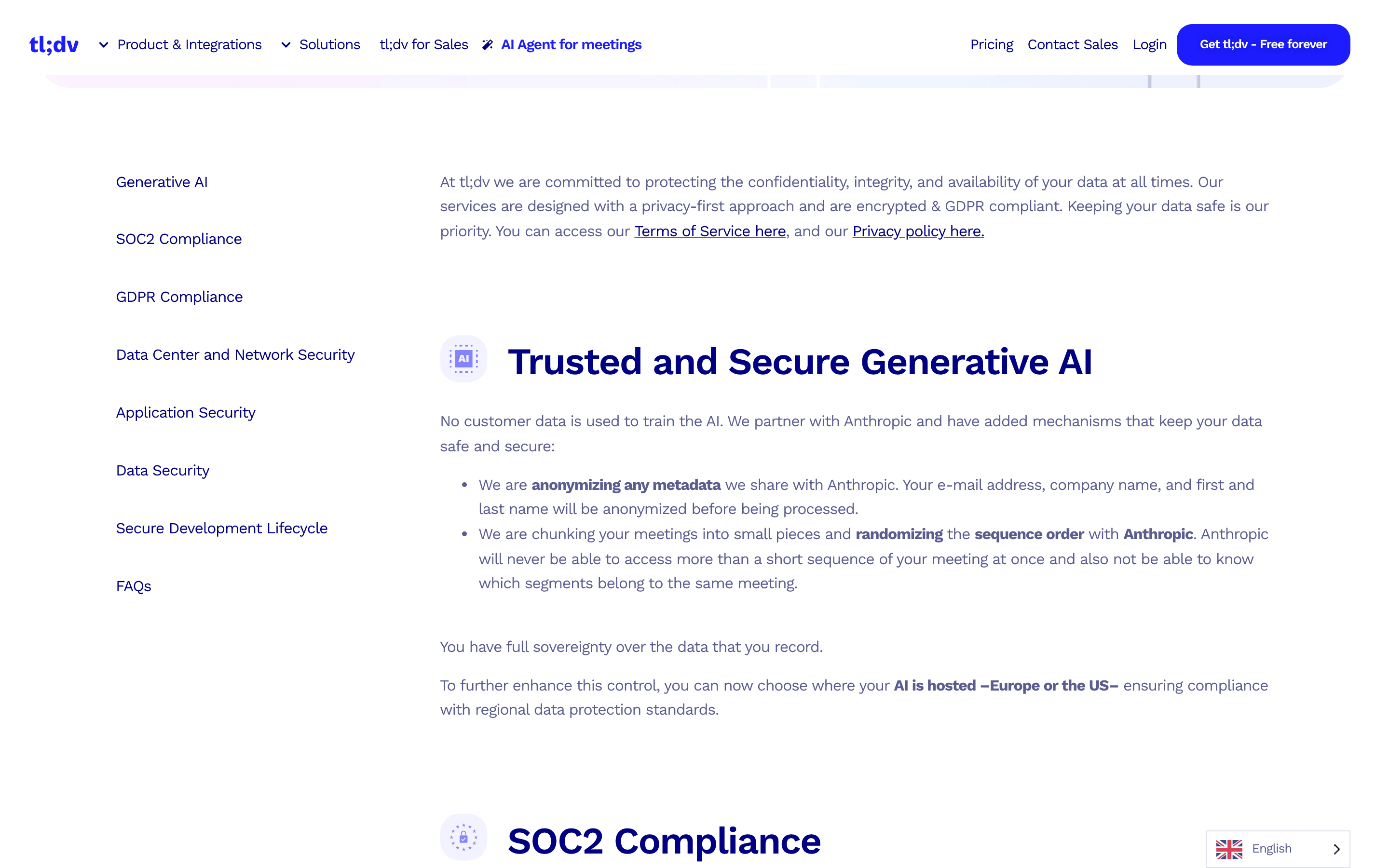
Tldx Solutions GmbH does not use Customer Content, including meeting recordings, transcripts, notes, files, or other data processed through the Services, to train, fine-tune, or improve foundation models, large language models, or other generative AI models for the benefit of tldx Solutions GmbH or any third party. Where we use third-party AI service providers to deliver features of the Services, Customer Content is processed solely to provide the requested functionality and is not used by tldx Solutions GmbH or such providers to train or improve their general-purpose AI models.
No customer data is used to train the AI.
Your recordings and transcripts are yours (not ours). And we'll never, ever use them to train AI. Ever.
tldx may use large language models provided by Anthropic via Google Cloud Vertex AI to generate written summaries or other derived content.
Can you opt out?
Not documented, and on tl;dv's telling not needed: no per-account or per-workspace AI-training toggle appears anywhere in the help center, and the claim is written as a platform-wide policy rather than a setting. The nearest control is a different thing entirely, the AI hosting location at Preferences > AI hosting location, which chooses the processing region and vendor rather than whether training happens. Which region a new account starts on, and which plans include that setting, are not stated in tl;dv's docs.
Third-party AI providers
Per the Privacy Policy's subcontractor table, the AI providers are Anthropic and Google Vertex, and section 8 names Anthropic models reached via Google Cloud Vertex AI. Section 9 extends the no-training restriction to those providers, stating that customer content is not used by them to train or improve their general-purpose AI models. The help center adds a second option, Mistral in France, which the subcontractor table does not list, so the vendor covered by that section 9 sentence is not fully enumerated in the same document. tl;dv states on its homepage that it anonymizes all metadata and processes meetings in randomized, small chunks. Its comparison blog posts assert, in a feature table, a "BAA with LLM providers" and a "0-day data retention" policy with its vendors; no agreement or policy document backing either table cell is published, and neither claim appears in the Privacy Policy or the Terms.
Sharing defaults
Who can see your notes.
Two access levels, set per meeting
Every recording carries an overall access level, and tl;dv describes the private one as a choice you make rather than a state you start in. [8]
People with access - You choose specific people who can view the meeting, or give no one access to keep the meeting entirely private.
Link sharing is public, and domain sharing is wide
The other level, "Anyone with the link", makes a meeting entirely public and viewable without signing in, though tl;dv notes it will not be indexed by search engines. Access can also be granted to an entire company at once by entering a wildcard domain such as *@company.com. Adding someone emails them; removing someone does not notify them, per the same article. [8]
Team defaults publish recordings quietly
Admins define rules at Your Team > Admin Controls > Recording Settings that decide whether a meeting is shared with teammates, added to the workspace library, or kept private. Two things travel with those rules: tl;dv states the setting triggers no notification email when a new recording is published, and team settings do not override the privacy rules of Team Admins themselves. [9][7]
Changes only ever apply forward
tl;dv states that whichever team settings you change apply moving forward only and do not apply retroactively. So tightening a default leaves everything already recorded on the terms it was recorded under, and the back catalogue has to be fixed meeting by meeting. [20]
Who controls the workspace, and who cannot leave it
Team Admins can override account preferences set by a Team Member, and only another Billing Group Admin can demote a Billing Group Admin. tl;dv states organizations cannot be deleted. Account transfer needs tl;dv's prior written permission, except through a documented bereavement and power-of-attorney path that can transfer or migrate ownership to another user. [21][2]
tl;dv staff access, described twice
The Privacy Policy gates staff access on you sharing items with a support member. The Terms state the same promise with a different trigger, access only upon specific request by the user who created the recording. Both are consent-gated; the two documents word the trigger differently. [1][2]
Tldx Solutions GmbH does not access your recordings and transcriptions at any time, unless you personally share access with individual employees for technical assistance.
Hardening checklist
Settings that make tl;dv more private.
If you use tl;dv and want to keep it, these are the settings worth changing, straight from the vendor’s own documentation.
Step 01
Decide which meetings the bot joins, before it joins one
Where
Preferences > Automations > Auto-record calendar events. tl;dv's help center describes this setting two ways, so check what your account actually shows before following a label. The newer article, dated May 8, 2026, gives the top-level choice as "All meetings", "Selected meetings" or "No meetings", with Internal and External appearing as a Meeting Type condition inside "Selected meetings" alongside Personal Attendance, Meeting title, Participant email and Email domain conditions. The older article, dated January 12, 2026, still shows a three-way "All meetings", "Internal meetings" or "External meetings" choice. For a whole team: Your Team > Admin Controls > Recording Settings tab > Auto Record meetings.
tl;dv's docs do not state which value a new account starts on, or whether auto-record starts enabled, so check yours; the preferences article recommends keeping it enabled for all meetings, which is a recommendation, not a stated shipped default. Three traps from the same docs: an email or domain you type is only accepted after you press Enter or the comma key, accounts registered on a public email domain such as gmail.com cannot use the Meeting Type condition at all, and team auto-record rules do not override the rules of Team Admins themselves. [7][11][10]
Step 02
Turn on consent requests for external guests
Where
Preferences > Auto-request recording consent (GDPR Add-on).
With it on, tl;dv asks everyone who does not share your email domain for consent, and if consent is declined the bot is not allowed into the meeting room. A separate Consent Collection flow, documented in an article dated April 23, 2026 and read in full for this audit on August 8, 2026, replaces the calendar meeting link with a consent link: a participant who declines can still join, tl;dv does not record, and recording is permanently disabled for that meeting even if they change their mind. Three limits ride along: the organizer is never asked, it only covers meetings scheduled on a connected calendar and created after setup, and without calendar write permission tl;dv may fall back to an email consent request instead. Neither mechanism covers bot-free recording, where tl;dv states notifications may not appear automatically and it is your responsibility to inform participants. [7][14][15]
Step 03
Set the team privacy default, then fix the back catalogue by hand
Where
Your Team > Admin Controls > Recording Settings tab > Default Recording Privacy.
This is where a workspace decides whether recordings are shared with teammates, added to the library, or kept private. Which of those a new team starts on is not stated in tl;dv's docs. Two limits ride along: the change applies moving forward only and does not apply retroactively, and team settings do not override the privacy rules of Team Admins, who set their own in Personal Preferences. [9][20]
Step 04
Audit who is on each recording, and treat removals as silent
Where
Open the meeting > sharing menu: set the overall level to "People with access", then review the per-person Admin, Editor and Viewer roles.
The alternative level, "Anyone with the link", makes the meeting viewable without signing in, and a wildcard domain entry hands access to everyone at a company. tl;dv notifies people by email when you add them, and its docs state people are not notified when you remove their access, so removal alone is not a way to tell someone the recording is off limits. [8]
Step 05
Delete what you would not want kept, and expect it to be final
Where
Meeting thumbnail > 3-dot button > Delete. For the whole account: tldv.io/app/settings/personal-settings/profile > "delete account".
tl;dv states it keeps no backups nor fallbacks and that once a recording is deleted it cannot be recovered, and no trash or undo window is documented. Trimming is equally one-way: each recording can be trimmed once and the removed parts cannot be recovered. On the free plan, recordings are stored three months and then deleted in batches on the 1st of the month, with an email 4 weeks before and downloads enabled for the affected recordings. [16][19][17]
Step 06
If the data has to stay in Europe, set the AI region and read the subcontractor table
Where
Preferences > AI hosting location: France with Mistral, or the US with Anthropic.
The Privacy Policy says everything is hosted in the EEA except part of the AI service, which follows this setting, and that transfers rely on standard data protection clauses adopted or approved by the European Commission. tl;dv's docs do not state which region a new account starts on. Note also that Mistral does not appear in the Privacy Policy's subcontractor table, and that the Security Commitment badge strip reads "EU US PRIVACY SHIELD", a name the Privacy Policy itself never uses for transfers. [7][1][3]
Policy changelog
What changed, and when.
Each entry records a dated re-verification of this audit against the vendor’s documents. Policy changes land here as dated diffs.
2026-08-08
Every source re-fetched and the central finding reversed. The live Privacy Policy is the version published July 1, 2026 and carries a dedicated section 9, "AI Model Training", which binds tl;dv and its third-party AI providers. The first version of this audit was built against the May 22, 2026 text and reported that the policy contained no training clause at all. That is corrected throughout, and section 9 is now quoted in full. Also corrected: the subcontractor table holds 16 vendors, not 15, and the sixteenth is Paragon, the broker for customer-authorized integrations; the SOC 2 status is published three ways rather than two, because two comparison blog posts mark it "certification underway"; the AES-256 at-rest claim appears on the Security Commitment page as well as the homepage; the Security Commitment page says SSO is "available to all users", contradicting the Enterprise-only comparison-post claim; AWS is named in the policy's hosting section but appears in no row of its own subcontractor table; the auto-record setting is documented two ways in two dated help articles; and the help-center articles do print author and written dates, which are now recorded per source. A vulnerability disclosure published August 4, 2026 and a tl;dv response published August 5, 2026 are added to the breach question, both accounts stated, neither adopted. Re-verified unchanged: the EEA hosting clause, the absence of any license grant in the Terms, the staff-access clause in section 6, the sale-of-data sentence, the retention table and deletion articles, and all three previously quoted vendor sentences. The closing Routines note was also tightened and no longer claims offline operation.
Before: the page said tl;dv's no-training promise lived only on two marketing pages and that the Privacy Policy governing processing carried no training clause of any kind, and it recorded the policy as the May 22, 2026 version. Now: the promise is a term of the Privacy Policy at section 9 in the July 1, 2026 version, worded more broadly than either marketing page, and the page credits it as a good point rather than flagging it as a gap. Before: 15 subprocessors, SOC 2 stated two ways, at-rest encryption claimed on the homepage only, SSO described only in comparison blog posts, and no breach disclosure found. Now: 16 subprocessors including Paragon, SOC 2 stated three ways, at-rest encryption claimed on two marketing pages, SSO described two ways with the Security Commitment page saying it is available to all users, and a disclosed and contested August 2026 vulnerability report.
2026-08-04
Audit created. Verified against the Privacy Policy, the Terms of Service (effective May 18, 2026), the undated Security Commitment page, the undated homepage, 15 help-center articles, and three tl;dv blog posts cited only where a claim appears nowhere else. The Vanta-hosted Trust Center at trust.tldv.io returned no readable content to non-browser fetching, so nothing on it is cited here. Litigation status at verification: no lawsuit or regulator action naming tl;dv or Tldx Solutions GmbH was found in the court records and regulator channels searched for this audit, which is not the same as proof that none exists. The Privacy Policy was recorded as the May 22, 2026 version at this verification; see the 2026-08-08 entry, which corrects that and the finding built on it.
FAQ
Questions people ask.
Is tl;dv safe to use?
It depends on what you record. tl;dv keeps data in the EEA by default, takes no license over your recordings, gates staff access on your consent, ships a consent-request add-on, and since July 1, 2026 carries its no-training promise as a clause of the Privacy Policy rather than as marketing copy. Against that, several of its own documents disagree with each other on encryption at rest, SOC 2 status, hosting providers, SSO availability and free-plan retention, and in August 2026 a researcher published a vulnerability report on meeting metadata that tl;dv has acknowledged in part and disputed in part. For routine internal meetings that is a normal cloud trade. For regulated or confidential conversations, get the claims into a contract first. [1][2][3][28]
Does tl;dv train AI on my meetings?
tl;dv says no, and it says so in the document that governs processing. Section 9 of the Privacy Policy, "AI Model Training", states that customer content, including recordings, transcripts, notes and files, is not used to train, fine-tune or improve foundation models, large language models or other generative AI models, and that the third-party AI providers tl;dv uses may not train their general-purpose models on it either. The Security Commitment page and the homepage say the same thing in shorter words. The nuance worth knowing is the date: that clause appears in the version published July 1, 2026, and the marketing pages, which carry no date at all, made the promise before it was a policy term. [1][3][4]
Can I opt out of tl;dv AI training?
There is nothing documented to opt out of. No AI-training toggle appears in the help center, and tl;dv frames the no-training claim as a platform-wide policy rather than an account setting. The closest control is the AI hosting location in Preferences, which selects the processing region and provider, US with Anthropic or France with Mistral, and does not describe itself as a training control. Which region a new account starts on is not stated in tl;dv's docs. [7][3]
Is tl;dv being sued over privacy?
No lawsuit naming tl;dv, tldv.io or Tldx Solutions GmbH was found in the court records and search sources checked for this audit, including CourtListener-targeted searches and German-language searches for the company, which is registered in Aachen. That is an absence of records in the places searched, not a clearance. tl;dv itself publishes a blog post about recording-consent lawsuits filed against other meeting assistants; those are filed allegations against other companies and say nothing about tl;dv. [6]
Has tl;dv had a data breach?
A vulnerability disclosure, yes, and the researcher and the vendor tell it differently. On August 4, 2026 security researcher BobDaHacker published a report that a Firestore access-control flaw let any authenticated tl;dv user query meeting records across the whole platform, putting the scale at 181,874 meeting records, 84,312 users and 35,003 email domains, and describing joining two live calls uninvited. Dark Reading reported it the same day and said the issue was still live at publication. On August 5, 2026 tl;dv CTO Allan Bettarel published a response acknowledging a vulnerability in the Firebase part of the stack and saying it is fixed. The accounts disagree on duration: the researcher describes one issue reported on January 28, 2026 and still open in July; tl;dv says an independent penetration testing vendor attested these were two distinct vectors, that the first was closed and validated months ago, and that the second was closed within 24 hours of discovery. On scope, tl;dv states the exposed data was limited to metadata, meeting identifiers, conference IDs, participant emails and domains, and that no passwords, recordings, transcripts, AI notes or billing data were reachable. The same post also states that exposed meeting IDs allowed lookup of transcripts or AI notes for meetings users had themselves set to public, and that in a select few instances the researcher obtained meeting URLs and was admitted into live rooms. tl;dv says it is removing Firebase from its stack. The scale figures are the researcher's and are not confirmed by tl;dv. This audit states both accounts and adopts neither. (As of August 8, 2026.) [26][27][28][5]
Does tl;dv sell my data?
The Privacy Policy says "We will not sell the collected data to other companies." That is the whole statement: unlike policies written for US state privacy laws, it carries no definition-based carve-out for sharing that might count as a sale. The policy does list the third parties data reaches for the service to work, including analytics, support, payment and AI providers. [1]
Is tl;dv SOC 2 certified or HIPAA compliant?
On SOC 2, tl;dv publishes three answers. The Security Commitment page says it is SOC2 compliant and holds a SOC 2 Type II report. One blog post says it has a SOC 2 Type 1 report. Two comparison blog posts mark it "SOC2 Compliant 🔴 (certification underway)" and say in the body that tl;dv "is in the process of becoming SOC2 compliant" while the competitor already is. Those are three different assurance positions, including one that says there is no certification yet, and the audit cannot resolve which is current from public documents. On HIPAA, no claim exists: the word appears in none of the Privacy Policy, the Terms, the Security Commitment page or the homepage. ISO 27001 is attributed to the hosting providers rather than to tl;dv itself. If either matters, ask for the report and the effective dates directly. [3][22][23][24][1][5]
Who can see my tl;dv recordings?
You and whoever the access level lets in. A meeting set to "Anyone with the link" can be viewed without signing in; a wildcard domain entry admits everyone at a company; and a team default set by an admin can publish new recordings to teammates or the workspace library without sending anyone a notification email. tl;dv staff are outside that circle by policy unless you share an item with support. Which values a new account and a new team start on is not stated in tl;dv's docs, so check yours rather than assuming private. [8][9][1]
Sources
Every claim, receipted.
Every claim on this page maps to one of these documents. Dates are when we last read each one.
[1]
tl;dv Privacy Policyaccessed 2026-08-08States "Current version published: July 1st, 2026." Read end to end from raw HTML for this audit. This version carries section 9, "AI Model Training", the binding no-training clause quoted on this page; the surrounding sections are renumbered, so "What are your rights?" is section 10. The subcontractor table (section 7.2) is the only subprocessor disclosure tl;dv publishes and lists 16 vendors.
[2]
tl;dv Terms of Serviceaccessed 2026-08-08States "Current version published: May 18th, 2026"; the footer restates "Effective as of May 18, 2026." Read end to end: no license grant over user content appears in it, although the text refers once to "the licenses above" with no such clause preceding it.
[3]
tl;dv Security Commitment pageaccessed 2026-08-08The page carries no effective or last-updated date, so its claims cannot be dated from the page itself. Carries the SOC 2 Type II claim, the no-training sentence, the AES-256 at-rest claim, the sentence "Single Sign-On (SSO) is available to all users", a hosting paragraph naming Google Cloud Platform, AWS, Hetzner and Wasabi, and the trust badge strip including "EU US PRIVACY SHIELD".
[4]
tl;dv homepageaccessed 2026-08-08Undated marketing page. Its quoted sentences were re-checked against raw HTML on 2026-08-08.
[5]
tl;dv Trust Center (Vanta-hosted)accessed 2026-08-04A JavaScript-rendered application that returned only the string "tl;dv Trust Center" to non-browser fetching. Cited here only for the fact that its contents could not be read, never for a claim.
[6]
tl;dv Imprintaccessed 2026-08-04Company registration data: Tldx Solutions GmbH, Aachen, Germany, HRB 23730 (Amtsgericht Aachen).
[7]
tl;dv Help Center: Understanding and setting your preferencesaccessed 2026-08-08Written by Suellen Lorga, January 12, 2026. Carries the AI hosting location, auto-record scope, auto-send and default recording privacy sections. Its three-way auto-record choice is the older of the two descriptions tl;dv publishes; compare help-auto-record, four months newer.
[9]
tl;dv Help Center: Team Privacy Defaultsaccessed 2026-08-08Written by Thalita Cantos Lopez, May 8, 2026.
[10]
tl;dv Help Center: Team Auto-Recordingaccessed 2026-08-08Written by Thalita Cantos Lopez, May 8, 2026.
[11]
tl;dv Help Center: Auto-recordaccessed 2026-08-08Written by Jay, May 8, 2026. Describes the top-level auto-record choice as All meetings, Selected meetings or No meetings, with Internal and External as a Meeting Type condition inside Selected meetings. This is the newer of the two descriptions; help-preferences, dated January 12, 2026, still shows the older three-way choice.
[12]
tl;dv Help Center: How to stop tl;dvaccessed 2026-08-08Written by Suellen Lorga, April 3, 2025. States that the Chrome extension and desktop app do not control whether tl;dv is automatically invited to meetings, and carries the account-deletion click-path.
[13]
tl;dv Help Center: tl;dv didn't join my meetingaccessed 2026-08-08Written by Suellen Lorga, April 3, 2025.
[14]
tl;dv Help Center: Consent Collectionaccessed 2026-08-08Written by Suellen Lorga, April 23, 2026. Full-text extraction failed on the first pass of this audit and succeeded from raw HTML on 2026-08-08, so the mechanism is now stated from the article itself rather than flagged as unverified.
[15]
tl;dv Help Center: Recording without a botaccessed 2026-08-08Written by Zita Moura. The only cited help article that prints no written date: it shows "Updated over a month ago" instead.
[16]
tl;dv Help Center: How can I delete my recordings?accessed 2026-08-08Written by Carlo Thissen (Co-Founder), April 3, 2025.
[17]
tl;dv Help Center: How long do you keep my recordings?accessed 2026-08-08Written by Carlo Thissen (Co-Founder), April 3, 2025. States three months of storage on the free plan, and unlimited storage on Pro. It names no other tier, so what Business and Enterprise accounts get is not stated there.
[18]
tl;dv Help Center: How can I unarchive my recording?accessed 2026-08-08Written by Carlo Thissen (Co-Founder), April 3, 2025.
[19]
tl;dv Help Center: How can I trim my recordings?accessed 2026-08-08Written by Suellen Lorga, January 15, 2026.
[20]
tl;dv Help Center: Managing your team in tl;dvaccessed 2026-08-08Written by Suellen Lorga, September 23, 2025. Carries the non-retroactivity sentence for team settings changes.
[21]
tl;dv Help Center: Understanding permission levelsaccessed 2026-08-08Written by Suellen Lorga, April 3, 2025.
[22]
tl;dv blog: GDPR compliant meeting assistants you can actually trustaccessed 2026-08-08Vendor-authored marketing content, not a policy document. Cited only because it states a SOC 2 Type 1 report, which is one of the three SOC 2 positions tl;dv publishes.
[23]
tl;dv blog: tl;dv vs. Read.aiaccessed 2026-08-08Vendor-authored comparison content. Cited only for claims that appear nowhere in the legal documents: the "SOC2 Compliant 🔴 (certification underway)" table cell and the matching body sentence, SAML SSO marked "Only on Enterprise", a six-month free-plan retention figure that conflicts with both the Privacy Policy table and the help center, and the feature-table cells asserting a "BAA with LLM providers" and a "0-day data retention" policy with vendors.
[24]
tl;dv blog: tl;dv vs. Fireflies.aiaccessed 2026-08-08Vendor-authored comparison content, cited to show that the weakest SOC 2 position is published in more than one place: it carries the same "SOC2 Compliant 🔴 (certification underway)" cell and says tl;dv "is in the process of becoming SOC2 compliant". It repeats the "Only on Enterprise" SSO cell and the six-month free-plan retention figure as well.
[25]
tl;dv blog: AI and Privacy, What Teams Need to Know About AI Notetakers in 2026accessed 2026-08-04Vendor-authored marketing content. Cited only for tl;dv's description of its own bot as visible in the call and not designed to record silently.
[26]
BobDaHacker: tl;dv (Too Lazy; Didn't Validate), 181,874 Meetings Left Wide Openaccessed 2026-08-08Independent security researcher's disclosure, published August 4, 2026. Source of the 181,874 meeting records, 84,312 users and 35,003 domains figures and of the January 28, 2026 report date and follow-up timeline. These are the researcher's own counts, disputed in part by tl;dv, and are attributed as claims rather than stated as findings.
[27]
Dark Reading: AI Notetaker Exposes Government, Corporate Video Callsaccessed 2026-08-08Third-party trade-press report of the disclosure, published August 4, 2026. Carries the researcher's account of joining meetings and states that the issue was still live at the time of publication and that tl;dv did not reply to its press contacts. Cited as reporting, not as a finding.
[28]
tl;dv blog: Our thoughts on the darkreading.com articleaccessed 2026-08-08The vendor's response, by Allan Bettarel, CTO, dated August 5, 2026. Acknowledges a vulnerability in the Firebase part of the stack, disputes the single-six-month-vulnerability framing as two distinct vectors, states the exposed data was metadata only while also conceding lookup of transcripts or AI notes for user-made-public meetings and entry into a select few live rooms, and says Firebase is being removed from the stack. A rebuttal, so it cannot carry the scale figures.
This audit quotes tl;dv’s own public documents and reputable public records. It is not legal advice, and filed lawsuits are allegations, not findings.
Related audits
How Routines handles the same data
Routines, the app behind this audit, handles the same job differently: meetings are recorded without a bot joining the call, and your notes are markdown files on your Mac that open in any editor. All transparency audits