
Fireflies.ai privacy audit
Is Fireflies AI safe? A privacy audit built from Fireflies' own documents.
The short answer
Last verified 2026-08-03
Fireflies.ai is a cloud meeting notetaker whose bot, Fred, joins the call as a participant. Everything it captures is processed in the United States, by a vendor stack whose published subprocessor list runs to 17 names, six of which would see meeting content or its derivatives, including OpenAI, Anthropic and two speech-recognition vendors. Fireflies says it never trains AI on meeting content, and one version of it is contractual, but the promise is written four times across two documents, no two of them with the same scope, and the binding one covers generative AI models only. The defaults deserve attention: the bot joins every calendar meeting with a conference link, the notification email ships off, and meetings ship viewable by anyone with the link. [1][2][3][4][5][6][7][8][11][10][18][16][23][27][22][33][38][41]
What Fireflies.ai does well
- A genuine third-party SOC 2 Type 2 attestation exists, and for Business and Enterprise customers the Business User Supplemental Terms turn it into a contract term: Fireflies commits to maintain a compliance program that includes independent third-party audits and certifications, including SOC 2.
- The Data Privacy Framework certification is real and current. The US Department of Commerce list shows Fireflies AI Corp as an active participant in the EU-U.S., UK Extension and Swiss-U.S. frameworks, originally certified May 9, 2024, verified on the official list on August 2, 2026. The DPA is plain that this is self-certification.
- The subprocessor list is actually published, names all 17 vendors with their stated purpose, and is bound into the DPA as the operative list, with notice and a 30-day objection window before a new one is engaged.
- Fireflies publishes a zero-data-retention commitment for meeting content, names OpenAI as the scope of its vendor no-training arrangement, and puts part of the promise in the contract rather than only in marketing copy: Terms 5(c)(ii) bars training generative AI models on your User Content.
- Fireflies states its internal team cannot access user data by default, that it grants access to sensitive data on a need-to-know basis with monitoring and auditing, and that any further access, typically for support, requires your explicit permission.
- Once configured, the controls are granular: keyword and domain rules that outrank the auto-join setting, five meeting-privacy levels, an editable in-meeting notice with a decline link in the pre-meeting email, and, on Enterprise, Private Storage, custom retention and recording modes that discard the audio or the transcript.
What deserves caution
- The four written versions of the no-training promise do not agree on scope, and the binding one is the narrowest. Terms 5(c)(ii) covers generative artificial intelligence models; the Privacy Policy zero-retention limb covers internal or external AI models; its US state-law disclosure covers large language models; and its Use of Information paragraph covers personal information, and is the only version that also binds vendors. The DPA, the document that binds Fireflies as a processor, contains no training prohibition at all.
- The Privacy Policy excludes business customers' User Content from its own scope, so its promises about personal information are not promises about workspace meeting content. The security page adds a qualifier no Fireflies document explains: it says the company does not train on your data "by default".
- Terms 5(b) grants Fireflies a nonexclusive, royalty-free, worldwide, fully paid and sublicensable license to use, modify, distribute and "exploit your User Content in all media formats and channels now known or later developed". The words "perpetual and irrevocable" sit one subsection later, in 5(c), which qualifies them in the same sentence: "provided that if you delete your User Content from the Services, Fireflies will delete copies of such content within a reasonable timeframe, unless such content remains in another user's account and subject to our retention of copies for archival, backup, and legal compliance purposes." Under 5(a), when you host the meeting, every other participant's audio and video is your User Content.
- The defaults sit at the permissive end of every dropdown: the bot joins all meetings with a web-conference link, the pre-meeting notification email is off by default, meeting privacy arrives set to "Teammates & Anyone with Link", and the recap email goes to everyone on the invite.
- Retention contradicts itself across the documents. The Privacy Policy deletes account data within 30 days of closure, the undated Security FAQ says data is saved for a minimum of 12 months, and auto-delete is an Enterprise feature that comes switched off, so on every other plan nothing expires until you delete it.
- Four federal putative class actions allege Illinois biometric violations over voiceprints. One was voluntarily dismissed, two were consolidated with a motion to dismiss pending, and one is stayed. Those are filed allegations, not findings, and as of August 2, 2026 no court has ruled on the merits.
Quick facts
The privacy facts, at a glance.
- How audio is captured
- Bot-based by default. The Fireflies Notetaker, Fred, joins as a named participant, and the vendor states the default reach plainly: "By default, Fireflies is set to join all meetings with a web-conf link." Bot-free capture also exists. The same FAQ answers no to hiding the bot and then lists a bot-free Chrome extension for Google Meet under the heading "If you want hidden capture". A neighboring answer in the same article adds the mobile app, and a separate article documents bot-free system-audio recording in the desktop app. [18][34][35]
- Where transcription happens
- In Fireflies' cloud, in the United States. Its Trust Center describes servers on Google Cloud Platform and a database in an AWS virtual private cloud, with transcription performed by third-party speech-recognition vendors. No on-device transcription path is described in any primary document. [7][8][15]
- Where your data is stored
- United States by default, on Google Cloud Platform and AWS. EU residency is storage-only, and the Trust Center FAQ states the catch plainly: "Your data will be stored in the EU but processed in the US." The same stored-in-the-EU-but-processed-in-the-US statement appears three times, in that Trust Center FAQ, in the help center and in the 2023 Private Storage blog, in slightly different words each time. EU processing is a future Private Cloud offering, future-tense since that 2023 post. Private Storage and Bring Your Own Storage are Enterprise features. The Privacy Policy adds that Fireflies and its service providers process and store personal information on "servers located in the United States and other countries", without naming the others. [7][15][31][13][1]
- AI training defaults
- Fireflies states meeting content is never used to train AI models. It says so in four differently-scoped versions across two documents: the Privacy Policy's US state-law sentence covers personal data and large language models, its zero-retention limb covers meeting content and internal or external AI models, its Use of Information paragraph covers personal information and alone binds vendors, and Terms 5(c)(ii), the only binding version, covers generative AI models. The security page says "by default". The DPA carries no training prohibition, and permits deidentified-data product improvement. [1][2][3][5]
- Retention
- No single answer in the documents. The Privacy Policy keeps account data while the account is active and deletes it within 30 days of closure. The undated Security FAQ says data is saved for a minimum of 12 months. Auto-delete is an Enterprise feature and arrives switched off, so on other plans nothing expires until you delete it, and retention follows the meeting owner's setting rather than each participant's. Metadata snapshots are taken every four hours and kept for a year; Fireflies states transcripts and audio are not in them. [1][10][27][16][7]
- Subprocessors
- 17 published, every one listed in the US region. Six are speech-recognition or LLM vendors that would see meeting content or its derivatives: AssemblyAI, Soniox, OpenAI, Anthropic, Groq and ElevenLabs. Two more, Perplexity and Exa, are listed as LLM search services, and turbopuffer is listed as a vector database. The list carries no date. The Trust Center FAQ also answers, on the same site, that Fireflies does not share your data with third parties. [8][7]
- Encryption
- 256-bit AES at rest and TLS 1.2 in transit, per Fireflies. Several of its pages call this "end-to-end" encryption while the same documents describe server-side transcription, summarization by third-party LLM vendors and staff access on permission. No customer key custody is described anywhere; the Trust Center lists "Encryption key access restricted" as one of its own internal controls. [5][7][6][14]
- Certifications
- A real SOC 2 Type 2 attestation exists, but the report sits behind a Trust Center access request and an NDA, so its auditor, period and scope are not public. Data Privacy Framework certification is live and verifiable on the US Commerce Department list, with self-assessment as the verification method. ISO 27001 is not claimed anywhere. GDPR and HIPAA have no certification scheme, so the security page's compliance badges are self-claims, and HIPAA and FERPA coverage is conditional on Enterprise plus Private Storage. [6][9][11][5][12]
- Consent features
- Auto-join is on out of the box and the pre-meeting email is off; Fireflies documents no default for the in-meeting chat notice. "Off by default" is the vendor's own wording for the email that tells participants an hour ahead, and which carries a link to decline; the pinned chat notice is a separate toggle with editable text. The bot is visible in the participant list, though a custom bot name can replace the word Fireflies, and the Chrome extension records with no bot at all. Terms 5(d) puts the duty to obtain every participant's permission on you. [16][22][34][36][2]
- Sharing defaults
- Both defaults are the widest option offered. Meeting privacy is set out of the box to "Teammates & Anyone with Link", which the help center defines as "Anyone with the recap link can view it, even if they weren't in the meeting (Default)", and the recap email goes to "Everyone on the invite", meaning all calendar invitees, internal and external. [23][16]
Data flows
What leaves your Mac.
Step 01
Meeting audio, video and transcripts
Fred joins the call and records it, and Fireflies processes and stores the result in its US cloud: servers on Google Cloud Platform, a database in an AWS virtual private cloud. Its Trust Center lists what it stores as transcription, summaries, audio and video recordings, AskFred chats, soundbites and their derivatives. [7][15]
Step 02
Speech recognition and speaker labels
Transcription and speaker diarization run at third-party vendors; AssemblyAI and Soniox are the listed transcription subprocessors. Fireflies states it does not create, store or process voiceprints or biometric identifiers, and that its vendor returns generic labels such as "Speaker 1". Its own Privacy Policy separately discloses that service providers may extract or generate Voice Data that may be considered biometric identifiers or biometric information under Illinois law, and that Fireflies never receives or processes that data on its own servers. [8][7][1]
Step 03
Summaries, search and AskFred answers
Meeting content is sent to third-party model vendors to generate summaries and answers. OpenAI, Anthropic and Groq are listed as LLM services, ElevenLabs as an LLM audio service, Perplexity and Exa as LLM search services, and turbopuffer as a vector database, which implies embeddings derived from customer content. On the LLM path the undated Security FAQ is explicit: "It is not possible to opt out of the OpenAI powered summaries at this time". [8][10]
Step 04
Calendar, contacts and profile data
Signing in through Google or Microsoft gives Fireflies account data such as your name, profile picture and username, calendar data including event titles, descriptions, dates and guest lists, and your email address. Enabling integrations with Slack, Webex or Zoom can add message, email and chat content. [1]
Step 05
Metadata, telemetry and backups
Calendar metadata, participants' names and email addresses, usage logs and settings, plus log, usage and device data collected automatically. Fireflies states it snapshots metadata every four hours and keeps those snapshots for a year, and that no transcript or audio data is included in them. [7][1]
Step 06
Derived and deidentified data
Terms 5(c) preserves Fireflies' right to derive usage, statistical and other data from your User Content and use it for internal business purposes, including analyzing and improving the Services. DPA 2.6 lets it create deidentified data to improve its products, and DPA 2.7 puts operations, support and usage data outside the DPA entirely, with Fireflies as controller. [2][3]
Step 07
Recap emails and share links
Unless the defaults are changed, the recap email goes to every calendar invitee, internal and external, and the meeting itself is viewable by anyone holding the link. Password-protected links exist as a separate, Business and Enterprise feature, with expiry optional. [23][25]
AI training
Training defaults, in Fireflies.ai’s own words.
Fireflies frames no-training as an unconditional default rather than a setting, and repeats it in marketing, in the help center and in the Trust Center. The audit-relevant detail is that the promise is written four times across two documents, and no two have the same scope. The Privacy Policy carries three: a US state-law sentence about "personal data" and "large language models"; a zero-data-retention paragraph, the one place the policy speaks about meeting content, where the scope widens to "internal or external AI models"; and a line in the operative body under Use of Information, the only version that reaches vendors: "We do not use personal information for AI model training and we contractually prohibit our vendors from using this information for their own model training." All three carry the same carve-out: the policy opens by excluding business customers' User Content from its scope, so for a workspace account the meeting content is governed by the Terms and the DPA instead. The Terms are narrower again and are the only binding version. The DPA, which actually binds Fireflies as a processor, contains no training prohibition at all: its content-use clauses run the other way, permitting deidentified data for product improvement (2.6) and service data for business purposes (2.7). The undated Notion Security FAQ, linked by the Trust Center as canonical, answers differently again: no cross-customer training, and only at inference time. [1][2][3][5][7][8][10][14][16][21][30][31][27]
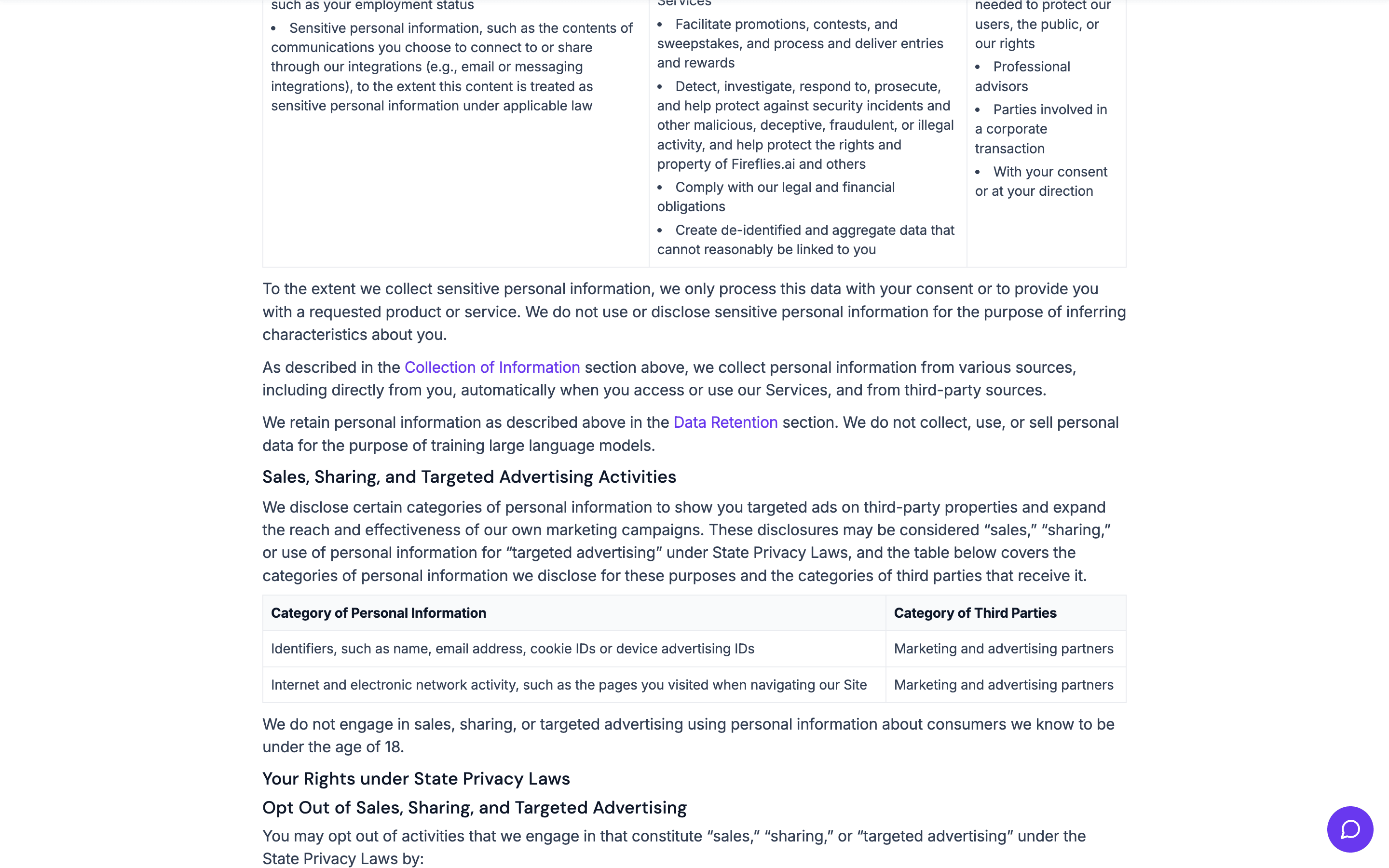
We do not collect, use, or sell personal data for the purpose of training large language models.
will not use your User Content to train, retrain, fine-tune or otherwise improve any generative artificial intelligence models.
You own your data. We don’t train on it by default unlike other AI companies.
Can you opt out?
There is no opt-out, because Fireflies publishes no opt-in. Its own complete settings guide enumerates every panel in the product, and none of them is a model-training or data-improvement control; the closest analogue is the cookie panel, which governs analytics and advertising cookies, not meeting content. The one opt-out question its documents do answer is the opposite one: asked whether the OpenAI functionality can be switched off, the Security FAQ answers "It is not possible to opt out of the OpenAI powered summaries at this time". What exists instead are product controls. You can decline to invite the bot, ban it from meetings by keyword or domain with Restriction Rules, and on Enterprise choose a recording mode that discards the audio or the transcript after processing, set an auto-delete window, or keep data in your own bucket with Private Storage.
Third-party AI providers
Fireflies states that its vendors neither retain nor train on meeting content, and names the instrument it uses: "We prioritize your privacy and have signed a Business Associate Agreement (BAA) with OpenAI and other third-party ASR (Automatic Speech Recognition) vendors." A BAA is a HIPAA instrument for protected health information, which makes it an unusual vehicle for a general commitment covering all customers. Two gaps sit around the claim. The named commitments reach OpenAI and "ASR vendors", plus Anthropic in one help-center article; no published document names Groq, ElevenLabs, Perplexity, Exa, Soniox or turbopuffer, all of which appear on the same subprocessor list. And the DPA requires only that Fireflies impose obligations on a subprocessor that are no less protective than those in the DPA, which contains no training prohibition to pass on.
Sharing defaults
Who can see your notes.
Both sharing defaults are the widest option
Two separate settings decide reach, and the help center notes they are routinely confused. Meeting privacy, which controls who can open the meeting inside Fireflies, ships as "Teammates & Anyone with Link". The recap email, which controls who is mailed the link, ships as "Everyone on the invite", defined as all calendar invitees, internal and external. A third switch sits beside them, "Public meeting access", described as "Allow anyone to view public meetings without needing to log in", and has to be checked separately. [23][16]
Note: If your privacy setting is "Anyone with the link," and someone forwards the recap email or link, anyone who clicks it will be able to view the meeting.
Private Channels do not make a meeting private
Channels are folders, not permissions, and Fireflies says so for both kinds. Access stays governed by the meeting's own privacy setting, so a link-shared meeting filed in a Private Channel stays reachable by link. New channels are created public unless the Make Private toggle is turned on, and Private Channels are a Business and Enterprise feature that only workspace admins can create. [24]
Adding a meeting to a Private Channel does not change its privacy settings. If a meeting is set to Public, anyone with the link can still access it.
On Enterprise, a Super Admin can read meetings marked "Only Me"
The strictest privacy value protects a meeting from colleagues, not from the workspace. Fireflies documents the bypass twice, in its Enterprise plan article and in its developer docs, where the Super Admin API is described as allowing an admin to bypass the team's privacy settings and query all data in the team's account. It is Enterprise-only and admin-only, and it is worth knowing before treating "Only Owner" as a guarantee. [33][37]
Super Admins bypass all meeting privacy restrictions within a workspace and can access and manage all meetings, including those marked as “Only Me”.
Whoever invites the bot first sets the rules
Hardening your own account does not protect a meeting that a colleague brought Fred into. The meeting inherits the first inviter's access and share settings, and retention follows the meeting owner's auto-delete setting rather than yours, so a participant has no control over how long their words are kept. [17][27]
When multiple teammates invite Fireflies to the same meeting, Fireflies joins on behalf of the first person who invited it. The meeting access and share settings will follow that person's configurations.
On the free plan, unlimited transcripts are priced in privacy
The free tier offers unlimited transcription behind a toggle, and Fireflies documents the condition attached to it: the unlock applies "only when Auto-join and Share-all are enabled". It also states that once such a meeting ends, the recording and transcript are available for everyone on the invite. That is a documented trade of the two defaults this audit flags most for volume. [26]
Fireflies staff access is permission-gated
Fireflies states the internal team cannot access user data by default, that access to sensitive data is granted on a need-to-know basis with monitoring and auditing, and that anything further, typically a support request, requires your explicit permission first. Its DPA commits authorized personnel to appropriate confidentiality obligations. What no document states is whether a customer is notified after such an access, or how long the access logs are kept. [7][14][3]
Hardening checklist
Settings that make Fireflies.ai more private.
If you use Fireflies.ai and want to keep it, these are the settings worth changing, straight from the vendor’s own documentation.
Step 01
Stop the bot from joining every meeting
Where
Settings > Personal tab > Recording & Privacy > Recording > Auto-record meetings > "Only when I invite fred@fireflies.ai".
Fireflies prints the default in identical words across its auto-join help articles: "By default, Fireflies is set to join all meetings with a web-conf link." The dropdown offers All meetings with web-conf link, Only meetings that I own, Only meetings with teammates, and Only when I invite fred@fireflies.ai, and the Auto-record meetings toggle can be switched off entirely. One catch to know: "Join All" in the Upcoming panel turns the bot back on for every meeting in the next seven days. [18][19][20]
Step 02
Add a blocklist that outranks the auto-join setting
Where
Settings > Recording & Privacy > Recording Rules > + Restriction Rules, then fill in Title keywords and Email id or domains and click Save.
Recording Rules and Restriction Rules both outrank auto-record, in the vendor's own words: "Even if your Auto-record is set to record every meeting → Fireflies will skip meetings listed in your Restriction Rules." Fireflies suggests keywords such as "1:1", "catch-up", or "off the record", and internal HR emails or domains. Workspace admins can apply the same rules for everyone from the Team tab. [21][17]
Step 03
Turn on both recording announcements; the email one ships off
Where
Settings > Personal tab > Compliance Notification: enable "Notify participants via email" and "Meeting chat notification".
"Off by default" is Fireflies' own wording for the email notice. Turned on, it reaches participants an hour before the meeting with a link to decline, and Fireflies states that if someone clicks it, Fireflies will not join or capture the meeting. The chat notice pins a message when the bot joins, with editable text and the /ff pause and /ff leave commands, though the same article contradicts itself on which platforms those commands work. Admins can enable or disable either notice for the whole workspace, or leave the choice to teammates. [16][22][17]
Step 04
Close the link-sharing default, on past meetings too
Where
Settings > Personal tab > Recording & Privacy > Privacy & Access > Meeting privacy > "Participants" or "Only Owner", then accept the prompt to apply it to past meetings. Check "Public meeting access" is off while you are there.
The shipped value is "Teammates & Anyone with Link", and Fireflies warns in its own documentation that a forwarded recap email or link lets anyone who clicks it view the meeting. The prompt after saving is the documented way to push a stricter setting back across meetings you have already hosted. On Enterprise, remember that a Super Admin can still open meetings marked "Only Me". [23][16][33]
Step 05
Narrow who gets the recap email
Where
Settings > Personal tab > Recording & Privacy > Email Notification > Meeting recap email > "Only me and participants from my Fireflies team" or "Only me".
The default, "Everyone on the invite", mails the recap to all calendar invitees, internal and external. The same control appears in the side-panel modal under a different label, "Send email recap to", so check both if the behavior does not change. At workspace level the setting ships as "Allow teammates to choose", which means an admin has not decided it for you. [23][17]
Step 06
Decide your retention, or accept that it is indefinite
Where
Enterprise: Settings > Recording & Privacy > Auto-delete meetings > toggle on, then pick After 1 week through After 1 year. Other plans: Meetings > hover the meeting > ellipsis icon > Delete.
Auto-delete is an Enterprise feature and ships off, so on every other plan nothing expires until you delete it, one meeting at a time unless you are on Pro or above, where bulk delete is available. Deletion is irreversible, and only the meeting owner can do it, so a participant has to ask the host or Fireflies support. Deleting the account deactivates it immediately and erases the data after 30 days; Fireflies states support can still recover it during that window. [27][28][29][22][16]
Policy changelog
What changed, and when.
Each entry records a dated re-verification of this audit against the vendor’s documents. Policy changes land here as dated diffs.
2026-08-03
Re-verified every load-bearing claim on this page against the vendor's live documents.
No changes found in the vendor's documents; all 15+ quotes still verbatim-accurate.
2026-08-02
Audit created. Verified against the Privacy Policy, Terms of Service, Data Processing Addendum and Business User Supplemental Terms (each printed "Last Updated: March 6, 2026"), the undated security page, the undated Vanta Trust Center with its 17-name subprocessor list, the undated Notion Security FAQ, the live Data Privacy Framework participant record, 23 help-center articles that print only relative dates, and the public court dockets.
Litigation status as of August 2, 2026: four Illinois biometric class actions filed, one voluntarily dismissed, two consolidated with a motion to dismiss pending since July 15, 2026, one stayed. No merits ruling.
FAQ
Questions people ask.
Is Fireflies.ai safe to use?
For routine work meetings many teams accept the trade, provided they change the defaults first. The defaults are the widest on offer: join every meeting with a conference link, notify nobody, and let anyone with the link read the result. Behind them, a bot sits in the call and everything it captures is processed in the United States across a 17-name subprocessor list, six of which would see meeting content or its derivatives. Fireflies does publish real security work against that: a SOC 2 Type 2 attestation, an active Data Privacy Framework certification, that subprocessor list itself, encryption in transit and at rest, and staff access that requires your permission. Two things no setting resolves: no two-factor authentication is documented in the product, and the no-training promise comes in four differently-scoped versions, which the training section takes apart. For confidential conversations, treat it as the cloud service it is. [6][8][5][11][18][16][23][32]
Does Fireflies.ai train its AI on my meetings?
Fireflies says no, and part of that is contractual. Terms 5(c)(ii) says Fireflies "will not use your User Content to train, retrain, fine-tune or otherwise improve any generative artificial intelligence models." Read the scopes before relying on it. That clause covers generative models, which on a plain reading leaves speech-recognition and speaker-diarization models outside it. The Privacy Policy's zero-retention paragraph is wider, covering meeting content and "internal or external AI models", but the same policy excludes business customers' User Content from its own scope. The US state-law sentence is narrower still, covering personal data and large language models. A fourth version, in the same policy's Use of Information paragraph, is the only one that also binds vendors: "We do not use personal information for AI model training and we contractually prohibit our vendors from using this information for their own model training." The DPA contains no training prohibition at all, and its 2.6 clause expressly permits deidentified data for product improvement. Fireflies' security page also says the company does not train on your data "by default", a qualifier no document explains. [2][1][3][5]
Can I opt out of Fireflies.ai's AI training?
There is nothing to opt out of, and nothing published to opt out with. Fireflies presents no-training as an unconditional default, and its complete settings guide contains no model-training or data-improvement control anywhere in the product. The one related opt-out question its documents answer goes the other way: on whether the OpenAI functionality can be turned off, the Security FAQ says "It is not possible to opt out of the OpenAI powered summaries at this time". What you can control is capture and retention: do not invite the bot, block meetings by keyword or domain with Restriction Rules, and on Enterprise use recording modes, auto-delete and Private Storage. [10][16][21][30][31]
Is Fireflies.ai being sued over privacy?
Yes. Four federal putative class actions were filed between December 2025 and March 2026, and all of them plead the Illinois Biometric Information Privacy Act over voiceprints; none pleads a wiretapping or eavesdropping count. Cruz, filed December 18, 2025, was voluntarily dismissed without prejudice on March 11, 2026. Fricker and Martinez were consolidated in the Northern District of Illinois on June 4, 2026, a consolidated complaint was filed June 24, 2026, and Fireflies moved to dismiss for lack of jurisdiction on July 15, 2026, with no ruling on the public docket as of August 2, 2026. Parrinello, in the Northern District of California, was stayed on April 24, 2026 pending the Illinois ruling. The plaintiffs allege that when Fireflies is enabled by a host, it "records, analyzes, transcribes, and stores the voiceprints of all meeting participants, including individuals who never created Fireflies accounts, never agreed to Fireflies' Terms of Service, and never executed any written consent authorizing biometric data collection." These are filed allegations. Nothing has been certified, settled or decided, and Fireflies has filed no answer. [38][39][40][41]
Has Fireflies.ai had a data breach?
No data breach at Fireflies.ai is documented in court records, regulatory filings or top-tier reporting as of August 2, 2026, and no regulatory enforcement action against the company was found. That is not the same as proof that none occurred. Two adjacent items are worth knowing, and neither is a breach. The Verge reported in November 2025 that a Fireflies co-founder said the earliest version of the product was in fact the two founders dialing into customers' meetings and taking notes by hand; The Verge wrote that this raises "serious privacy concerns", and the co-founder said early beta customers knew there was a human in the loop. Separately, the University of Oxford removed automated access for Fireflies AI on August 4, 2025, and Cornell University automatically blocks Fireflies.ai from its own Zoom instance. Both are institutional decisions about uninvited bots, not findings about an incident. [42][43][44][38]
Who can see my Fireflies.ai meetings?
By default, more people than you would expect. Meetings arrive set to "Teammates & Anyone with Link", and Fireflies warns that if someone forwards the recap email or link, anyone who clicks it can view the meeting. The recap email itself goes to everyone on the calendar invite, internal and external. Three further things to watch: filing a meeting in a Private Channel does not change its privacy setting; on Enterprise a Super Admin can open meetings marked "Only Me"; and if a colleague invited the bot first, the meeting follows their settings, not yours. Fireflies staff, by contrast, state they cannot access user data by default and need your explicit permission for support access. [23][24][33][17][7]
Does Fireflies.ai sell my data?
Fireflies says no. The Trust Center answers flatly that Fireflies does not share your data with third parties, the Privacy Policy states that personal data is not collected, used or sold for the purpose of training large language models, and the DPA's processing restrictions bar Fireflies from selling or sharing customer personal data and from using it for targeted advertising. Two things belong alongside that. The same Trust Center publishes a 17-name subprocessor list, so "does not share" is narrower than it sounds. And the Privacy Policy carries the disclosure table US state privacy laws require for sales, sharing and targeted advertising, which is the document to read before concluding that nothing is disclosed to anyone. Meeting content is not described as sold anywhere in Fireflies' documents. [7][8][1][3]
Is Fireflies.ai HIPAA compliant?
Fireflies says yes, conditionally, and the conditions matter. Its Trust Center answers that Fireflies.ai is HIPAA compliant, and it offers a Business Associate Agreement. But HIPAA has no certification scheme, so this is a self-claim rather than an audited badge, which makes the security page's "Certified for GDPR, SOC 2 Type II, and HIPAA compliance" unsupportable as written. Coverage is also conditional: Fireflies describes it as available to Enterprise clients that enable Private Storage, and its own 2023 blog states that private storage is required for HIPAA compliance. The Terms set the default for everyone else, prohibiting protected health information in User Content unless you have entered into a BAA with Fireflies. The same Enterprise-plus-Private-Storage condition applies to its FERPA claim. [7][6][5][12][13][2]
Sources
Every claim, receipted.
Every claim on this page maps to one of these documents. Dates are when we last read each one.
[1]
Fireflies.ai Privacy Policyaccessed 2026-08-02Printed date: "Last Updated: March 6, 2026". Its opening paragraph excludes User Content processed on behalf of business customers from the policy's own scope.
[2]
Fireflies.ai Terms of Serviceaccessed 2026-08-02Printed date: "Last Updated: March 6, 2026". Section 5 carries the content license and the training covenant, section 6 the protected-health-information ban, section 20 the arbitration clause and class-action waiver.
[3]
Fireflies.ai Data Processing Addendumaccessed 2026-08-02Printed date: "Last Updated: March 6, 2026". Contains no AI-training prohibition; 2.6 permits deidentified data for product improvement and 2.7 places service data outside the DPA.
[4]
Fireflies.ai Business User Supplemental Termsaccessed 2026-08-02Printed date: "Last Updated: March 6, 2026". Section 2 carries the only contractual certification commitment; section 5 caps liability at the fees paid in the preceding 12 months.
[5]
Security | Fireflies.aiaccessed 2026-08-02The page carries no effective or last-updated date, so its claims cannot be dated from the page itself.
[6]
[7]
[8]
Fireflies Trust Center: Subprocessorsaccessed 2026-08-02Carries no date. 17 entries at the time of access, every one listed in the US region. DPA 1.19 names this page as the operative subprocessor list.
[9]
Fireflies Trust Center: Resourcesaccessed 2026-08-02Carries no date. Lists 20 compliance artefacts, of which only the Terms of Service and the Privacy Policy are viewable; the SOC 2 Type 2 report and the rest sit behind "Request access".
[10]
Fireflies Security FAQs (Notion)accessed 2026-08-02Carries no date. Linked from the live Trust Center FAQ and the help center as the canonical Security FAQ, and it is the document with the loosest training and retention language.
[11]
Data Privacy Framework participant record: Fireflies AI Corpaccessed 2026-08-02Reached by searching "Fireflies" on the US Department of Commerce participant list; the record itself opens from that result. Verified on 2026-08-02: Active participant in the EU-U.S., UK Extension and Swiss-U.S. frameworks; original certification 05/09/2024; next certification due 04/28/2027; verification method "Self-Assessment".
[12]
[13]
Fireflies blog: Fireflies Private Storage, Safeguard Your Sensitive Dataaccessed 2026-08-02Published July 18, 2023.
[14]
Fireflies Help Center: How Fireflies.ai keeps your information safeaccessed 2026-08-02Fireflies help-center articles print only a relative last-updated string, never an absolute date, so every help-center source here is dated by access date only.
[15]
Fireflies Help Center: Learn about data storage and transferaccessed 2026-08-02[16]
Fireflies Help Center: Fireflies Settings, Complete Overview & Configuration Guideaccessed 2026-08-02The vendor's own complete enumeration of every settings panel, which is what makes the absence of a training control and of two-factor authentication checkable.
[17]
Fireflies Help Center: Team Settings, a complete guide for workspace adminsaccessed 2026-08-02[18]
[19]
Fireflies Help Center: How to stop Fireflies from auto-joining your meetingsaccessed 2026-08-02[20]
Fireflies Help Center: Upcoming meetings module FAQsaccessed 2026-08-02[21]
[22]
Fireflies Help Center: Recording Consent and Meeting Compliance in Firefliesaccessed 2026-08-02[23]
[24]
[25]
Fireflies Help Center: How to share a Fireflies meeting with a password-protected Linkaccessed 2026-08-02Business and Enterprise only. The expiry option list includes "No Expiry" and expiry is described as optional.
[26]
[27]
Fireflies Help Center: Learn About the Auto-Delete Meeting Featureaccessed 2026-08-02[28]
Fireflies Help Center: How to Delete Meetings in Firefliesaccessed 2026-08-02[29]
Fireflies Help Center: How to delete your Fireflies accountaccessed 2026-08-02[30]
Fireflies Help Center: Recording Modes for Compliance in Firefliesaccessed 2026-08-02Enterprise only.
[31]
Fireflies Help Center: Set up Private Storage for your workspaceaccessed 2026-08-02Enterprise only. The article states data is processed on Fireflies servers in the US and stored in the bucket location you designate.
[32]
Fireflies Help Center: How to set up SAML based SSOaccessed 2026-08-02States that SSO is exclusive to the Enterprise plan. No two-factor authentication article exists in the help center, and the Account Settings tables list only Private storage and SAML SSO under "Secure your workplace".
[33]
Fireflies Help Center: Learn about the Fireflies Enterprise planaccessed 2026-08-02[34]
Fireflies Help Center: How Fireflies joins and records your meetings, FAQsaccessed 2026-08-02[35]
Fireflies Help Center: How to Record Meetings Without a Bot on the Fireflies Desktop Appaccessed 2026-08-02The consent message for bot-free system-audio recording is opt-in and available only for Microsoft Teams Business accounts.
[36]
Fireflies Help Center: How to change the name of the Fireflies Notetaker botaccessed 2026-08-02Custom bot names are described as a paid add-on for Pro and Business and free on Enterprise; a newer settings article documents the same rename as a self-serve panel.
[37]
Fireflies developer docs: Super Adminaccessed 2026-08-02The only Fireflies document in this audit carrying a machine-readable date: dateModified 2025-10-16.
[38]
CourtListener docket: Fricker v. Fireflies.AI Corp., No. 1:26-cv-02675 (N.D. Ill.)accessed 2026-08-02Lead consolidated case. Date of last known filing on the free docket: July 15, 2026, the motion to dismiss for lack of jurisdiction. Filings after that date may exist and simply not be mirrored.
[39]
Consolidated Class Action Complaint, Fricker and Martinez v. Fireflies.AI Corp., No. 1:26-cv-02675 (N.D. Ill.), filed June 24, 2026accessed 2026-08-02Filed allegations only. Pleads Illinois BIPA sections 15(a), 15(b) and 15(d); no wiretapping or eavesdropping count.
[40]
CourtListener docket: Cruz v. Fireflies.AI Corp., No. 3:25-cv-03399 (C.D. Ill.)accessed 2026-08-02Filed December 18, 2025 and voluntarily dismissed without prejudice on March 11, 2026 under Rule 41(a)(1)(A)(i). No judgment entered.
[41]
CourtListener docket: Parrinello v. Fireflies.AI Corp., No. 3:26-cv-02479-AMO (N.D. Cal.)accessed 2026-08-02Stayed by court order on April 24, 2026 on a joint stipulation, pending resolution of the motion to dismiss in the Illinois cases.
[42]
[43]
University of Oxford Information Security: Are your online meetings safe from third party AI bots?accessed 2026-08-02Published July 22, 2025, with an update block dated August 4, 2025 naming Fireflies Ai among the bots losing automated access.
[44]
IT@Cornell: Strategies to Block AI Bots from Zoom Sessionsaccessed 2026-08-02The page carries no published or last-updated date, so it is cited by access date only.
This audit quotes Fireflies.ai’s own public documents and reputable public records. It is not legal advice, and filed lawsuits are allegations, not findings.
Related audits
How Routines handles the same data
Routines, the app behind this audit, handles the same job differently: meetings are recorded without a bot joining the call, and your notes are markdown files on your Mac that open in any editor. All transparency audits