
Fathom privacy audit
Is Fathom safe? A privacy audit built from Fathom's own documents.
The short answer
Last verified 2026-10-16
Fathom is a cloud meeting notetaker. Recordings, transcripts and calendar data go to Fathom's servers, which its help center says hold all Fathom data in the United States, and eight subprocessors are tagged as handling that meeting content. Fathom's Privacy Policy and Terms both say it uses de-identified data generated from your meetings to train its in-house AI models, and both point to an opt-out in account settings, but none of its documents state which position that setting ships in. Set against that: a published 30-name subprocessor list, contractual no-training terms with its AI vendors, encryption in transit and at rest, and a purpose-limited content license. [1][2][9][8][7][22][23][24][5]
What Fathom does well
- The training opt-out is self-serve and named in three places: the Privacy Policy, the Terms, and the help center, which points individuals at My Settings and lets a Team Edition organization opt out every user from Organization Settings. No support ticket is described.
- The content license in the Terms is written as purpose-limited: Fathom may use, reproduce and format User Content "only as necessary for us to provide you the Service", and no perpetual, irrevocable or sublicensable wording appears in that section.
- The subprocessor list is public and granular. Thirty entities are named with role and region, and each one is individually tagged for whether it handles meeting content and whether it is contractually barred from training on Fathom customer data.
- The no-third-party-training commitment is stated in the Privacy Policy, the Terms, the help center and the Trust Center FAQ, and the help center names the AI vendors it covers rather than leaving them abstract.
- Fathom denies selling data without a "may be considered a sale" qualifier anywhere in the documents we read, and its help center states the reason the app is free: the free tier "drives usage and brand awareness which generates leads for our Team Edition product".
- Compliance work is published rather than implied: encryption at rest and in transit per the Trust Center FAQ, a SOC 2 Type II badge, and a Privacy Policy section certifying adherence to the EU-U.S., UK Extension and Swiss-U.S. Data Privacy Frameworks with the U.S. Department of Commerce.
What deserves caution
- Which position the training setting ships in for a new account is not stated in the Privacy Policy, the Terms, the Trust Center or the help center. The same silence covers the auto-record dropdown, the post-meeting share dropdown and "Auto Request Recording Consent". The one shipped default the help center prints is the bot name.
- Four Fathom documents give four different deletion timelines: 30 days in the Privacy Policy, backups for up to 30 days in the Terms, 12 hours to process an account deletion in the help center plus 7 days of backups per the Trust Center FAQ, and a 90-day return window with 180 days to purge in the legacy DPA PDF that is still served.
- Recordings are kept indefinitely by default, per Fathom's own Trust Center FAQ. Automatic deletion rules are gated to a paid tier, and Fathom's two documents disagree on which: the help center says the Enterprise Plan, the Trust Center FAQ says the Pro plan of Team Edition. The rule cannot be set inline (every user who opens the control is routed to a help article), setting the value at all is not self-serve, and a duration outside the offered list needs a support request and engineering approval.
- The no-training promise has a different scope in each document. The help center names three AI subprocessors, the subprocessor table applies the same "forbidden from training" tag to seven vendors, and Elastic is tagged as handling meeting content with no such tag at all.
- Login for individual accounts is Google or Microsoft sign-in, with no Fathom password. Enterprise-plan accounts can add SAML single sign-on, which Fathom says works with any identity provider, plus SCIM provisioning through Okta, but only Fathom staff can turn it on after a request to Customer Success, and it starts in a trial period before enforcement. No standalone two-factor control is documented in the help center; the Trust Center FAQ says 2FA is supported by the upstream providers (Google, Microsoft, Okta).
- Team Account content belongs to the company under the Terms, and no rule for what happens to it when a member is offboarded appears in them. Fathom publishes no description of when its own staff may open customer recordings; the one personnel commitment we found is a confidentiality obligation in the legacy DPA, and the policy packet and SOC 2 report that would say more are access-gated.
Encryption
In transit + at rest [8]
Quick facts
The privacy facts, at a glance.
- How audio is captured
- Three capture modes, per Fathom's product page: transcript-only, audio plus transcript, and full audio plus video including screen capture. The first two are marketed as bot-free. The page does not describe the mechanism behind the bot-free modes, so where that audio is captured is not documented. In bot mode the notetaker joins as a named participant, defaulting to "(NAME)'s Fathom Notetaker". [26][12]
- Where transcription happens
- In Fathom's cloud. Google Cloud Platform is listed as the primary cloud provider and is tagged as handling recordings and transcripts. No on-device transcription path is described in any document we read. [7][1]
- Where your data is stored
- "All Fathom data is stored in the United States", per the help center, and the Privacy Policy says the Services are hosted in the United States. The current DPA separately names Netherlands for EEA transfers and England for UK transfers. The two statements are not reconciled in Fathom's public text. [9][1][4]
- AI training defaults
- Fathom uses de-identified data generated from your meeting content to train its own in-house models, and both the Privacy Policy and the Terms describe an account setting that turns that use off. Which position that setting ships in for a new account is not stated in Fathom's docs. Third-party AI vendors are contractually barred from training on the data, per Fathom. [1][2][9]
- Retention
- Indefinite by default: per Fathom's Trust Center FAQ, recordings and other data are retained until you manually delete individual recordings or your account. Automatic retention rules are gated to a paid tier, and Fathom's two documents disagree on which: the help center says the Enterprise Plan, the Trust Center FAQ says the Pro plan of Team Edition. Admins find the control at Organization Settings > Compliance > Retention Period, setting the value is not self-serve (the help center routes the request to help@fathom.video), and a single policy covers internal and external calls alike. [8][22][12]
- Subprocessors
- 30 listed on the Vanta-hosted Trust Center. Eight are tagged as handling meeting content: Google Cloud Platform, Anthropic, OpenAI, ElevenLabs, Fireworks, Modal, Voyage AI and Elastic. All but Elastic also carry a "Forbidden from training AI on Fathom Customer Data" tag. One entry, Reveal, is listed in Belgium; the rest are listed in the USA. No human annotation or data-labeling vendor appears on the list. [7]
- Encryption
- Fathom's Trust Center FAQ states that all application data, including recordings, is encrypted both at rest and in transit. No end-to-end encryption is claimed in any document we read, and no algorithm is named outside the legacy DPA's control list, which says only "Encryption" and "Encryption/tunneling". [8][5]
- Certifications
- The Trust Center presents SOC 2 Type II, HIPAA, GDPR and CCPA as compliance badges, and the SOC 2 Type 2 report itself is request-gated. The help center says "We don't have ISO27001, but we do have SOC2, which is similar!" The Privacy Policy mentions neither HIPAA nor SOC 2; the framework claim it does carry is Data Privacy Framework certification with the U.S. Department of Commerce. [6][9][1]
- Consent features
- An "Auto Request Recording Consent" setting emails attendees 24 hours before a scheduled external meeting. On Zoom the email goes out only when you hold host privileges; on Google Meet and Microsoft Teams it can go out when you merely attend the scheduled external meeting, per the help center. Fathom sends no consent email for same-day meetings, and none for impromptu or unscheduled calls such as Slack Huddles. On the bot-free experience a Recording Notice posts in the meeting chat when recording starts. A decline disables auto-record for that meeting only; the host can still start recording manually. [18][19]
Data flows
What leaves your Mac.
Step 02
Transcripts and summaries sent to AI vendors
Six vendors labelled AI Provider are tagged as handling meeting content: Anthropic, OpenAI, ElevenLabs, Fireworks, Modal and Voyage AI. Google Cloud Platform, listed as the primary cloud provider, and Elastic, listed as a search provider, carry the same meeting-content tag. [7]
Step 04
Auto-shared summaries and recording links
Depending on the post-meeting share setting, Fathom emails the AI summary, and optionally a link to the recording, to everyone on the calendar invite, whether or not they attended. [13]
Step 07
Legal-process disclosures
The Privacy Policy says Fathom may access, preserve and disclose personal information to comply with law enforcement requests and legal process such as a court order or subpoena. No transparency report and no commitment to notify you first appear in the documents we read. [1]
AI training
Training defaults, in Fathom’s own words.
Fathom describes training on your meeting content as something your account settings govern. The Privacy Policy conditions it on "how you configure your account settings", the Terms describe the same use and the same opt-out, and the help center describes it as something you can opt out of at any time. What none of those documents state is which position the setting ships in for a new account, so this audit does not assert one. What they do state is the object of the training: de-identified data generated from meeting content, used to improve Fathom's own in-house models, not raw recordings sent to another vendor's model. [1][2][9][8][7][11]
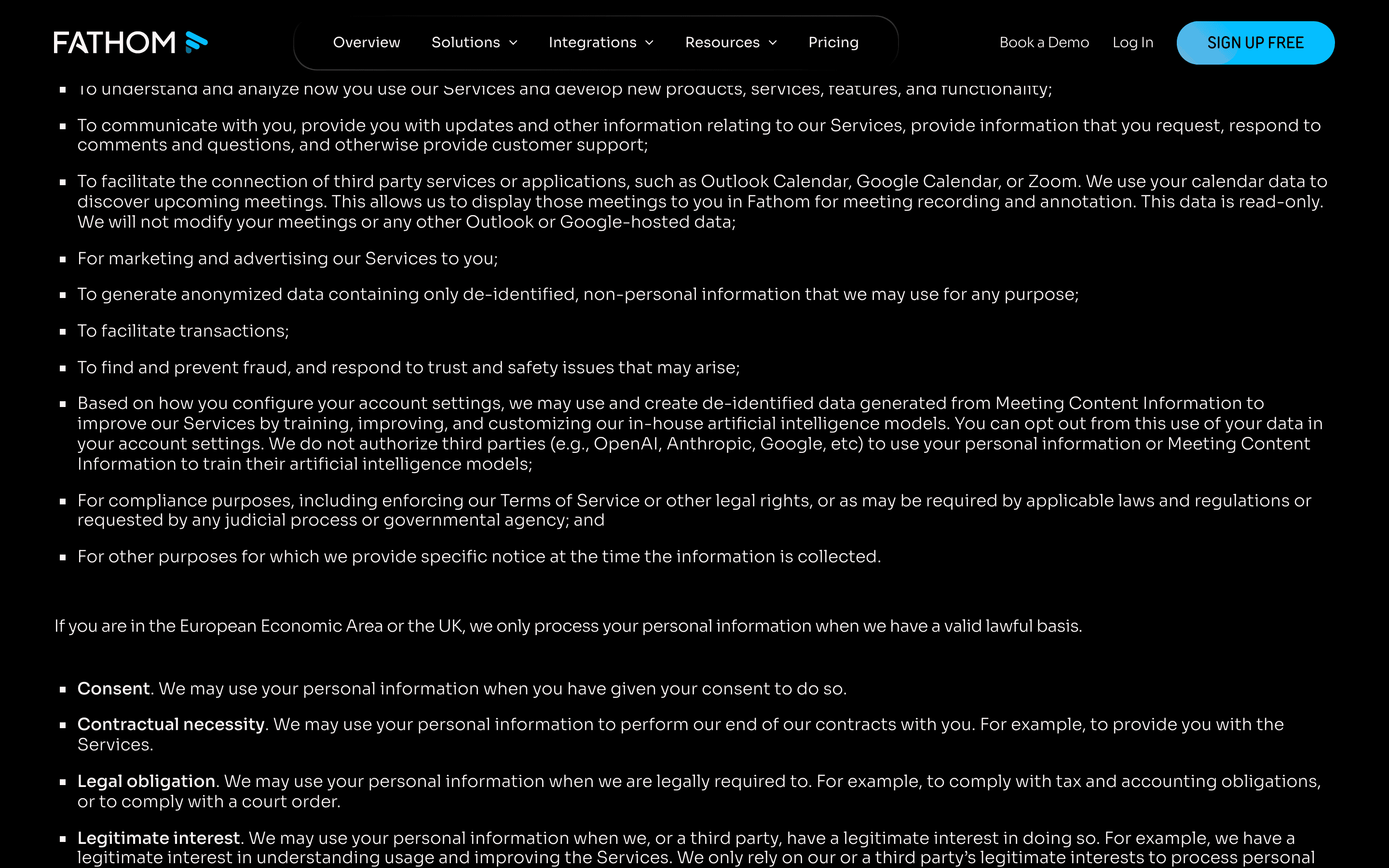
Based on how you configure your account settings, we may use and create de-identified data generated from Meeting Content Information to improve our Services by training, improving, and customizing our in-house artificial intelligence models. You can opt out from this use of your data in your account settings.
We do not authorize third parties to use your personal information or User Content to train their artificial intelligence models. We may use and create de-identified data generated from your User Content to train, customize or improve our in-house artificial intelligence models in order to improve our Service. You can opt out of the use of your de-identified data in this manner within your Fathom account settings.
None of our AI sub-processors (Anthropic, OpenAI, or Google) are contractually permitted to use our users’ data to train their AI models. Fathom uses de-identified customer data to improve the accuracy of our proprietary AI models in order to improve our service for all users.
Can you opt out?
For an individual account: My Settings, which the Trust Center FAQ calls User Settings and links to fathom.video/customize. For a Team Edition organization: Organization Settings, which opts out every user on the account. Neither the help center article on the Settings page nor any other article prints the label of the control itself, and the Settings walkthrough does not list an AI-training toggle among the settings it covers, so the exact control cannot be named from Fathom's documentation. No per-plan difference is documented either way.
Third-party AI providers
Per Fathom, none of its AI subprocessors are contractually permitted to train on customer data, and the help center names the three it has in mind: Anthropic, OpenAI and Google. The subprocessor table is wider than that sentence: it applies the same "Forbidden from training AI on Fathom Customer Data" tag to ElevenLabs, Fireworks, Modal and Voyage AI, none of which the help center names, and it applies no such tag to Elastic, which the same table marks as handling meeting content.
Sharing defaults
Who can see your notes.
The baseline is whatever the settings say
Fathom's Terms do not state a private-by-default baseline for team accounts. They state that access follows the administrator's configuration and the Authorized User's own settings, which is why the settings below carry the weight on this page. [2]
Access to, and sharing of, any User Content in a Team Account will be subject to your Team Account administrator’s settings and the settings of Authorized Users under that Team Account.
Auto-share reaches the invite list, not the attendee list
The post-meeting dropdown offers Summary & recording, Summary only, or Nothing. Fathom's help center is explicit that everyone listed on the Google or Outlook calendar invite receives the auto-share, even if they never attended. On Summary only, attendees can request the recording and the call owner has to approve it. Which value a new account starts on is not documented. [13][11]
Share links can be open to anyone holding the URL
Next to Copy Link, a recording can be set to "Anyone with the link can view", "Anyone on the same domain as you can view", or "Only people added can view". Fathom's own note says that on the first setting the recording stays accessible to anyone who has the sharing URL. Team admins can set a Default Recording Link Access for the organization, and tightening it prompts users to re-set access on existing calls and folders rather than downgrading them silently. [15][12][25]
Team libraries, and admins who can lock your choice
A call can be set to Private (No Team Visibility), Visible to your team, Visible to Multiple Teams, or Visible to All Teams. Admins can set external-recording visibility per role, and when they override a user the setting greys out with a lock icon and a "Locked by Team Admin" message. Fathom also states that individual sharing takes precedence over how a call would otherwise appear in Team Calls, and that its precedence rules differ per feature, telling admins to contact support when in doubt. [16][17][14][12]
A Team Account transfers ownership to the company
Individual account holders keep copyright in their own content. Content created inside a company Team Account is stated to belong to the company. Fathom's Terms describe no residual right or copy for a member who is later removed from the organization. [2]
If you sign up for our Service as an Authorized User as part of your company’s business Team Account, the User Content in that Team Account belongs to your company.
Staff access is not documented
No clause in the Privacy Policy, the Terms or the help center describes when Fathom employees may open customer recordings, or what gates that access. The Trust Center lists control categories such as access control procedures and background checks without publishing the underlying policies, and the documents that would carry the detail, the policy packet and the SOC 2 Type 2 report, are request-gated. The one concrete personnel commitment we found is in the legacy DPA: personnel authorized to process customer personal data are subject to an obligation of confidentiality. That is a confidentiality gate, not an access-minimization one. [6][5][1]
Hardening checklist
Settings that make Fathom more private.
If you use Fathom and want to keep it, these are the settings worth changing, straight from the vendor’s own documentation.
Step 01
Decide which meetings get captured at all
Where
Settings page > Auto-Record Settings > All Meetings, External Meetings, Internal Meetings, or No Meetings. Separate toggles under Video Conferencing cover unscheduled Zoom and Google Meet calls.
These four values are the widest lever on the page: "All Meetings" captures internal and external calls automatically, "No Meetings" makes every recording a manual act. Fathom's docs explain what each option does but never state which one a new account starts on, so read yours rather than assuming. Team admins can also force the external-recording policy for everyone from Organization Settings. [11][12]
Step 02
Set the post-meeting share to what you actually intend
Where
Settings page > Auto-Record Settings > the post-meeting share dropdown > "Summary only" or "Nothing".
On "Summary & recording" the summary and a recording link go out automatically to everyone on the calendar invite, including invitees who never joined. "Summary only" still emails the summary but holds the recording behind an approval request. The shipped value is not documented, and on Team plans an admin setting can auto-share with internal attendees regardless of your personal preference. [13][11][14]
Step 03
Tighten link access, then fix the links you already sent
Where
On a recording, the dropdown to the left of Copy Link > "Only people added can view". Team admins: Organization Settings > Access Controls > Default Recording Link Access.
Fathom states that a recording left on "Anyone with the link can view" stays accessible to whoever holds the URL, and recommends the narrowest option for added security. Changing the organization default is forward-looking: existing calls and folders are not silently downgraded, users are prompted to re-set access on them, so the old links stay open until someone acts. [15][12][25]
Step 04
Turn on consent requests, and know where they do not fire
Where
Settings page > Options > toggle on "Auto Request Recording Consent". Team admins: Organization Settings > Auto Request Recording Consent.
The email goes out 24 hours before a scheduled external meeting, on Zoom only when you hold host privileges; on Google Meet and Microsoft Teams attending the scheduled external meeting is enough. Fathom sends none for same-day meetings and none for impromptu or unscheduled calls such as Slack Huddles, so this control never covers your ad-hoc conversations. A decline disables auto-record for that meeting as a safeguard, but the host can still record manually, and Fathom puts responsibility for participant consent on the recording owner. [18][19]
Step 05
Opt out of in-house model training
Where
My Settings, also reachable at fathom.video/customize. Team Edition organizations: Organization Settings, which opts out every user on the account.
The Privacy Policy and the Terms both make this use of de-identified data conditional on your account settings, and neither states the position a new account starts in. Because the help center does not print the toggle label either, the only reliable way to know where yours sits is to open the settings page and look. [1][2][9][11]
Step 06
Delete deliberately, and set a retention rule if your plan has one
Where
Recording page > the three dots next to Share > "Delete Call". Account: Settings page > bottom > "Delete Account". Team admins: Organization Settings > Compliance > Retention Period; setting the actual value is not self-serve, Fathom's help center routes you to email help@fathom.video.
Fathom keeps recordings indefinitely unless you act, and there is no trash or undo for a deleted call: its help center states a deleted call cannot be recovered. Two catches to plan around: Team-plan members have no Delete Account button and must go through their Team Admin, and durations outside the offered list require a support request subject to engineering approval. [8][20][21][22][12]
Policy changelog
What changed, and when.
Each entry records a dated re-verification of this audit against the vendor’s documents. Policy changes land here as dated diffs.
2026-10-16
Ownership update. Fathom was acquired by Superhuman in September 2026, and Superhuman plans to bring Fathom's notetaking into its email, calendar, docs and database apps. This audit's findings are unchanged: it still reflects Fathom's own published documents. We make no claim that Fathom's data handling, DPA, hosting or privacy terms have changed, only that the owner has. If data residency matters to you, re-read Fathom's current DPA and privacy terms before relying on it for sensitive calls. Receipts read 2026-10-14: Superhuman's own announcement (blog.superhuman.com/superhuman-acquires-fathom), Fathom's counsel Goodwin, Reworked, and TechCrunch (2026-10-08).
2026-08-08
Correction pass after an adversarial review, with every disputed source re-fetched live. Newly cited: Fathom's Business Associate Agreement (Last Updated September 17, 2024), the help-center HIPAA article, and the pricing page. Re-verified: the Terms of Service (Last Updated March 4, 2026, section 16), the retention article (edited August 7, 2026), the SAML article (edited July 22, 2026), the Organization Settings article (edited June 9, 2026), the account-deletion article (edited June 4, 2026), the Team Call library article, the Trust Center FAQ and the Vanta-hosted subprocessor table. Corrected here: the HIPAA answer, the retention plan tier and settings path, the login and SSO claim, the count of AI-provider subprocessors, the team-visibility labels, the title of the account-deletion source, and the closing Routines note, which no longer claims offline operation. The litigation check was re-run on August 8, 2026 with the same result as on August 4: CourtListener's search endpoint still refuses automated queries, and a targeted search surfaced no docket or lawsuit naming Fathom Video, Inc.
Before: the page said Fathom published no BAA, HIPAA scope statement or dedicated HIPAA page; that automatic deletion rules were Team Edition Business plan only, set at Team Settings > Compliance > Retention Policy; that login was Google or Microsoft SSO only; and that seven AI providers were tagged as handling meeting content. Now: it quotes the Terms clause incorporating the published blanket BAA and the BAA's own Scope clause; it records that the help center says Enterprise Plan while the Trust Center FAQ says the Pro plan of Team Edition, that the control sits at Organization Settings > Compliance > Retention Period, and that setting the value is not self-serve; it states that Enterprise accounts can add SAML single sign-on with any identity provider plus Okta SCIM; and it counts six vendors labelled AI Provider alongside Google Cloud Platform and Elastic.
2026-08-04
Audit created. Verified against the Privacy Policy (Last Updated August 11, 2025), the Terms of Service (Last Updated March 4, 2026), the hosted Data Processing Agreement (Last Updated May 5, 2026), the legacy Data Processing Agreements PDF still served on fathom.video (undated, carrying an October 28, 2021 signature block in its Annex I), the Vanta-hosted Trust Center with its 30-name subprocessor list and FAQ, the product overview page, and 16 help-center articles. Litigation status at verification: no lawsuit, regulator action or breach naming Fathom Video Inc. was found in the court-record and top-tier-outlet sources we checked. CourtListener's search endpoint refused automated queries on August 4, 2026; a real-browser docket-level search the same day, including a party-name query, also surfaced no case naming Fathom Video, Inc. as a party. The check remains bounded by CourtListener's public index, which does not cover most state courts or arbitration.
FAQ
Questions people ask.
Is Fathom safe to use?
It depends on what you record. Fathom publishes real security work: encryption in transit and at rest, a public 30-name subprocessor list, contractual no-training terms with its AI vendors, and a SOC 2 Type II badge. But every recording is processed and stored in Fathom's cloud, recordings are kept indefinitely unless you delete them, and Fathom's documents never state which position the training, auto-record, auto-share and consent settings ship in. For routine work calls many teams accept that. For confidential conversations, open the settings page before the first meeting rather than after it. [8][7][1][9]
Does Fathom train AI on my meetings?
On its own models, yes, using de-identified data generated from your meeting content, and both the Privacy Policy and the Terms say so plainly. The training input is described as de-identified data rather than raw recordings. Third-party AI vendors are a separate question: per Fathom, none of its AI subprocessors are contractually permitted to train on customer data. [1][2][9]
Can I opt out of Fathom's AI training?
Yes, and it is self-serve. An individual switches it off in My Settings; a Team Edition organization can opt out every user from Organization Settings. Two limits worth knowing: Fathom's help center does not print the label of the control, and no document states which position it ships in, so check the setting rather than assuming it. [9][8][1][11]
Is Fathom being sued over privacy?
We found no lawsuit naming Fathom Video Inc. in the court-record and top-tier-outlet sources we checked on August 4, 2026. A docket-level search of CourtListener run that day, including a party-name query for Fathom Video, Inc., returned no case naming the company as a party; the matches that do exist are unrelated companies that share the Fathom name, or suits between other parties in which a fathom.video recording was filed as evidence. That is still an absence in the sources searched, not proof of a clean record: CourtListener's public index does not cover most state courts or arbitration. [28]
Has Fathom had a data breach?
No breach of Fathom's systems is publicly documented in any of the sources we checked, which is not the same as proof that none occurred. Fathom publishes no incident history we could read: its help center security article and its Trust Center answer product questions rather than record incidents. The Trust Center resources that would say more, the SOC 2 Type 2 report and the penetration-test report, are request-gated. [6][9]
Does Fathom sell my data?
Fathom denies it in every document we read, and without the "may be considered a sale" qualifier common in US privacy policies. The Privacy Policy says Fathom does not sell Meeting Content Information or information about meeting attendees to anyone, and its California section states Fathom does not sell or share personal information with third parties. The help center gives the business reason for the free tier instead: it generates leads for the paid Team Edition product. [1][9]
Is Fathom HIPAA compliant?
Read where each claim lives. HIPAA appears as a bare badge on the Vanta-hosted Trust Center and in the help center sentence "Fathom is HIPAA, SOC2 Type II, and GDPR-compliant". The Privacy Policy mentions neither HIPAA nor SOC 2 anywhere. The Terms of Service do: section 16, under "Privacy Matters", states that if HIPAA applies to you the Fathom Business Associate Agreement at fathom.ai/baa "is hereby incorporated by reference". That BAA is published and dated Last Updated September 17, 2024, its Scope clause says the agreement "shall automatically be incorporated into all subsequent agreements between Covered Entity and Business Associate involving access to or Use or Disclosure of PHI", and a dedicated help-center article calls it a blanket BAA already in effect. Neither document states a plan qualifier. Fathom's pricing page separately lists a signed BAA as an Enterprise-tier feature, and the help article tells you to email help@fathom.video if you want a signed BAA between you and Fathom. [6][9][1][2][3][10][27]
Who can see my Fathom recordings?
Whoever your settings and your admin's settings let in. Three mechanics do most of the work: auto-share emails the summary, and optionally the recording link, to everyone on the calendar invite including people who did not attend; a share link set to anyone-with-the-link stays open to whoever holds the URL; and in a company Team Account the content belongs to the company, with admins able to lock visibility for a whole role. Fathom does not publish when its own staff can open a recording. [13][15][2][17]
Sources
Every claim, receipted.
Every claim on this page maps to one of these documents. Dates are when we last read each one.
[1]
Fathom Privacy Policyaccessed 2026-08-08Last Updated: August 11, 2025. fathom.video/privacy redirects here.
[2]
Fathom Terms of Serviceaccessed 2026-08-08Last Updated: March 4, 2026. fathom.video/terms redirects here. Section 16, "OTHER IMPORTANT BITS TO KNOW", carries the Privacy Matters clause incorporating the Business Associate Agreement by reference.
[3]
Fathom Business Associate Agreementaccessed 2026-08-08Last Updated: September 17, 2024. A blanket BAA between Fathom Video Inc. and the customer. Its Scope clause incorporates the agreement automatically into all subsequent agreements involving PHI, and no plan or tier qualifier appears anywhere in the document.
[4]
Fathom Data Processing Agreementaccessed 2026-08-04Last Updated: May 5, 2026 on the cover page. Names Netherlands for EEA transfers and England for UK transfers.
[5]
Fathom Data Processing Agreements (PDF)accessed 2026-08-08Carries no last-updated line; the party listing in Annex I is dated October 28, 2021. Still served at this URL alongside the newer fathom.ai/dpa document, and its post-termination figures (90-day return window, 180 days to delete) differ from every other Fathom document.
[6]
Fathom Trust Centeraccessed 2026-08-08Vanta-hosted. Compliance badges, control categories and the data-collected list. The controls section updates continuously and the page carries no fixed effective date; the SOC 2 Type 2 report, policy packet, penetration-test report and insurance certificate are request-gated.
[7]
Fathom Trust Center: subprocessorsaccessed 2026-08-0830 subprocessors listed, each tagged for role, region, whether it handles meeting content and whether it is forbidden from training on Fathom customer data. The Trust Center update announcing the subprocessor notification channel was published September 9, 2025.
[8]
Fathom Trust Center: FAQaccessed 2026-08-08Undated. Carries the encryption answer, the indefinite-retention answer and the 7-day backup-purge figure. Also states that specific retention requirements are supported on the Pro plan of Team Edition, and that authentication is Google or Microsoft sign-in or single sign-on via Okta with SAML and SCIM.
[9]
[10]
Fathom Help Center: Is Fathom HIPAA-compliant?accessed 2026-08-08Edited March 24, 2025. Calls the document at fathom.video/baa a blanket BAA linked from the Terms, and points customers who want a signed BAA to help@fathom.video.
[11]
Fathom Help Center: Navigating the Settings Pageaccessed 2026-08-04Walks through each labeled control on the personal Settings page. It states what each option does, never which one is pre-selected, and lists no AI-training control.
[12]
Fathom Help Center: Navigating the Organization Settings Pageaccessed 2026-08-08Edited June 9, 2026. Team Edition admin controls, including Default Recording Link Access, Retention Period, Disable Recording Download and Disable Recording Deletion. States that org options overwrite individual settings, and that precedence differs per feature.
[15]
Fathom Help Center: Sharing Call Recordingsaccessed 2026-08-04[16]
Fathom Help Center: Choosing what recordings are shared in the Team Call libraryaccessed 2026-08-08Prints the four per-call visibility values: Private (No Team Visibility), Visible to your team, Visible to Multiple Teams, Visible to All Teams.
[17]
Fathom Help Center: External Meeting Recording Visibilityaccessed 2026-08-04[18]
Fathom Help Center: Automatically Requesting Recording Consentaccessed 2026-08-08Carries the 24-hour lead time, the same-day and impromptu-meeting exclusions, and the decline behaviour.
[19]
Fathom Help Center: Can I record calls without asking for permission?accessed 2026-08-08[20]
Fathom Help Center: Deleting a Call Recordingaccessed 2026-08-04States that once a call is deleted it cannot be recovered. No bulk-deletion flow is documented anywhere in the help center.
[21]
Fathom Help Center: Uninstalling Fathom (Windows)accessed 2026-08-08Edited June 4, 2026. Its generic "Delete Your Fathom Account" section gives the 12-hour processing figure and states Team-plan users have no Delete Account button.
[22]
Fathom Help Center: Retention Policies in Fathomaccessed 2026-08-08Edited August 7, 2026. States "This feature is available only for users of the Enterprise Plan", where the Trust Center FAQ puts retention rules on the Pro plan of Team Edition. Setting a policy is not self-serve: the article routes the request to help@fathom.video. A single policy covers internal and external calls, and custom durations are subject to engineering approval.
[23]
Fathom Help Center: Can I update my password in Fathom?accessed 2026-08-08Edited August 22, 2025. Because of SSO there is no way to set a separate Fathom username or password. No article describes a standalone two-factor control.
[24]
Fathom Help Center: Configuring SAML 2.0 with Oktaaccessed 2026-08-08Edited July 22, 2026. SAML 2.0 is an Enterprise-plan feature enabled by Fathom staff after a request to Customer Success, and it starts in a trial period before enforcement. SAML-based SSO works with any identity provider; SCIM provisioning is supported only through Okta. Fathom provides no backup sign-in URL once SAML is enforced.
[25]
Fathom Help Center: Fathom Product Updates and New Featuresaccessed 2026-08-08Source for the link-access re-confirmation prompt, the transcript-editing compliance setting and the Team Admin permission level.
[26]
Fathom product overviewaccessed 2026-08-04Describes three capture modes, two marketed as bot-free, all with speaker attribution. The technical mechanism behind the bot-free modes is not described.
[27]
Fathom pricingaccessed 2026-08-08The Enterprise card lists organization-wide security controls, SSO and SCIM provisioning, and custom data retention programs. The feature comparison carries a separate "HIPAA: signed BAA" row; the per-plan indicators are icons rather than text, and the HIPAA row carries a single tick, in the Enterprise column.
[28]
CourtListener: federal court records searchaccessed 2026-08-04Automated queries against the search endpoint returned HTTP 403 on August 4, 2026. The check was re-run the same day in a real browser against both the case-law search and the RECAP docket search, using quoted-phrase, case-name and party-name queries for Fathom Video and Fathom Video, Inc. No case or docket naming Fathom Video, Inc. as a party surfaced: the party-name search returned zero results, and every case-name match belongs to an unrelated company such as Fathom Marine, Fathom SEO, Fathom Realty, Fathom Loop or Fathom Creative. The only literal occurrences of Fathom Video, Inc. are creditor and vendor mailing entries in an unrelated Delaware bankruptcy, plus suits in which a fathom.video recording was filed as evidence between other parties. The check remains bounded by CourtListener's public index, which does not cover most state courts and does not cover arbitration.
This audit quotes Fathom’s own public documents and reputable public records. It is not legal advice, and filed lawsuits are allegations, not findings.
Related audits
How Routines handles the same data
Routines, the app behind this audit, handles the same job differently: meetings are recorded without a bot joining the call, and your notes are markdown files on your Mac that open in any editor. All transparency audits