
Superwhisper privacy audit
Is Superwhisper safe? A Superwhisper privacy audit, built from the vendor's own documents.
The short answer
Last verified 2026-08-03
Superwhisper is a dictation app that can run entirely on your device, and its own docs explain how: two independent stages, voice to text and an optional AI rewrite, each pointed at a local or cloud model per mode. The vendor promises in writing that it does not train on your data, names every cloud provider it uses, documents no sharing surface at all, and lists a SOC 2 Type II report, dated March 2026, that it says it will share under NDA. The qualifiers matter. Cloud modes exist, and every language model in the catalogue is one. The flagship Super Mode reads your input field, selection and clipboard by default. The privacy policy is dated June 2024 and no longer matches the 2026 Terms. [1][2][3][6][7][8][9][14][16][20][22][24][27][26]
What Superwhisper does well
- A fully local configuration is documented, recommended for regulated data, and stated without hedging: with a local voice model and either a local language model or a mode that skips AI post-processing, Superwhisper says "no audio or text ever leaves your machine".
- Every cloud vendor is named on a public page, with a link to each provider's own data-usage policy: Deepgram for cloud voice, Anthropic, OpenAI and Groq for the AI rewrite, alongside Superwhisper's own hosted models.
- The no-training guarantee is written into two documents, and it comes with a change-notice promise that names the three guarantees it covers and commits to giving users time to evaluate any change.
- No sharing surface is documented anywhere: no share links, no team transcript workspace, no web viewer, no cloud transcript store. That is the reason the account Superwhisper holds on you is as small as it is.
- Super Mode ships an audit trail for exactly what it transmitted: the History tab shows all AI-sent data in the prompt field of the right sidebar.
- Enterprise usage analytics is opt-in and off by default, and Superwhisper publishes a "What We Never Collect" list next to the collected one. Enterprise admins can also disable Superwhisper's hosted cloud models outright.
What deserves caution
- The Privacy Policy is dated June 19th, 2024 and now contradicts the June 2026 Terms of Service. The policy says "We do not collect any usage data" and that all data is only stored locally; the Terms say Superwhisper retains an account identifier and usage metadata. The iOS App Store label, developer-declared, adds Identifiers and Diagnostics.
- Local is a per-mode choice across two independent stages, not one switch. Every language model in Superwhisper's catalogue is a cloud model, realtime transcription is documented as working only with Deepgram's Nova models, and the model a fresh install preselects is undocumented.
- The vendor's own recommendation for healthcare is not the local one. On the same page, the Recommended Configurations table labels the fully local row "Device only (air-gapped)", while the row labelled "Healthcare" is a cloud stack: Nova Medical for voice and Claude 4.5 Sonnet for the rewrite, both under a Superwhisper BAA, with bring-your-own-keys as the alternative.
- Super Mode is the only built-in mode with all three context types on by default, so what reaches the language model is your active input field, your selection, your recent clipboard and system information that includes your full name and your computer name, not only the sentence you dictated. The same docs steer users toward Claude or GPT models for it.
- Nothing on your disk expires. Superwhisper states it does not automatically delete past recordings, offers no bulk or scheduled delete to individuals, and documents a hand-written cron job as the remedy. Automatic retention limits are Enterprise-only, and their default is "No restriction".
- On the day of this audit superwhisper.com set seven cookies on first load with no consent banner, while the Privacy Policy says Superwhisper "does not use cookies or similar tracking technologies". The policy also scopes itself to the application, so the accurate reading is that no published notice covers the website at all.
- SOC 2 Type II is claimed on the Trust Center and the report is dated March 03, 2026, but it sits behind an access request, no auditor is named and no report period is published. The compliance grid marks HIPAA, GDPR and PIPEDA as Compliant, which is a self-attestation on a trust-center platform, not a regulator's or an auditor's statement.
Quick facts
The privacy facts, at a glance.
- How audio is captured
- By the app on your own machine, from the microphone, when you trigger dictation. Two per-mode toggles widen that: "Record from System Audio" adds whatever your computer is playing, which is how Meeting Mode captures calls, and "Identify Speakers" adds speaker separation. [11][12]
- Where transcription happens
- On your device or in a cloud service, decided per mode rather than once for the app. The catalogue holds local Whisper models running through whisper.cpp and local Parakeet models running through Argmax's WhisperKit SDK, alongside Superwhisper's own hosted S1-Voice and Ultra (Cloud) and Deepgram's Nova 3, Nova 2 and Nova Medical, whose Size column reads "Cloud". Which model a fresh install preselects is undocumented. [6][11][3]
- Where your data is stored
- On your disk: recordings, transcripts, modes, vocabulary and settings sit in ~/superwhisper, or ~/Documents/superwhisper on installs from before the default changed. Superwhisper publishes no disk-encryption or file-permission posture for that folder, and server-side it says it holds an email address and billing records, to which the Terms add an account identifier and usage metadata. [16][17][5][2]
- AI training defaults
- Not used, and the promise is written twice: the Privacy Policy's "No Training Usage" guarantee and the June 2026 Terms both say your content is not used to train, fine-tune or improve AI models. The sensitive-data doc extends that to the named cloud providers through what it calls zero-data-retention API agreements, and no training toggle exists in the product because no document describes training in the first place. [1][2][3]
- Retention
- Unbounded on your own disk by default: "Superwhisper does not automatically delete past recordings." There is no bulk or scheduled delete for individuals, the documented remedy is a cron job the vendor itself flags as risky, and Enterprise Recording Retention, enforced on each member's machine, runs from 1 day to 1 year with a default of "No restriction". [16][14][20]
- Subprocessors
- Seven on the public Trust Center list: Anthropic, Cloudflare, AWS and Argmax in the US, plus OpenAI, Deepgram and Groq with no location given. Superwhisper states the authoritative list lives in the DPA, which sits behind an email-gated signing form, and three vendors its own billing page names, Stripe, the App Store and Lemon Squeezy, are absent from the public list, as are the analytics and error-reporting vendors on superwhisper.com. [24][4][25][27]
- Encryption
- Barely documented, and that is the finding. The documentation carries exactly one encryption claim, "Your API Key is encrypted at rest for security", and it covers only keys an admin enters in the Enterprise dashboard. Nothing states how an individual's own provider key is stored on disk, nothing states a disk-encryption or file-protection posture for the ~/superwhisper folder, and no end-to-end encryption is claimed anywhere. [21][17][16]
- Certifications
- SOC 2 Type II is claimed by the vendor: its Trust Center says the company holds "SOC 2 Type II certification", and its compliance grid marks SOC 2, HIPAA, GDPR and PIPEDA as Compliant. A SOC 2 Type 2 Report and a Penetration Testing Report are both listed with the date March 03, 2026 and both sit behind a Request Access gate, with no auditor named, no report period published and no ISO 27001 claim anywhere. [24][4]
- Consent features
- Dictation captures one speaker, so there is no meeting-consent surface to configure. Meeting Mode changes the question rather than answering it: it records the audio your computer is playing without joining the call, and Superwhisper's meeting page states the app "doesn't join as a visible bot the way Otter.ai does", so nothing tells the other participants a recording exists. The docs never mention recording consent, which leaves the legal duty with you. [11][12][28]
- Sharing defaults
- No sharing surface is documented: no share links, no team transcript workspace, no web viewer, no cloud transcript store. Content leaves through the Copy button, Reveal in Finder, or the paste into whatever app you dictated into, and two narrower paths run through Superwhisper's servers: FileSync for configuration, and the Report Issue action in History. [14][15][17][3]
Data flows
What leaves your Mac.
Step 01
Dictation with a local voice model
With a local voice model selected, and either a local language model or a mode that runs no AI post-processing, Superwhisper states "no audio or text ever leaves your machine". Whisper models run through whisper.cpp; Parakeet models run through Argmax's WhisperKit SDK on your laptop. One platform limit is printed: "Local language models are currently supported on macOS only." [3][6]
Step 02
Dictation with a cloud voice model
S1-Voice and Ultra (Cloud) send your audio to Superwhisper's own hosted service. Nova 3, Nova 2 and Nova Medical send it to Deepgram, the only third-party cloud voice vendor the docs name. Realtime transcription forces that path: Superwhisper states the feature is "only supported by the Nova (Cloud) Voice models". [6][13]
Step 03
The AI rewrite stage
Every language model in Superwhisper's catalogue is a cloud model: its own S1-Language, Anthropic's Claude family, OpenAI's GPT family and Groq's Llama 3 8b. Message, Email, Note, Super and Meeting modes all run this stage, so the transcript goes to whichever model the mode selects. Voice to Text mode runs no language model at all. [7][11][3]
Step 04
Super Mode context
Super Mode uses the accessibility APIs to gather three context types: text from your active input field, any text you have highlighted, and anything copied within three seconds of starting dictation, or while you are speaking. It is "The only built-in mode with all three context types enabled by default". When Application Context is active, Superwhisper "also includes system information, like the current date and time, your full name, and your computer name". All of it travels with the transcript to the language model. [8][9]
Step 05
Account, licence and purchase data
The Privacy Policy says sign-up and purchase information "is stored by our 3rd Party payment processors and email service providers" and never names them; the billing page names Stripe, the App Store and Lemon Squeezy. The Terms add that Superwhisper retains "your account identifier and the usage metadata needed to manage your subscription, authenticate requests, secure the service, and enforce fair-use limits". [1][25][2]
Step 06
Visiting superwhisper.com
Loaded in a clean browser profile on the access date, the marketing site set seven cookies before any interaction and showed no consent banner, and it fired requests to advertising, analytics and error-reporting vendors, each named in full further down this page. This is our own measurement, not a vendor statement. [27]
Step 07
Enterprise usage analytics
Off by default and turned on by an organization Owner. When on, it records events tied to a member's email: dictations per day, mode used, voice and language model selected, recording duration in seconds, app version and platform. Superwhisper publishes the matching exclusion list, which covers audio, transcribed text, custom vocabulary, modes, replacements, keystrokes, screen content and activity outside the app. [22]
AI training
Training defaults, in Superwhisper’s own words.
Superwhisper does not train on your dictation, and it does not need a setting to say so. The Privacy Policy's "Data Processing Guarantees" block states plainly that your data is not used for training AI models or any other machine learning purposes, and the June 2026 Terms restate it as the first of three commitments: your data is not used to train, fine-tune or improve AI models. There is no training toggle in the product because no primary document describes training in the first place. Two qualifiers belong next to the credit. The guarantee is scoped: the policy promises the three guarantees "will not change in our default product offering without prior notice to our users", which is the default offering rather than every mode. And the document carrying it is dated June 19th, 2024, has not been revised since, and the site publishes no version history to compare a future revision against. [1][2][3][7][6][11][24]
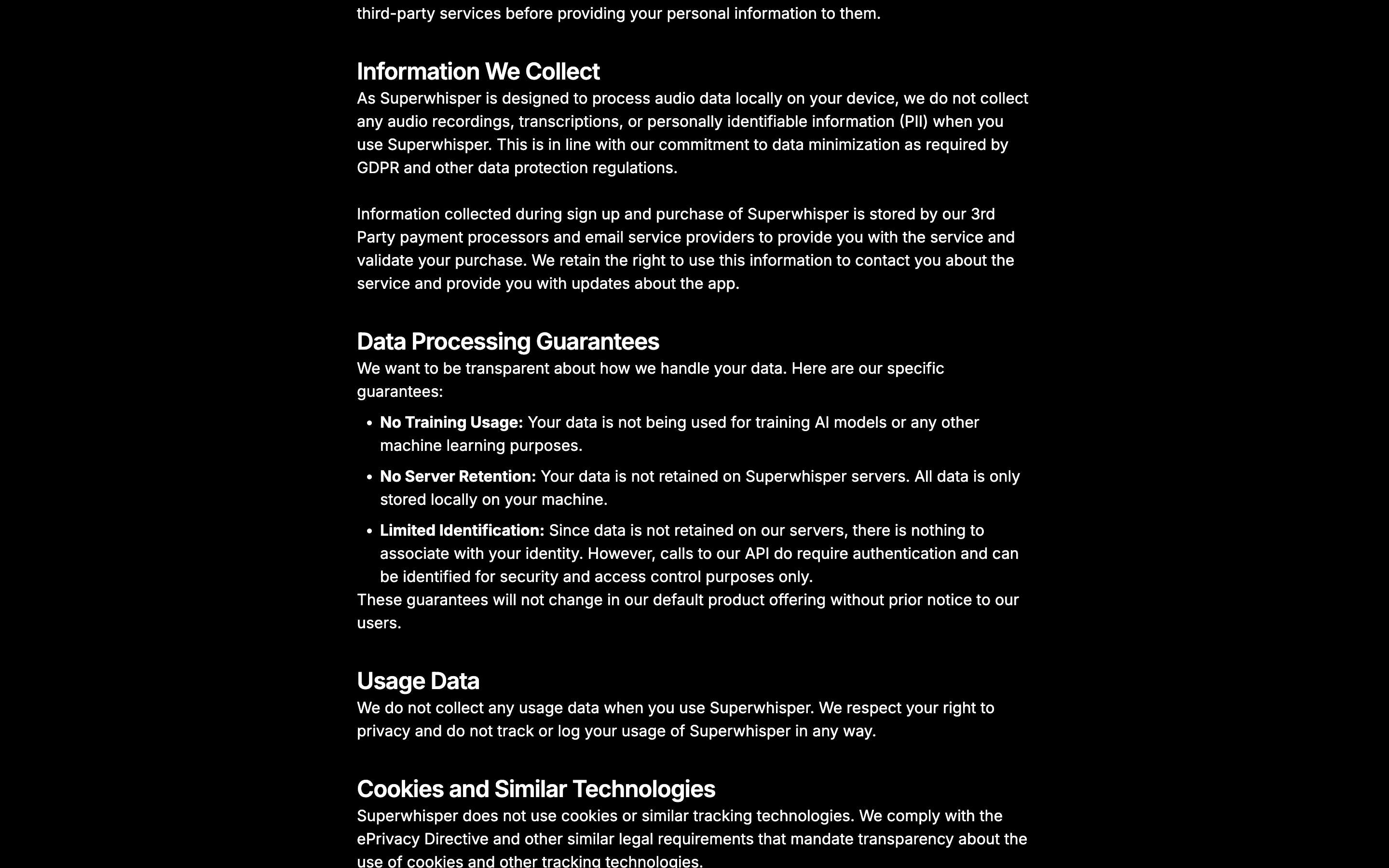
No Training Usage: Your data is not being used for training AI models or any other machine learning purposes.
Important: Any changes to our core data processing guarantees (regarding data training usage, server retention, and user identification) will not occur without prior notice to our users, giving you sufficient time to evaluate the changes and make informed decisions about your continued use of our service.
For the highest level of data protection, such as handling PHI (Protected Health Information) under HIPAA or confidential financial records, configure Superwhisper to run entirely on your device. In this setup, no audio or text ever leaves your machine.
Can you opt out?
There is nothing to opt out of, so the question becomes what the promise is worth and how you would know if it changed. The change-notice promise is unusually specific for a consumer app: it names the three guarantees it covers, promises prior notice, and promises "sufficient time to evaluate the changes". It also names no notice period, no notification channel and no versioned policy archive, and the policy page carries no history of prior versions, so a reader has no way to diff one revision against the last. What you can control instead is where the work runs. The documented fully-local setup is a local voice model plus either a local language model, macOS only, or a mode with no AI post-processing at all, which is Voice to Text mode. Superwhisper's own pick for sensitive environments is the Ultra V3 Turbo local model. Both choices live per mode, in the Advanced Settings sidebar, so they have to be made again for every mode you actually use.
Third-party AI providers
Where cloud models are used, Superwhisper states the terms it holds its providers to, and it names them: "Superwhisper accesses all third-party AI providers exclusively through API agreements that include zero-data-retention terms", applied to S1-Voice, S1-Language, Claude, GPT, Groq and Deepgram, with a link to the data-usage policy of each of the four third-party providers. Its own hosted models carry no equivalent published policy. It also prints the carve-out itself: "Zero Data Retention applies to API usage only. These commitments apply when data flows through Superwhisper's API-based integrations, not when you use a provider's consumer product directly." Naming the vendors, linking each provider's own data-usage policy and printing the carve-out in the same document is the credit here. The limit of the claim is that it describes contracts no one outside the company can read: no upstream terms are published, no auditor attests to them, and the public subprocessor list gives no location at all for OpenAI, Deepgram or Groq. Organizations that need their own paper can bring their own API keys, which Superwhisper documents for individual Pro users and Enterprise admins, and which moves the data handling under the customer's agreement with that provider.
Sharing defaults
Who can see your notes.
There is no sharing surface, and that is the headline
Across Superwhisper's documentation there are no share links, no team workspace for transcripts, no web viewer, no cloud transcript store and no integrations that push transcript content anywhere. Content leaves the app the way a text file leaves a text editor: the Copy button in History, Reveal in Finder, or the paste into the app you dictated into. That is why the amount of your content Superwhisper could disclose to anyone is, by architecture, close to none. [14][17][5]
FileSync is the standing path off the device in a local setup
FileSync syncs configuration between installations on the same licence, and it does so through Superwhisper's own infrastructure rather than iCloud or a peer connection. Transcripts and audio are excluded, which the vendor states clearly. What is included is the settings folder, and the documentation defines that folder as holding vocabulary lists and text replacements alongside modes, which are where a user's custom AI instructions live. Superwhisper's own documents also disagree about whether the feature exists: the Pro FAQ still answers that modes and vocabulary are stored locally on each device and that "Cloud sync is planned for a future update", which is the older of the two pages. One further path off the device is triggered by you rather than standing: in History, right-clicking a recording and choosing "Report Issue" reports that dictation to Superwhisper's support, and the two pages documenting the action never state what the submission contains. [3][17][19][14][15]
When FileSync is enabled, Superwhisper syncs your configuration data (such as modes and settings) across your devices via Superwhisper's infrastructure, but this does not include any transcription content or audio.
Vocabulary words travel with your audio
The sensitive-data page says custom vocabulary and text replacements "are stored locally and processed on-device. They are not sent to cloud providers." The vocabulary page describes the opposite mechanism for one of those two features: vocabulary words are recognition hints handed to the transcription model, and it invites users to add people's names and company names. Both statements cannot hold when a cloud voice model is selected. Replacements are different and the local claim survives for them, because they run after transcription and are applied programmatically. The practical reading: identifiers belong in Replacements, not in Vocabulary Words, unless the mode is running a local voice model. [18][3]
When you add words to the vocabulary section, you're providing the AI transcription model with custom recognition hints during the transcription process. These words are sent alongside your audio to help the AI recognize and accurately transcribe:
The privacy policy and the terms no longer describe the same product
Both documents publish a three-part data-processing guarantee, and the two versions differ. The 2024 policy says data is not retained on Superwhisper servers and that all data is only stored locally on your machine; the 2026 Terms narrow that to audio and transcription content and add that cloud models process content transiently. The 2024 policy says there is nothing to associate with your identity; the Terms say an account identifier and usage metadata are retained. The policy also states flatly that no usage data is collected, while the iOS App Store label, which the developer fills in, declares Identifiers and Diagnostics as data that may be collected but is not linked to you. The Trust Center still links to the 2024 policy as the current one. [1][2][26][24]
We do not collect any usage data when you use Superwhisper. We respect your right to privacy and do not track or log your usage of Superwhisper in any way.
The website runs trackers no published notice covers
Loaded in a clean browser on the access date, superwhisper.com set seven cookies before any interaction and showed no consent banner. The seven cover Google Analytics, Google Ads, Meta, X and PostHog, plus a referrer cookie, and the same load fired requests to Sentry, Vercel insights and an OpenAI advertising pixel. The Privacy Policy says the opposite, and the fair reading is not that the policy lies. The policy scopes itself to the application: its introduction defines Superwhisper as the voice-to-text application, and its scope section says it applies only to Superwhisper. So the app-level cookie claim can be read as true of the app. What follows from that reading is the actual finding: the only privacy notice the company publishes covers the software, no notice covers the marketing site, and the marketing site is where the advertising and analytics stack runs. [1][27]
This Privacy Policy applies only to Superwhisper. It does not cover any third-party applications, websites, or services that may be linked to, integrated with, or otherwise accessed through Superwhisper.
Deletion is an email, and it does not touch your disk
There is no in-app or dashboard control to delete an individual account. The documented route is an email to support with the subject "Delete my account", answered within 30 days. What gets deleted is small because what is held is small: the email address is obfuscated and billing records are kept in anonymized form for tax purposes. Two gaps sit next to that. The deletion page says "That's it", while the Terms describe an account identifier and usage metadata that neither the deletion page nor the policy mentions. And if FileSync has been used, no document says what happens to the configuration that was synced through Superwhisper's infrastructure. [5][2][3]
Transcripts, audio recordings, modes, vocabulary, and app settings live locally on your machine. Account deletion doesn't touch them.
The compliance claim: real, dated, and gated
Superwhisper runs a Trust Center on a third-party platform, states that it holds SOC 2 Type II certification, and lists a SOC 2 Type 2 Report and a Penetration Testing Report, both dated March 03, 2026, alongside an architecture diagram, a data management policy and a self-serve DPA and HIPAA BAA. All the reports sit behind Request Access, so what is verifiable from outside is that they are listed, not what they say. No auditor is named, no report period is published, and there is no ISO 27001 claim to check. The compliance grid also marks HIPAA, GDPR and PIPEDA as Compliant, which is a vendor self-attestation rather than a certification, and Superwhisper says as much itself in the disclaimer on its own sensitive-data guide. [24][4][3]
This guide is intended to help you understand Superwhisper's technical capabilities and make informed configuration choices. It is not legal advice. Whether a given configuration satisfies HIPAA, GDPR, SOC 2, or other regulatory requirements depends on your specific implementation, agreements with providers, and organizational policies.
Hardening checklist
Settings that make Superwhisper more private.
If you use Superwhisper and want to keep it, these are the settings worth changing, straight from the vendor’s own documentation.
Step 01
Point every mode you actually use at a local voice model
Where
Open a mode > Advanced Settings sidebar > Voice Model, and pick from the "Whisper Models (Local)" or "Nvidia Parakeet (Local)" sections.
The voice model is a per-mode setting, not a global switch, so this has to be repeated for every mode, including the ones you rarely open. The tell is the Size column: it reads "Cloud" for S1-Voice, Ultra (Cloud) and the Nova models, and a byte size for the local ones. Superwhisper's own pick for sensitive work is Ultra V3 Turbo. One licensing catch to plan around: the model table licenses Standard, Nano and Fast as Free while the Free versus Pro matrix lists local voice models as Pro only, so the two pages disagree, and every accurate local model is Pro either way. [11][6][3][19]
Step 02
Run no language model, or verify that a local one exists in your build
Where
Use Voice to Text mode, which Superwhisper describes as outputting raw transcribed text with no language model involved. Otherwise set the Language Model in the same Advanced Settings sidebar, above the voice model.
This is the second of the two independent stages, and it is where a locally transcribed sentence can still be shipped to a cloud provider. Every model listed in Superwhisper's language catalogue is a cloud model: S1-Language, Claude, GPT and Llama 3 8b. The sensitive-data page says local language models are supported on macOS and names "Llama 3 or Mistral" in its air-gapped configuration, while the model catalogue lists none, gives no size and no download instructions. Check the picker in your own build before relying on it. [3][7][11]
Step 03
Keep Super Mode away from sensitive work, and build a custom mode instead
Where
Create a Custom Mode and leave the three context toggles off in the Advanced Settings sidebar: Application context, Copied text, Selected text. Check what was actually transmitted at History > right sidebar > Prompt.
Super Mode is the only built-in mode with all three context types on by default, and it reads through the accessibility APIs: your active input field, your highlighted text, and anything copied within three seconds of starting dictation or while you are speaking. The docs describe those three toggles for Custom Modes, and never state that they can be switched off inside Super Mode, so a custom mode is the documented route. Superwhisper also steers Super Mode toward Claude or GPT models, warning that "Using less capable or local models can lead to unexpected results". While you are in there, avoid Auto-Activation Rules that select a cloud mode: "Once a mode activates for an app or site, you won't be able to override it, and the system doesn't automatically switch back to your previous mode." [8][9][10][11]
Step 04
Treat realtime transcription, and Process Again, as cloud switches
Where
Realtime needs a Nova model in the mode's Voice model slot, so leave Nova out of any mode you want on device. In History, right-click and "Process Again" reruns a recording under your currently active mode.
Superwhisper states realtime transcription is "only supported by the Nova (Cloud) Voice models", which means switching on live-as-you-speak text routes your audio to Deepgram regardless of what the rest of the mode says. Process Again has the same shape in reverse: it reprocesses an old recording using whichever mode is active now, so a dictation that was captured locally can be sent to a cloud model months later by a single menu item. [13][6][14]
Step 05
Guard your own API keys, and keep names out of Vocabulary Words
Where
BYOK keys go in the mode settings for individual Pro users, in the same Advanced Settings sidebar that connects your own API tokens. Put people and company names in Replacements, not in Vocabulary Words.
The only encryption claim in the whole documentation covers keys an admin enters in the Enterprise dashboard: "Your API Key is encrypted at rest for security". Nothing states how an individual's key is stored on their own machine, and the changelog's "Encrypt custom model API keys on save", shipped in 1.45.11 on April 23, 2025, says nothing about the scheme or the key management, so scope and rotate that key as if it were readable. The vocabulary half of this step is a documented contradiction: vocabulary words are "sent alongside your audio" to the transcription model, while the sensitive-data page says vocabulary is not sent to cloud providers. Replacements run after transcription and stay put. [21][29][18][3]
Step 06
Bound what accumulates on disk, and check where the folder lives
Where
Delete from History by selecting recordings, right-clicking and choosing Delete, or open the folder with the folder icon and delete in Finder. Confirm the path at Settings > Configuration > Advanced. On Enterprise, set Configuration > General > Recording Retention.
Meeting Mode records the audio your computer is playing, and nothing expires: "Superwhisper does not automatically delete past recordings", there is no bulk or scheduled delete for individuals, and the documented remedy is a cron job the vendor warns can remove the wrong files. Enterprise retention runs from 1 day to 1 year but defaults to "No restriction", so an admin has to set it. Two folder checks belong here: the default is ~/superwhisper, and on older installs still pointing at ~/Documents/superwhisper, turning on iCloud Documents syncing can move the folder into iCloud, which Superwhisper documents as a functionality bug rather than a privacy exposure. [14][16][20][23][12]
Policy changelog
What changed, and when.
Each entry records a dated re-verification of this audit against the vendor’s documents. Policy changes land here as dated diffs.
2026-08-03
Re-verified every load-bearing claim on this page against the vendor's live documents.
No vendor-side changes found. The subprocessor list was re-confirmed at seven in a full browser render: the Trust Center overview renders a collapsed widget showing five entries above a View all link, while the dedicated subprocessors page carries all seven. The developer-declared iOS App Store privacy label was confirmed in the same pass as Identifiers and Diagnostics under Data Not Linked to You.
2026-08-02
Audit created. Verified against the Privacy Policy (Last Updated: Jun 19th, 2024), the Terms of Service (Last Updated: June 2026), the Trust Center and its resource library, twenty pages of product documentation that carry no stated effective dates, the billing page, the changelog back to August 2023, the developer-declared iOS App Store privacy label, our own measurement of superwhisper.com in a clean browser profile, and searches of the federal court records, the CVE databases and the public breach registers. Certification status at verification: SOC 2 Type II claimed on the Trust Center, with a SOC 2 Type 2 Report dated March 03, 2026 held behind an access request.
FAQ
Questions people ask.
Is Superwhisper safe to use?
It can be, and the caveats are about configuration rather than intent. Superwhisper documents a setup in which the whole job runs on your machine, promises in writing that it does not train on your data, names every cloud provider it uses, and documents no way to share a transcript out of the app at all. What you have to actually do is choose. Local is a per-mode setting across two stages, every language model in the catalogue is a cloud model, and Super Mode reads your input field, selection and clipboard by default. What no setting fixes is the paperwork. The privacy policy is dated June 2024, contradicts the 2026 Terms on usage metadata, and the marketing site runs an ad and analytics stack that no published notice covers. [3][1][2][8][27]
Does Superwhisper train its AI on my dictation?
No, according to both documents that address it. The Privacy Policy's guarantee reads: "No Training Usage: Your data is not being used for training AI models or any other machine learning purposes." The June 2026 Terms restate it as the first of three commitments, saying your data is not used to train, fine-tune or improve AI models. For cloud work, Superwhisper states it reaches third-party providers "exclusively through API agreements that include zero-data-retention terms", naming S1-Voice, S1-Language, Claude, GPT, Groq and Deepgram. Two things to keep in view: the guarantee is scoped to what the policy calls "our default product offering", and the upstream terms are contracts no one outside the company can read. [1][2][3]
Does my audio leave my Mac when I use Superwhisper?
It depends on the mode, and Superwhisper documents the mechanism itself. Every dictation passes two independent stages: voice to text, then an optional AI rewrite. Each stage points at a local or a cloud model, set per mode. Pick a local voice model and either a local language model, which the docs say is macOS only, or Voice to Text mode, which runs no language model, and the vendor states "no audio or text ever leaves your machine". Pick S1-Voice, Ultra (Cloud) or a Nova model and your audio goes to Superwhisper's own service or to Deepgram. Realtime transcription is cloud only. Which model a fresh install preselects is not stated in any document we found, so the honest answer is that offline use is fully supported and has to be chosen. [3][6][7][13]
What do Superwhisper's cloud modes actually send?
On the voice stage, your recorded audio, to Superwhisper's own hosted models or to Deepgram, the only third-party cloud voice vendor named. On the rewrite stage, the transcript, to S1-Language, Anthropic's Claude, OpenAI's GPT or Groq's Llama 3 8b. In Super Mode the payload is larger: your active input field, whatever you had selected, anything copied within three seconds of starting dictation or while you are speaking, and system information the docs list as the current date and time, your full name and your computer name. Vocabulary words also travel with the audio, per Superwhisper's vocabulary page. You can see exactly what was sent for any dictation in the History tab, in the prompt field of the right sidebar. [6][7][8][18][14]
Has Superwhisper had a data breach or been sued?
Nothing was found in the sources we checked on August 2, 2026, which is not the same as proof that nothing happened. Have I Been Pwned records no breach against superwhisper.com. The NVD returned zero results for "superwhisper" and for "SuperUltra", and the GitHub Advisory Database returned no matches. CourtListener returned zero results across federal dockets, docket documents, opinions and party names for the company, the product and its founder. Two coverage limits matter: SuperUltra, Inc. is a Toronto company and Canadian civil filings are largely not searchable online, and Superwhisper publishes no security.txt and no advisory page, so a privately reported issue would not be expected to surface in these databases. The one national-press profile we found, in The Globe and Mail in May 2026, reports no incident. For context rather than evidence, Superwhisper won Product Hunt's Privacy Award in the AI Dictation Apps category for Winter 2025, which is a community award from a launch platform, not an independent assessment. [31][32][30][34][33]
Is Superwhisper SOC 2 certified and HIPAA compliant?
Superwhisper claims both, and the claims sit at different strengths. Its Trust Center states the company holds "SOC 2 Type II certification" and lists a SOC 2 Type 2 Report dated March 03, 2026 alongside a Penetration Testing Report of the same date. Both are behind Request Access: "Our latest SOC 2 report is available through the Trust Center under NDA." No auditor is named and no report period is published, so what an outsider can verify is that the reports are listed, not what they contain. HIPAA, GDPR and PIPEDA appear on the same grid marked Compliant, which is a self-attestation on a trust-center platform. HIPAA in particular has no certification regime; what Superwhisper offers is a self-serve BAA, plus three documented paths: a local-only setup with no BAA required, its cloud models under its own BAA, or your own API keys under a BAA you sign with the provider. Superwhisper prints its own disclaimer that whether a given configuration satisfies any of these frameworks depends on your implementation. [24][4][3]
Does superwhisper.com track me?
Yes, on the day of this audit. Loaded in a clean browser profile, the site set seven cookies before any interaction, covering Google Analytics, Google Ads, Meta, X and PostHog, and no consent banner appeared. The Privacy Policy states that "Superwhisper does not use cookies or similar tracking technologies", and the fair reading is not that the policy is false. That policy defines Superwhisper as the voice-to-text application and its scope section says it applies only to Superwhisper, so the claim can be read as describing the app. The finding is therefore about coverage rather than accuracy: the only privacy notice the company publishes covers the software, and nothing published covers the website that hosts it. [27][1]
Who can see my Superwhisper dictations?
Anyone with access to your user account on your machine, which is a shorter answer than most audits in this directory can give. Recordings, transcripts, modes and vocabulary sit in ~/superwhisper, an ordinary home-directory folder for which Superwhisper publishes no encryption or file-protection posture, so FileVault and a check that no cloud-sync client is watching your home folder are worth the two minutes. On the vendor side, Superwhisper states it does not store transcripts, audio, modes or vocabulary on its servers, and it documents no sharing surface at all. Three narrower paths do exist: cloud modes send content to the named providers, FileSync sends your configuration through Superwhisper's infrastructure, and Enterprise usage analytics, if an Owner turns it on, sends per-member metadata that excludes content. [16][5][3][22]
Sources
Every claim, receipted.
Every claim on this page maps to one of these documents. Dates are when we last read each one.
[1]
Superwhisper Privacy Policyaccessed 2026-08-02Last Updated: Jun 19th, 2024. Two years older than the Terms of Service it now contradicts, and the page publishes no archive of prior versions to compare against.
[2]
Superwhisper Terms of Serviceaccessed 2026-08-02Last Updated: June 2026, with no day of month printed. Carries its own version of the three data-processing guarantees and incorporates the Data Processing Addendum by reference, with no separate signature required.
[3]
Superwhisper Docs: Sensitive Data Best Practicesaccessed 2026-08-02No stated effective date; the page metadata reports last modified 2026-03-23. The most substantive data-handling document Superwhisper publishes: the two-stage data flow, the fully local configuration, the cloud privacy commitments and the regulatory disclaimer all live here.
[4]
Superwhisper Docs: Compliance & Trustaccessed 2026-08-02No stated effective date; the page metadata reports last modified 2026-06-04. States that the DPA contains the full subprocessor list and that the SOC 2 report is available through the Trust Center under NDA.
[5]
Superwhisper Docs: Account & Data Deletionaccessed 2026-08-02No stated effective date; the page metadata reports last modified 2026-06-04. Deletion is requested by email; there is no in-app or dashboard control documented for individual accounts.
[6]
Superwhisper Docs: Voice modelsaccessed 2026-08-02No stated effective date; the page metadata reports last modified 2026-04-08. The section headings are the only local-or-cloud tell, and the Size column reads "Cloud" for cloud models.
[7]
Superwhisper Docs: Language modelsaccessed 2026-08-02No stated effective date; the page metadata reports last modified 2026-04-08. Its introduction says there are two types of language model, local and cloud-based, and the page then lists only cloud ones.
[8]
Superwhisper Docs: Super modeaccessed 2026-08-02No stated effective date; the page metadata reports last modified 2026-01-28. Carries the three context types, the system-information note and the in-app verification route.
[9]
Superwhisper Docs: Context Awarenessaccessed 2026-08-02No stated effective date; the page metadata reports last modified 2026-01-28. Carries the per-mode context availability list and the capture timing for each context type.
[10]
Superwhisper Docs: Custom modeaccessed 2026-08-02No stated effective date. Names the three context toggles in the Advanced Settings sidebar, and is the only page that describes turning them off.
[11]
Superwhisper Docs: Intro to Modesaccessed 2026-08-02No stated effective date; the page metadata reports last modified 2026-01-28. Carries the per-mode voice and language model pickers, the Record from System Audio and Identify Speakers toggles, and the Auto-Activation Rules warning.
[12]
Superwhisper Docs: Meeting modeaccessed 2026-08-02No stated effective date; the page metadata reports last modified 2026-01-28. The page makes no statement about where meeting audio is processed or stored, and no privacy claim of any kind.
[13]
Superwhisper Docs: Realtime Transcriptionaccessed 2026-08-02No stated effective date. States the feature is only supported by the Nova (Cloud) voice models, which are hosted by Deepgram.
[14]
Superwhisper Docs: Historyaccessed 2026-08-02No stated effective date; the page metadata reports last modified 2026-01-28. Carries the manual deletion routes, the Process Again action, the Report Issue action whose payload it never specifies, and the Prompt panel.
[15]
Superwhisper Docs: Report an Issueaccessed 2026-08-02No stated effective date. Calls reporting through History "the most effective way to report issues related to recordings" and instructs users to right-click a recording and select "Report Issue", without stating what that action transmits. Its manual alternative asks the user to compress the recording folder and attach it to an email.
[16]
Superwhisper Docs: History Managementaccessed 2026-08-02No stated effective date; the page metadata reports last modified 2026-07-15. Carries the recordings path and the cron-job cleanup recipe, with the vendor's own warning about it.
[17]
Superwhisper Docs: Advanced Settingsaccessed 2026-08-02No stated effective date; the page metadata reports last modified 2026-07-15. Carries the folder location, the FileSync toggle and the text delivery controls, including Restore Clipboard, which is off by default.
[18]
Superwhisper Docs: Vocabularyaccessed 2026-08-02No stated effective date. States that vocabulary words are sent alongside your audio, and that replacements are applied programmatically after transcription.
[19]
Superwhisper Docs: Superwhisper Proaccessed 2026-08-02No stated effective date; the page metadata reports last modified 2026-01-28. Carries the Free versus Pro matrix and the FAQ answer that cloud sync is planned for a future update, which the FileSync documentation contradicts.
[20]
Superwhisper Docs: Enterprise Configurationaccessed 2026-08-02No stated effective date; the page metadata reports last modified 2026-06-04. Carries Allow Cloud AI Models, Allow System Audio Recording, Allow Speaker Separation and Recording Retention, and states that settings apply the next time a member launches the app.
[21]
Superwhisper Docs: Model Managementaccessed 2026-08-02No stated effective date. The only page in the documentation that makes an encryption claim about API keys, and the claim is scoped to keys entered in the Enterprise dashboard.
[22]
Superwhisper Docs: Enterprise Usage Analyticsaccessed 2026-08-02No stated effective date; the page metadata reports last modified 2026-06-04. Publishes both a What We Collect and a What We Never Collect list, and states the feature is off by default.
[23]
Superwhisper Docs: Unable to Create Modesaccessed 2026-08-02No stated effective date. Documents the interaction between iCloud Documents syncing and the older ~/Documents/superwhisper folder as a functionality bug, never as a privacy exposure.
[24]
Superwhisper Trust Centeraccessed 2026-08-03Redirects to trust.mycroft.io/superwhisper and is hosted by Mycroft. No page-level date. Its resource library lists a SOC 2 Type 2 Report and a Penetration Testing Report, both dated March 03, 2026, both behind Request Access, and its privacy-policy link points at the 2024 policy. On the subprocessors: the overview renders a collapsed widget showing five entries above a View all link, while the dedicated list at trust.superwhisper.com/subprocessors carries all seven, which is why a text-only fetch of the overview returns five. Re-read in a full browser on 2026-08-03.
[25]
Manage Billing | Superwhisperaccessed 2026-08-02No date printed. Names the three subscription channels: Stripe as the most common, the App Store for iPhone purchases, and Lemon Squeezy for subscriptions bought in 2023.
[26]
Superwhisper - AI Dictation on the App Storeaccessed 2026-08-03The App Privacy section is developer-declared and Apple-hosted, read against iOS app version 2.18, released 2026-07-27; the iOS build versions separately from the desktop app. It declares Identifiers and Diagnostics under Data Not Linked to You, confirmed in a full browser render on 2026-08-03.
[27]
Our measurement of superwhisper.com in a clean browser profileaccessed 2026-08-02Our own measurement, not a vendor document: the homepage was loaded once in a fresh Playwright profile on 2026-08-02, set seven cookies before any interaction and showed no consent banner. Named destinations include Google Analytics, Google Ads and DoubleClick, Meta, X, PostHog, Sentry, Vercel insights and an OpenAI advertising pixel.
[28]
Meeting Transcription | Superwhisper (marketing page)accessed 2026-08-03No date of any kind on the page. Carries the no-visible-bot description and an unconditional claim that none of the meeting recording gets uploaded, while the documentation recommends the cloud Nova models for some of the capabilities this page describes.
[29]
Superwhisper changelogaccessed 2026-08-02No page-level date; the page is split into macOS, Windows and iOS tabs, and the macOS entries run from 1.11.0 on August 3, 2023 to 2.17.0 on July 29, 2026. Entry 1.45.11, April 23, 2025, reads "Encrypt custom model API keys on save". No entry in the file mentions a breach, incident, vulnerability or CVE.
[30]
CourtListener search: superwhisper / SuperUltra, Inc. / Neil Chudleighaccessed 2026-08-02Searches run 2026-08-02 across RECAP dockets, RECAP document full text, opinions and party names returned zero results for all three terms. Coverage is US federal only: Canadian civil filings are largely not searchable online, so an Ontario proceeding could exist without appearing in any public index.
[31]
Have I Been Pwned: breach lookup for superwhisper.comaccessed 2026-08-02Queried 2026-08-02; the API returned an empty array, meaning no breach is recorded against the domain.
[32]
NVD CVE search: superwhisper and SuperUltraaccessed 2026-08-02Queried 2026-08-02 through the NVD CVE API: zero results for both terms. The GitHub Advisory Database returned "No results matched your search" for superwhisper on the same day. Superwhisper publishes no security.txt and no advisory page, so privately reported issues would not be expected to appear here.
[33]
superwhisper Awards | Product Huntaccessed 2026-08-02No date on the page; the award period is stated as Winter 2025. A community award from a launch platform, not an independent privacy or security assessment.
[34]
The Globe and Mail: How a Toronto AI startup hopes to make the keyboard obsoleteaccessed 2026-08-02Joe Castaldo, published May 12, 2026, updated May 13, 2026. A company profile: it reports no lawsuit, regulatory action, breach or security incident, and carries no passage on privacy or on-device versus cloud processing.
This audit quotes Superwhisper’s own public documents and reputable public records. It is not legal advice, and filed lawsuits are allegations, not findings.
Related audits
How Routines handles the same data
Routines, the app behind this audit, starts from the same idea and covers more of the day: dictation audio goes to Deepgram for transcription, with a local Whisper fallback, and the same app handles meeting notes, your calendar and scheduled routines, keeping your notes and memory as markdown files you own on your Mac. All transparency audits