
Wispr Flow privacy audit
Is Wispr Flow safe? A privacy audit built from Wispr's own documents.
The short answer
Last verified 2026-08-03
Wispr Flow is a cloud dictation service: audio is captured on your device, streamed to Wispr's servers in the United States and transcribed there, with no offline mode and no on-premise option. Training on your dictation is the default. Wispr's own security FAQ says audio and transcription data may be used to train its models, and that this is the default for trial and standard accounts. Privacy Mode turns that off on every plan including the free one, and Enterprise and HIPAA BAA accounts run it on by default. Against that sits a certification claim the vendor's own help center does not support. [9][2][3][7][5][4][24][23][10][8]
What Wispr Flow does well
- The training opt-out is real, free and self-serve. Privacy Mode is one setting at Settings > Data & Privacy, it ships on Flow Basic, the free plan, and Wispr puts the choice on an onboarding screen rather than burying it in a menu.
- Enterprise accounts start opted out. Wispr's enterprise post states: "Privacy Mode is enabled by default for Enterprise accounts, and we recommend enforcing it across the organization." A signed HIPAA BAA locks Privacy Mode on and Private Cloud Sync off.
- The Data Processing Addendum is published in full at a public URL, and its Annex 2 names all 34 subprocessors with purpose and location. The full list is public and readable without an NDA.
- When the compliance platform behind its SOC 2 program came under scrutiny in March 2026, Wispr invalidated its own SOC 2 Type II and ISO 27001, said so in its own help center, engaged a different auditor, and wrote up both steps under a byline.
- The third-party promise is specific and names the vendors: Wispr states it "always maintains zero data retention agreements with all third-party AI providers", and its Trust Center lists the five AI subprocessors that handle customer data by name.
- Deletion controls are self-serve and documented per platform: individual transcript deletion, a Local data storage dropdown with Auto-delete every 24 hours and Never store data locally, and an automatic transcript deletion toggle on iOS.
What deserves caution
- Training on your dictation is on by default for trial and standard accounts, and Private Cloud Sync, which stores transcripts and audio on Wispr's servers, is on by default for new users. The founders' manifesto criticizes tools where "You're opted in the moment you start", but its own comparison table sets Wispr's difference as "Shown during onboarding", which is where the choice sits, not which way it points.
- The undated marketing privacy page says Flow is "independently certified to the world's top security standards: SOC 2 Type II, ISO 27001, and HIPAA". Wispr's own help center names one completed attestation, SOC 2 Type I, and claims no ISO 27001 completion anywhere.
- On 2026-08-02 the Trust Center still advertised the invalidated Accorp Partners Type II audit as successfully completed. On 2026-08-03 the page had been rebuilt, that card was gone, and Customer Audit Rights named the A-LIGN Type I report in its place.
- Zero data retention has four documented leaks, all of them from Wispr's own pages, starting with the fact that even with Private Cloud Sync off "raw dictation transcripts may still be uploaded to power core dictation functionality".
- The subprocessor count depends on which Wispr page you open. Annex 2 of the DPA lists 34 entities and Wispr calls it authoritative; the Trust Center tab listed 24 on 2026-08-02 and 29 on 2026-08-03.
- You keep ownership of your content, but the Terms grant a worldwide, non-exclusive, royalty-free, sublicensable license "for the limited purpose of providing, improving, and protecting the Services". The training carve-out is not in the license, it is deferred to the Privacy Mode setting, and Section 3.B bars you from using Output to train any model.
Subprocessors
34 listed, all US [5]
Quick facts
The privacy facts, at a glance.
- How audio is captured
- Captured on your device and streamed to Wispr, not kept on the device: the security FAQ lists "Audio recordings (audio is streamed to the backend and not persisted locally)" among what Wispr Flow does not store locally. Dictation runs from an activation method you trigger, with the shortcut, microphone and language pickers under Settings > General. On Android, Flow hides its bubble and disables all activation methods inside detected banking apps, and for password, PIN and numeric-only fields in any app. [9][18][19]
- Where transcription happens
- In Wispr's cloud, always. The Data Controls page states: "Transcription always occurs on the cloud." The security FAQ adds that Wispr Flow "runs entirely in the cloud and is delivered as multi-tenant SaaS", with no on-premise deployment, and the Android setup article answers the offline question directly: "No. Flow requires an internet connection to transcribe audio." [3][9][20]
- Where your data is stored
- AWS in the United States, and only there. The Trust Center names us-east-1 as primary, us-west-1 as secondary and us-west-2 for content delivery, and states Wispr does not currently offer data residency options outside the United States. Whether transcripts and audio are stored at all is decided by Private Cloud Sync, which is on by default for new users. [7][9][10]
- AI training defaults
- On by default outside Enterprise. Without Privacy Mode, audio and transcription data may be used to evaluate, train and improve Wispr's models, and Wispr states that is the default for trial and standard accounts. Privacy Mode is one setting at Settings > Data & Privacy and ships on every plan including the free Flow Basic tier. Enterprise accounts and accounts with a signed HIPAA BAA run with Privacy Mode on by default. [9][3][8][23]
- Retention
- Set by your two toggles. Wispr publishes retention windows for logs and backups on the Trust Center, but no fixed period for stored dictation transcripts: the Privacy Policy commits only to keeping personal data "only for as long as is necessary". On desktop, a dismissed transcription can be recovered for 14 days, after which Wispr states the audio is deleted. Account deletion is documented as partial: Wispr's own account article lists login credentials, cloud transcription history, stored audio, usage history and analytics as items that "are not deleted automatically" and require support to complete a follow-up cleanup. [3][1][7][13][14]
- Subprocessors
- 34 on Annex 2 of the DPA, the list Wispr itself calls authoritative, every one located in the USA, including Amazon Web Services, OpenAI, Anthropic, Google, BaseTen, OpenPipe, Fireworks AI, Cerebras, Eleven Labs and Modal Labs. The Trust Center's subprocessor tab listed 24 on 2026-08-02 and 29 on 2026-08-03, both short of Annex 2, which that tab still names as the authoritative list. Subprocessor changes are notified "by posting updates to our Privacy Policy", and the Privacy Policy carries no subprocessor list. [5][7][1][9]
- Encryption
- TLS 1.2 or better in transit, encrypted at rest, keys held by Wispr. The security FAQ is explicit about the limit: Wispr Flow "does not provide end-to-end encryption in the strict cryptographic sense (where the service provider cannot decrypt content)", because its backend must decrypt audio to perform transcription. Customer-managed keys are stated as not currently supported. [9][7][3]
- Certifications
- One completed SOC 2 attestation, per Wispr's own help center: SOC 2 Type I, completed April 2026 by A-LIGN, clean unqualified opinion, Security scope, report under NDA. ISO 27001:2022 Stage 1 was completed the same month by the same auditor, with no Stage 2 completion claimed anywhere, and SOC 2 Type II sits under In progress with the observation period underway and the report not yet issued. HIPAA is listed as "HIPAA-aligned controls" with a BAA available. [9][2]
- Consent features
- Dictation captures one speaker, so there is no multi-party consent surface to configure. Notetaker, Wispr's meeting product, changes that: the Privacy Policy states Meeting Data "may include information relating to other meeting participants, including their names, email addresses, communications during meetings, and speaker attribution", and the Terms put the whole duty on the user, who warrants they "will provide any notices and obtain any consents required before using Notetaker". Wispr states it "does not determine whether notice or consent is legally required for any meeting". [1][4]
- Sharing defaults
- Private Cloud Sync is the sharing surface, and it is on by default for new users: it stores transcripts and audio on Wispr's servers, syncs them across your devices, and gates Notetaker, Scratchpad sync, meeting sharing and personalized speech models. Dictionary entries, snippets and account settings sync regardless of either toggle. The desktop Data and Privacy page also carries a Notes sharing default with Private, Team and Anyone with link values; the article that lists them does not say which one a new account ships with. [10][11][9]
Data flows
What leaves your Mac.
Step 01
Dictation audio
Captured on your device and streamed to Wispr's backend over TLS 1.2 or better, where Wispr states audio and intermediate transcripts are processed entirely in memory. Speech to text runs on Wispr's own foundation models hosted at Baseten, with OpenAI Whisper as a fallback path and ElevenLabs for certain languages. [7][23]
Step 02
Transcripts and dictation history
With Private Cloud Sync on, transcripts and audio are stored on Wispr's servers, encrypted at rest and in transit, and synced across devices. With it off, Wispr states dictation still works and "raw dictation transcripts may still be uploaded to power core dictation functionality". Transcript history itself is stored per device and does not sync, so clearing it on one machine leaves the others untouched. [3][10][13]
Step 03
Screen and app context
Context Awareness is on by default on Mac and Windows. Wispr's article for it states that context data is "sent to Wispr as part of each dictation request, unless Privacy Mode is on", and lists: "app info, textbox contents (before, selected, and after the cursor), on-screen text, variable and file names in coding apps, your user identifier within the app, the list of apps in your current session, a screenshot, and conversation history (participant IDs and message roles/content)". The security FAQ describes the same data twice differently: the screenshot as a separate Screen OCR component that is "default off" and opt-in, and screen context not as withheld but as "stripped server-side when Privacy Mode is on / Cloud Sync is off". All three statements were current on the access date and Wispr has not reconciled them. [12][9]
Step 04
The app you dictate in
Collected unconditionally. The Data Controls page states Wispr "always uses information about the app you are dictating in (e.g. app name) to format messages", and the Privacy Policy lists "the application used for dictation" among the usage data it collects. For browser apps, the Context Awareness article states Flow "identifies the specific website rather than the browser". [3][1][12]
Step 05
Snippets, dictionaries and settings
Stored in Wispr's backend and synced across your devices "regardless of Privacy Mode or Cloud Sync status", per the security FAQ, which classes them as user-authored productivity assets rather than dictation content. If your custom vocabulary holds client or patient names, that is a path around every dictation control. [9][10]
Step 06
Meeting Data through Notetaker
Notetaker processes meeting audio, transcripts, participant information, speaker labels, titles, calendar metadata, summaries, action items and insights, and Wispr may temporarily retain encrypted meeting audio on the device or in cloud storage. It requires Cloud Sync to be enabled, and what Wispr calls Zero Data Retention requires Cloud Sync off, so the two are mutually exclusive. A HIPAA BAA locks Cloud Sync off. Wispr's own answer on why Cloud Sync is unsupported under a BAA names only "cross-device sync for Scratchpad notes" as the feature lost and offers a refund if that blocks you; it does not mention Notetaker. [1][4][10]
Step 07
Training data
Without Privacy Mode, audio and transcription data may be used to evaluate, train and improve Wispr's models. If you do share content for training, the Privacy Policy adds pseudonymized text, meeting transcripts, meeting outputs and the corrections you make. Meeting audio is not used for training "unless expressly disclosed and enabled through your applicable settings", and Google Calendar and Gmail data obtained through Google APIs "are never included in any user-enabled model training program". [9][1]
AI training
Training defaults, in Wispr Flow’s own words.
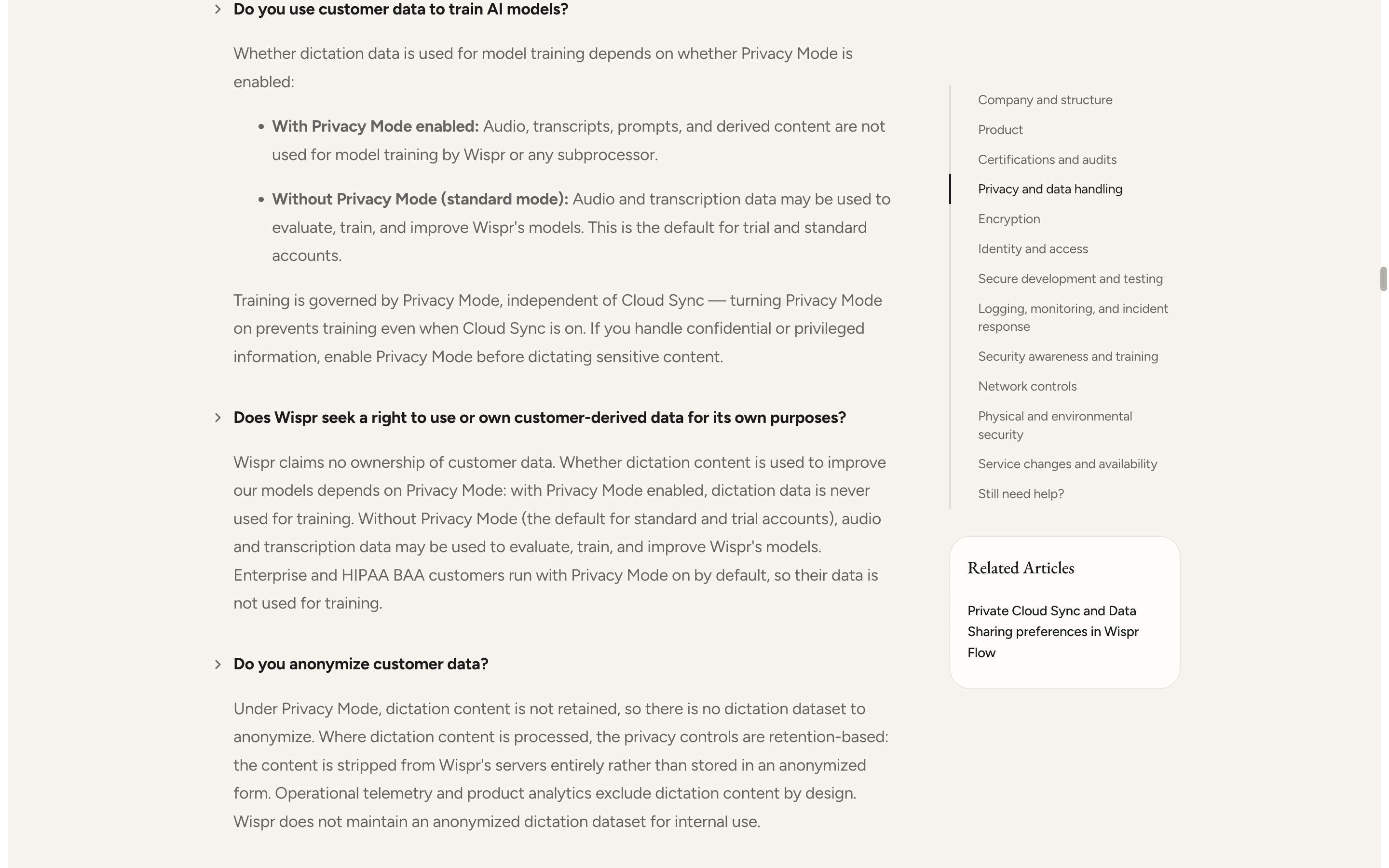
Training is the default outside Enterprise, and Wispr states it plainly in its own security FAQ: without Privacy Mode, audio and transcription data may be used to evaluate, train and improve its models, and that is the default for trial and standard accounts. Privacy Mode is the switch, and it is genuinely available to everyone. It ships on Flow Basic, the free plan, and Wispr presents the choice on an onboarding screen titled "You control your data" on desktop and "Your data is safe" on iOS and Android. Enterprise accounts, and any account with a signed HIPAA BAA, run with Privacy Mode on by default. One passage deserves a careful read. The founders' June 2026 manifesto criticizes tools where "You're opted in the moment you start", and its comparison table sets the industry default as "Opted in by default" against Wispr's "Shown during onboarding". That contrast is about where the choice is placed, not which way the default points, and no Wispr document claims Privacy Mode is on by default outside Enterprise. Separately, Private Cloud Sync, the control that decides whether transcripts and audio are stored on Wispr's servers at all, is on by default for new users. [9][3][24][10][11][23][1][4][5][8]
Without Privacy Mode (standard mode): Audio and transcription data may be used to evaluate, train, and improve Wispr's models. This is the default for trial and standard accounts.
If you do not have Privacy Mode enabled, your dictation data may be used to evaluate, train, and improve Wispr features and AI models.
Every person who uses Wispr can enable Privacy Mode, which means your data is not used to improve or train AI models. It's available on every plan, including the free one, and we show it to you during onboarding so you can decide for yourself.
Can you opt out?
One setting, no support ticket, on any plan: Settings > Data & Privacy, then select Privacy Mode rather than Share Data. On iOS it is Settings > Data & Privacy; on Android, open Settings and scroll to Data & Privacy. Changes take effect immediately and propagate to your other devices. Two rollout caveats come from Wispr's own docs: until the new two-control experience reaches an account, Settings > Data & Privacy shows the legacy single Privacy Mode toggle, and Android's Data & Privacy section, Privacy Mode toggle and Cloud Sync "are being rolled out and may not yet be visible to all Android users". Understand what the switch does not do. Privacy Mode stops training only. It does not stop audio going to the cloud, and it does not stop storage: Wispr states that "Privacy Mode does not control whether your data is stored", which is Private Cloud Sync's job. What Wispr calls Zero Data Retention is the combination of Privacy Mode on and Private Cloud Sync off. Enterprise admins can enforce either control for everyone from the admin portal; on individual and team plans, every person has to set it themselves.
Third-party AI providers
Wispr publishes three different strengths of the same promise, and the strongest wording sits in the documents that bind it least. The Data Controls page says Wispr "always maintains zero data retention agreements with all third-party AI providers", and that no dictation data is stored or used for model training by its subprocessors "regardless of your Private Cloud Sync setting". The Privacy Policy, which is binding, hedges twice: content shared with third-party language models "is not used to train their models and is generally deleted within 30 days, subject to the provider's applicable retention practices and legal obligations", and those providers "may not use such data to train their models where prohibited by contract or applicable policy". The Terms name only two vendors, saying Wispr "may use OpenAI or Anthropic LLMs" and that "all shared data is deleted after 30 days", while Annex 2 of the DPA names many more, among them OpenPipe, Fireworks AI, BaseTen, Cerebras, Google and Eleven Labs. Zero retention and generally deleted within 30 days are not the same commitment.
Sharing defaults
Who can see your notes.
Two switches, and they do different jobs
Wispr Flow now ships two controls. Privacy Mode decides whether your dictation data is used to train AI models. Private Cloud Sync decides whether your transcripts and audio are stored on Wispr's servers and synced across devices. Wispr states that Privacy Mode "does not control whether your data is stored", and that Private Cloud Sync is on by default for new users. Turning Private Cloud Sync off stops retention of the data it gates; it does not stop upload. [10][11][4]
Private Cloud Sync OFF: Scratchpad sync, meeting sharing, and todos sync (when those features ship) are disabled. Dictation still works, and raw dictation transcripts may still be uploaded to power core dictation functionality.
What Zero Data Retention covers, and what it does not
Wispr defines Zero Data Retention as Privacy Mode on plus Cloud Sync off, and states that the server enforces it independently of the client, keeping the audio, any associated screen context, the speech-to-text output, the formatted result and downstream variants off its servers. Four documented exceptions sit outside that boundary, all of them from Wispr's own pages, and the zero data retention answer in the FAQ lists each one. [9][3][10]
Feedback exception. If a user explicitly submits transcript feedback via the Report action, that record is uploaded in full. This is an intentional, user-triggered action.
The certification claim and the vendor's own correction
The undated marketing privacy page states that Flow is "independently certified to the world's top security standards: SOC 2 Type II, ISO 27001, and HIPAA", and its FAQ answers the certification question with "We are SOC 2 Type II certified". Wispr's security FAQ, updated within days of this audit, puts one completed SOC 2 report on its Current attestations list: SOC 2 Type I, completed April 2026 by A-LIGN, clean unqualified opinion, Security scope. ISO 27001:2022 is at Stage 1 with Stage 2 scheduled June 2026 and no completion claimed anywhere. HIPAA is described there as HIPAA-aligned controls with a BAA available, and HIPAA has no certification regime to be certified against. Both pages were live on the same day. [2][9][8]
SOC 2 Type II: Observation period underway; report not yet issued.
An invalidated attestation, advertised, then retired
This one has three acts, and the third is the vendor fixing it. Act one: Wispr's help center states that it previously held a SOC 2 Type II from Accorp Partners and an ISO 27001 from Gradient, and that both were "proactively invalidated in March 2026 due to platform integrity concerns at the original auditor". Act two: four months later, on 2026-08-02, the Trust Center still published a SOC 2 Report card describing that same Accorp Partners audit as successfully completed, alongside a badge strip showing ISO/IEC 27001, SOC 2 Type 1 and SOC 2 Type 2. Act three, verified 2026-08-03: the Trust Center had been rebuilt. The Accorp card is gone. The Customer Audit Rights list now names the artifacts a customer can request under NDA, among them "SOC 2 Type I report (A-LIGN, April 2026)" and "ISO 27001:2022 Stage 1 documentation (Stage 2 audit scheduled for June 2026)". A SOC 2 Type 2 badge remains in the compliance strip, and it opens a generic description of what a Type II audit is plus a "Get access" button, with no completed-audit claim and no auditor named, while the security FAQ states the Type II observation period is underway with the report not yet issued. Wispr corrected its own stale surface, and that is worth saying plainly. The newer documents state the current status accurately; the older surface was not retired until sometime between our two access dates. [7][9]
Wispr Flow has successfully completed a SOC 2 Type II audit, conducted by Accorp Partners, with zero exceptions.
The license you grant, and the one you do not get
Ownership stays with you, and the Terms say so first. The license that follows is broad: worldwide, non-exclusive, royalty-free and sublicensable, extended to "any third-party services acting on Wispr's behalf" in Section 2.A, and in Section 2.B to "any and all media now known or later developed". The limiting phrase is "for the limited purpose of providing, improving, and protecting the Services", and improving is the same verb the Data Controls page uses for model training. The training carve-out is not written into the license; the Terms defer it to the Privacy Mode setting. Section 3.B runs the other way and is not conditional: you may not use the AI Features or any Output to develop, train or improve any AI or machine learning model. [4][3]
By using the Services, you grant Wispr a worldwide, non-exclusive, royalty-free, sublicensable license to access, reproduce, modify, distribute, transmit, export, display, store and otherwise use Customer Content in any and all media now known or later developed for the limited purpose of providing, improving, and protecting the Services.
Who at Wispr can read your dictation
Every staff-access assurance Wispr publishes is conditioned on Privacy Mode being on or Cloud Sync being off. It states that under Privacy Mode no dictation content is accessible to anyone, because it is not retained; that a limited number of engineering and infrastructure personnel hold read-only, MFA-gated, logged production access for troubleshooting; that support and customer success have read-only access to account-level data only; and that for incidents requiring deeper access, customer authorization is sought first. What Wispr does not publish is the equivalent statement for the default configuration, Privacy Mode off with Cloud Sync on, which is the configuration in which transcripts are stored. That is a gap in the documentation, not a finding about behavior. [9][7]
The subprocessor list depends on which page you open
Annex 2 of the DPA, which Wispr itself calls the authoritative list, names 34 subprocessors, every one located in the USA. The Trust Center's subprocessor tab listed 24 on 2026-08-02 and 29 on 2026-08-03, the second count adding rows including Google, described there as "Cloud Infrastructure (training only)", and Foundry Technologies (Mithril.ai), described as "Cloud Infrastructure (model training)". On 2026-08-02 the tab was a strict subset: no entry appeared there that was missing from Annex 2, but ten Annex 2 entries were missing from it, including Amazon Web Services, which the same Trust Center names as the hosting substrate across three AWS regions, and Fireworks AI, which the same Trust Center names among the active AI subprocessors handling customer data. The DPA promises 30 business days notice before a new subprocessor is engaged, delivered "by posting updates to our Privacy Policy", and the Privacy Policy carries no subprocessor list. [5][7][1]
Not sold, with a qualifier the marketing page does not carry
Wispr says it does not sell your data in three separate places. The marketing privacy page: "We never sell or share your data." The Data Controls page: "We never sell your data. Our business model is based on selling software, not your information." The Privacy Policy: "We do not sell your data or use it to optimize ads for other companies." The qualifier sits in the California notice, which is dated April 26, 2024 and is still the live one. It concedes that device information disclosed to third parties to understand how you interact with the Services may be considered a sale or a sharing under California law, and it provides a California opt-out by email. Dictation content is not described as sold anywhere, and the distinction between dictation content and ad or analytics device data is never drawn on the marketing page. [2][3][1][6]
Hardening checklist
Settings that make Wispr Flow more private.
If you use Wispr Flow and want to keep it, these are the settings worth changing, straight from the vendor’s own documentation.
Step 01
Turn Privacy Mode on
Where
Settings > Data & Privacy > select Privacy Mode rather than Share Data. iOS: Settings > Data & Privacy. Android: Settings, then scroll to Data & Privacy.
Without it, Wispr states audio and transcription data may be used to evaluate, train and improve its models, and that this is the default for trial and standard accounts. The switch is free, ships on every plan including Flow Basic, takes effect immediately and propagates to your other devices. Two things to check first: until the two-control rollout reaches your account the page shows a single legacy Privacy Mode toggle, and Wispr states Android's Data & Privacy section is still rolling out and may not be visible to every Android user yet. [9][3][10][11][8]
Step 02
Turn Private Cloud Sync off
Where
Settings > Data & Privacy > toggle Private Cloud Sync off. On iOS and Android a confirmation prompt appears before the change applies.
It is on by default for new users, and it is the control that decides whether transcripts and audio live on Wispr's servers. With Privacy Mode on, turning it off is what Wispr calls Zero Data Retention, and Wispr states the server enforces the stripping independently of the client. Know the cost before you flip it: Scratchpad sync, meeting sharing, personalized speech models and Notetaker all require Cloud Sync on, and Wispr states dictation content is not exportable when it is not stored server-side. [10][11][9][3]
Step 03
Turn Context Awareness off if you dictate in front of anything sensitive
Where
Settings > Data and Privacy > toggle off Context awareness. Wispr states it is on by default on Mac and Windows.
Wispr's own article lists what Context Awareness sends with each dictation request when Privacy Mode is off, including on-screen text, the text around your cursor, the list of apps in your current session and a screenshot, and states that for browser apps Flow identifies the specific website rather than the browser. Wispr recommends this step itself for legal, healthcare and regulated environments. Per the security FAQ, turning off accessibility-text context also disables Screen OCR even if that component's own toggle is on. One caveat Wispr prints: standard macOS password fields are excluded, but "custom or web-based password fields may be read like normal text fields". [12][9]
Step 04
Set local storage to delete, and remember history is per device
Where
Settings > Data and Privacy > Local data storage > "Auto-delete local data every 24 hours" or "Never store data locally". iOS: Settings > Data & Privacy > Automatically delete transcripts.
The default is Store data locally. Wispr warns that switching to either of the other values permanently deletes existing local transcripts, polish history and Transform/Instruct history, and that this cannot be undone. Two catches: transcript history is stored per device and does not sync, so clearing it on your Mac leaves your phone untouched, and on iOS the toggle is off by default and today's transcripts are always kept. On desktop, a dismissed transcription can be recovered for 14 days, after which Wispr states the audio is deleted. [13]
Step 05
Keep sensitive names out of Dictionary and Snippets, and never Report a sensitive transcript
Where
Sidebar > Dictionary and Snippets: audit both. When a transcript is wrong, correct it by hand rather than using the Report action.
These are the two documented paths around every dictation control. Wispr states that user-created snippets and custom dictionaries are stored in its backend and synced across devices "regardless of Privacy Mode or Cloud Sync status", because it classes them as user-authored productivity assets rather than dictation content. And it states that submitting transcript feedback via the Report action uploads that record in full, deliberately, as a user-triggered action. [9][10]
Step 06
On a team, enforce it centrally and turn on SSO
Where
admin.wisprflow.ai > Settings: set Privacy Mode to "Enforced for everyone" and Private Cloud Sync to "Disabled for everyone". Then Settings > Organization > Authentication > Configure SSO, and enable "Enforce SSO for all members".
The two toggles are per user, so below Enterprise every person has to do steps 1 and 2 themselves. Wispr states enterprise admin policies act as a floor: a user may choose a more restrictive setting but not a less restrictive one. Two limits to plan around. The granular dropdowns are only visible to organizations for which Wispr has enabled granular data controls; others see a single legacy "Enforce Privacy Mode (zero data retention)" toggle. And SSO is Enterprise-only, the Enforce SSO toggle only appears once SSO is connected, and Wispr states enforcement pauses if the subscription is canceled. [11][9][17][16]
Policy changelog
What changed, and when.
Each entry records a dated re-verification of this audit against the vendor’s documents. Policy changes land here as dated diffs.
2026-08-03
Re-verified every load-bearing claim on this page against the vendor's live documents.
The Trust Center was rebuilt between the two access dates. The SOC 2 Report card quoting the completed Accorp Partners Type II audit is gone; the compliance strip now carries ISO/IEC 27001, SOC 2 Type 1 and SOC 2 Type 2 badges, and the Type 2 badge opens only a generic description of what a Type II audit is, with no completed-audit claim and no auditor named; Customer Audit Rights now lists the A-LIGN Type I report and ISO 27001:2022 Stage 1 documentation. The subprocessor tab moved from 24 entries to 29, adding rows including Google and Foundry Technologies (Mithril.ai) for cloud infrastructure used in model training, while Annex 2 of the DPA stayed at 34. The security FAQ still states that the SOC 2 Type II observation period is underway with the report not yet issued, and it now describes ISO 27001:2022 Stage 2 as scheduled for June 2026 in one answer and as in progress in another.
2026-08-02
Audit created. Verified against the Privacy Policy (Last Updated July 25, 2026), the Terms of Service (Last Updated July 25, 2026), the Data Processing Addendum (Last Updated May 21, 2026), the Data Controls page (Last Updated June 17, 2026), the CCPA Notice (Last Updated April 26, 2024), the undated marketing privacy page, the undated Trust Center, twelve help-center articles that print only relative dates, three company blog posts, the founders' privacy manifesto, Delve's own published response, the pricing page, and a search of the public federal court records. Certification status at verification: SOC 2 Type I complete, SOC 2 Type II observation period underway with no report issued, ISO 27001 at Stage 1.
FAQ
Questions people ask.
Is Wispr Flow safe to use?
It depends on what you dictate and how you set it up. Wispr Flow is a cloud service with no offline mode, training on your dictation is on by default for trial and standard accounts, and two free settings turn both the training and the server-side storage off. Audio leaves your device on every dictation, transcription always happens in Wispr's cloud on US infrastructure, there is no on-premise option, and Wispr states it does not provide end-to-end encryption because its backend must decrypt audio to transcribe it. The two settings are Privacy Mode, which stops the training, and Private Cloud Sync, which stops the storage when you turn it off. What no setting fixes is the certification gap, where the marketing page claims SOC 2 Type II, ISO 27001 and HIPAA certification that Wispr's own help center does not support: it puts Type II under In progress with no report issued, ISO 27001 at Stage 1, and HIPAA as aligned controls rather than a certification. [9][3][2][10]
Does Wispr Flow train its AI on my dictation?
Yes, by default, outside Enterprise. Wispr's security FAQ states: "Without Privacy Mode (standard mode): Audio and transcription data may be used to evaluate, train, and improve Wispr's models. This is the default for trial and standard accounts." The Data Controls page says the same thing in its own words. With Privacy Mode on, Wispr states audio, transcripts, prompts and derived content are not used for model training by Wispr or any subprocessor. Enterprise accounts and accounts with a signed HIPAA BAA run with Privacy Mode on by default. [9][3][23]
Can I turn off Wispr Flow's AI training?
Yes, and it is a single setting with no support ticket on any plan: Settings > Data & Privacy, then select Privacy Mode instead of Share Data. It ships on every plan including the free Flow Basic tier, applies immediately and propagates to your other devices. Two things to check. Until the two-control rollout reaches your account you will see a single legacy Privacy Mode toggle rather than two, and Wispr states Android's Data & Privacy section is still rolling out. And Privacy Mode is a training switch only: it does not stop audio going to the cloud, and Wispr states it "does not control whether your data is stored", which is Private Cloud Sync's job. [3][10][11][8]
Is Wispr Flow SOC 2 certified?
Wispr's own documents give two answers, so this audit quotes both. The undated marketing privacy page says Flow is "independently certified to the world's top security standards: SOC 2 Type II, ISO 27001, and HIPAA", and its FAQ says "We are SOC 2 Type II certified". The security FAQ in Wispr's help center lists SOC 2 Type I, completed April 2026 by A-LIGN with a clean unqualified opinion and a Security scope, as the completed attestation, and puts SOC 2 Type II under In progress with the observation period underway and the report not yet issued. ISO 27001:2022 Stage 1 was completed April 2026 by the same auditor; the same article says Stage 2 is scheduled for June 2026 in one answer and that Stage 2 is in progress in another, June 2026 has passed, and no completion is claimed anywhere as of August 3, 2026. HIPAA appears there as HIPAA-aligned controls with a BAA available, and HIPAA has no certification regime. The help center is the more specific of the two, and the only one that carries any update stamp at all. [2][9]
Has Wispr Flow had a data breach?
No breach of Wispr's systems is documented in any source we could verify, which is not the same as proof that none occurred, and the March 2026 compliance episode was not a breach. No exposure of customer dictation, audio or transcripts is described anywhere, by Wispr or by anyone else. No case naming Wispr AI, Inc. or Wispr Flow appears in the federal court records searched on August 2, 2026 either, and that search covers federal dockets and opinions only, not state courts or arbitration. [9][22][26]
What happened with Wispr Flow's SOC 2 and Delve?
In March 2026, in Wispr's own words at the time, Delve, the compliance automation platform behind its SOC 2 program, came "under scrutiny for allegedly producing SOC 2 reports without properly verifying that customers' security controls were in place". Delve denies the allegations and states it does not conduct audits or issue compliance reports. Wispr invalidated its prior SOC 2 Type II from Accorp Partners and its ISO 27001 from Gradient, engaged Drata as its compliance platform and A-LIGN as its auditor, and wrote: "The entire reason we're here is because a vendor cut corners on verification." Two loose ends: the "roughly eight weeks" SOC 2 estimate given on March 27, 2026 had not produced a Type II report by August 2, 2026, and Wispr's first disclosure post is no longer reachable at its published address, though the help center still links to it for full context. [22][21][25][9]
Who can see my Wispr Flow transcripts?
On default settings, they sit on Wispr's servers, because Private Cloud Sync is on by default for new users. Every published statement about who can read them is conditioned on the opposite configuration: under Privacy Mode, Wispr says, no dictation content is accessible to anyone because it is not retained; a limited number of engineering and infrastructure personnel hold read-only, MFA-gated, logged production access; support and customer success see account-level data only. Wispr publishes no equivalent statement for the default configuration in which content is stored. On law enforcement, it states it evaluates the legal validity of a request, narrows the scope, and unless legally prohibited notifies the affected customer before disclosing data, but that commitment appears only in a help-center FAQ, not in the Privacy Policy, the Terms or the DPA, and Wispr publishes no transparency report. [9][10][7][1]
Is Wispr Flow HIPAA compliant?
Wispr offers a Business Associate Agreement and describes its controls as HIPAA-aligned rather than HIPAA certified, which is the accurate framing, because HIPAA has no certification regime. Signing a BAA locks Privacy Mode on and Private Cloud Sync off for the account. Three things a practice should settle before relying on it. Notetaker requires Cloud Sync on, so a BAA account cannot use Notetaker at all. Wispr's own answer on why Cloud Sync is unsupported under a BAA names only "cross-device sync for Scratchpad notes" as the feature lost and offers a refund if that blocks you; it does not mention Notetaker. Wispr's own articles disagree about reversibility: one warns that signing "is irreversible" and permanently locks the two settings, while another documents how to revoke it at Settings > Data and Privacy > Revoke BAA, and states that click "takes effect immediately" with no confirmation prompt. And the DPA states that customers "shall not provide any sensitive or special category data" and that the vendor "is not liable for processing sensitive data provided by Customer". [9][10][15][5]
What does Wispr Flow's zero data retention cover?
Wispr defines it precisely: Zero Data Retention is Privacy Mode on plus Private Cloud Sync off, meaning no training and no server-side storage of dictation data, with the server enforcing the stripping independently of the client. Four documented exceptions sit outside that line, all of them from Wispr's own pages. With Cloud Sync off, "raw dictation transcripts may still be uploaded to power core dictation functionality". The Report action uploads a record in full. Usage statistics such as the number of words you have dictated are collected "regardless of your Privacy Mode or Private Cloud Sync settings". And snippets and custom dictionaries are stored in Wispr's backend and synced regardless of either setting. Wispr also states it always uses the name of the app you are dictating in. [9][3][10]
Does Wispr Flow sell my data?
Wispr says it does not, in three separate places: the marketing privacy page ("We never sell or share your data."), the Data Controls page and the Privacy Policy. One qualifier sits outside all three, in the California notice dated April 26, 2024, which is still the live one: it concedes that device information disclosed to third parties to understand how you interact with the Services may be considered a sale or a sharing under California law, and it provides a California opt-out by email. Dictation content is not described as sold anywhere. [2][3][1][6]
Sources
Every claim, receipted.
Every claim on this page maps to one of these documents. Dates are when we last read each one.
[1]
[2]
Privacy | Wispr Flow (marketing page)accessed 2026-08-02The page carries no effective or last-updated date of any kind, which matters here because it is the page that asserts current SOC 2 Type II, ISO 27001 and HIPAA certification. Our own dated screenshot of that certification claim and the Privacy Mode answers beside it is archived at /images/transparency/wispr-flow/privacy-policy-training.png, captured 2026-08-02.
[3]
Wispr Flow Data Controlsaccessed 2026-08-02Last Updated: June 17, 2026. Not a contractual document; it carries the strongest wording of the third-party no-retention promise.
[4]
Wispr Flow Terms of Serviceaccessed 2026-08-02Last Updated: July 25, 2026. Section 2 carries the content license, the Privacy Mode and Cloud Sync definitions and the Notetaker warranties; Section 3.B bars using Output to train models.
[5]
Wispr Flow Data Processing Addendumaccessed 2026-08-02Last Updated: May 21, 2026. Publicly readable, no NDA required. Annex 2 is the authoritative subprocessor list: 34 entities, all located in the USA, at the time of access.
[6]
Wispr Flow CCPA Noticeaccessed 2026-08-02Last Updated: Apr 26, 2024. Still the live California notice, and it predates the split of Privacy Mode into two controls, Private Cloud Sync, Notetaker and the current subprocessor roster.
[7]
Wispr Flow Trust Centeraccessed 2026-08-03Third-party hosted on SafeBase, JavaScript rendered, no page-level date, and volatile: read on 2026-08-02 and again on 2026-08-03, with the page rebuilt between the two reads. On 2026-08-02 its SOC 2 Report card still described the invalidated Accorp Partners Type II audit as completed and its subprocessor tab listed 24 entities; on 2026-08-03 that card was gone and the tab listed 29, against the 34 of DPA Annex 2, which the tab itself still names as the authoritative list. Because the page is JavaScript rendered and archives poorly, our own dated screenshots are the primary receipts: /images/transparency/wispr-flow/trust-center-overview.png and /images/transparency/wispr-flow/trust-center-subprocessors.png, both captured 2026-08-03. A Wayback save was also triggered on 2026-08-03 (https://web.archive.org/web/20260803041227/https://trust.wispr.ai/) and may render as a shell.
[8]
Wispr Flow pricingaccessed 2026-08-02No date printed. Names the three plans, Flow Basic, Flow Pro and Flow Enterprise, lists Privacy mode on the free tier, and sells "SOC 2 Type II and ISO 27001 compliance" as an Enterprise plan feature.
[9]
Wispr Flow Help Center: Security and compliance FAQaccessed 2026-08-03The help center prints only relative timestamps ("Last updated 3 days ago"), with no absolute date in the served page, so every help-center source here is dated by access date only. This is the load-bearing article: it carries the training default, the certification status, the Zero Data Retention scope and the staff-access statements. Re-read in full on 2026-08-03 and archived that day at https://web.archive.org/web/20260803041256/https://docs.wisprflow.ai/articles/3467817258-security-and-compliance-faq
[10]
Wispr Flow Help Center: Understanding Privacy Mode and Private Cloud Syncaccessed 2026-08-02Carries the defaults table, the four-state combination table and the HIPAA BAA warning.
[11]
Wispr Flow Help Center: Private Cloud Sync and Data Sharing preferences in Wispr Flowaccessed 2026-08-02Carries the per-platform settings paths, the onboarding screen description and the enterprise enforcement dropdowns.
[12]
Wispr Flow Help Center: Context Awarenessaccessed 2026-08-02[13]
Wispr Flow Help Center: Delete transcripts and history in Wispr Flowaccessed 2026-08-02[14]
Wispr Flow Help Center: Manage your Flow accountaccessed 2026-08-02Its FAQ lists what account deletion does not remove automatically.
[15]
Wispr Flow Help Center: How to Revoke a HIPAA/BAA Agreementaccessed 2026-08-02Desktop only. Wispr states iOS does not currently support revoking a signed BAA.
[16]
Wispr Flow Help Center: Configure SSOaccessed 2026-08-02[17]
Wispr Flow Help Center: Deploy Wispr Flow via MDMaccessed 2026-08-02Lists the Enterprise-only admin-portal settings and states Screen Capture permission is requested at runtime, outside the MDM profile and outside onboarding.
[19]
Wispr Flow Help Center: Banking App Detection Support in Wispr Flowaccessed 2026-08-02Android only, and Wispr states it cannot be turned off.
[20]
Wispr Flow Help Center: Setup Wispr Flow on Android (Android Settings)accessed 2026-08-02[21]
Wispr Flow blog: Our path to a new, independent auditaccessed 2026-08-02Sahaj Garg, March 27, 2026. Carries the Drata and A-LIGN engagement and the "roughly eight weeks" estimate for the SOC 2 audit.
[22]
Wispr Flow blog: A note on our compliance program (March 19, 2026), Internet Archive captureaccessed 2026-08-02The post is no longer reachable at its published address: wisprflow.ai/post/a-note-on-our-compliance-program returned an HTTP 301 to the enterprise privacy overview on the access date, and it is absent from the sitemap and the blog index, while Wispr's own security FAQ still links to the original URL for full context.
[23]
Wispr Flow blog: Enterprise privacy & security overviewaccessed 2026-08-02Sahaj Garg, March 19, 2026. Carries the Enterprise Privacy Mode default and the in-memory processing description.
[24]
Wispr Flow: Privacy is the foundationaccessed 2026-08-02Tanay Kothari and Sahaj Garg, June 1, 2026. Its comparison table contrasts an industry default of "Opted in by default" with Wispr's "Shown during onboarding"; it makes no claim that Privacy Mode is on by default.
[25]
Delve: Response to Misleading Claimsaccessed 2026-08-02Posted March 20, 2026. Delve's own denial: it states it does not conduct audits or issue compliance reports, and that final reports are issued by independent licensed auditors.
[26]
CourtListener search: Wispr AI, Inc. / Wispr Flow (federal dockets and opinions)accessed 2026-08-02Searches run 2026-08-02 across RECAP dockets, RECAP document full text and opinions returned no case naming the company. Coverage is federal only: state courts and arbitration are not indexed, so this means no lawsuit is documented in federal court records, not that none exists.
This audit quotes Wispr Flow’s own public documents and reputable public records. It is not legal advice, and filed lawsuits are allegations, not findings.
Related audits
How Routines handles the same data
Routines, the app behind this audit, handles the same job differently: dictation audio goes to Deepgram for transcription, with a local Whisper fallback, and your notes are markdown files on your Mac that open in any editor. Routines does not use your recordings to train models, and Deepgram is called with model training switched off. Routines does not charge for dictation on any plan, and your own Deepgram key is billed by Deepgram. All transparency audits