Share a Second Brain folder Hi there, Routines 1.23.0 is out. You can now share a folder from your Second Brain the way you share one in Drive, and pick what people can do with it. 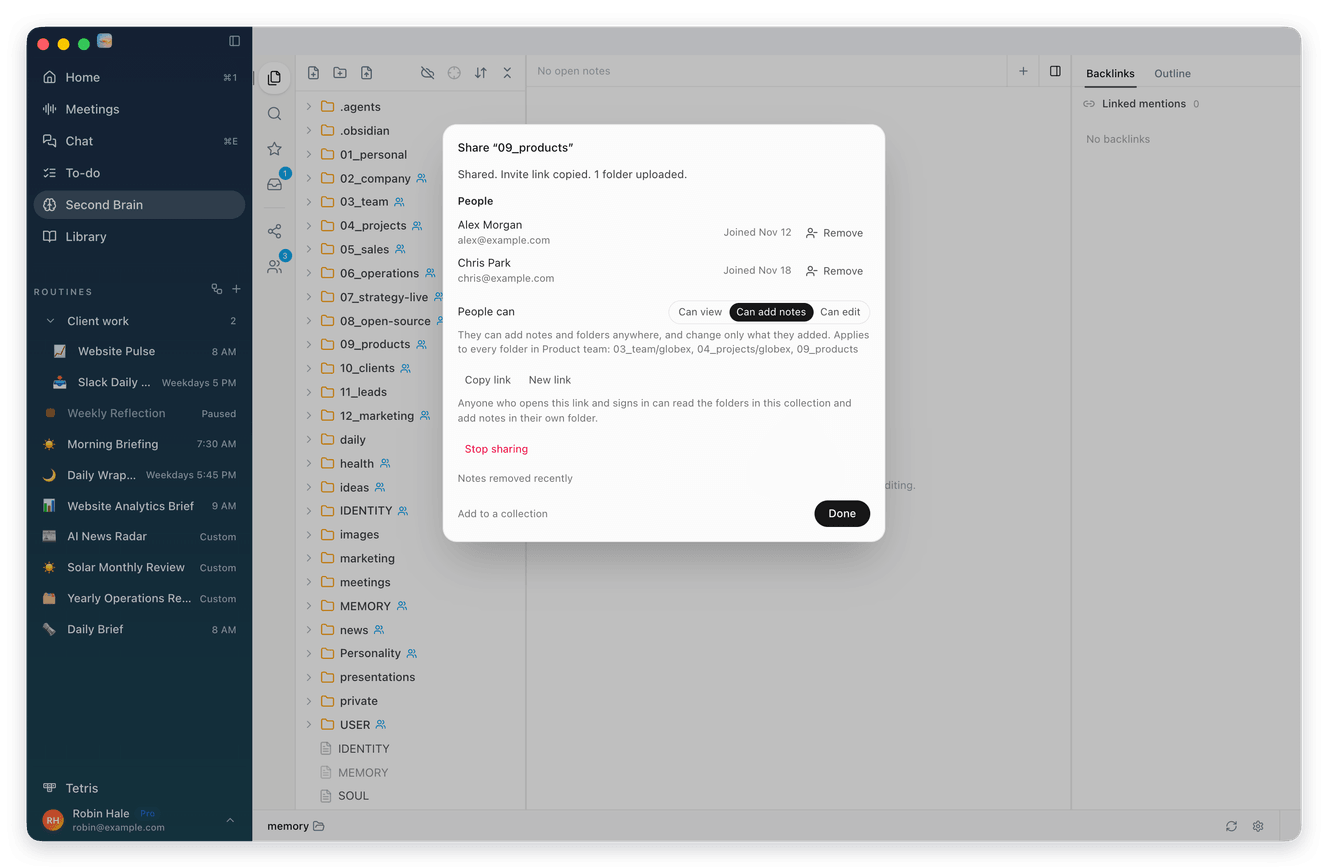
|

|
01 Share a folder Click Second Brain in the left menu, then right-click a folder and choose Share… from its menu. Sharing a folder is part of Routines Pro. 1 Click Share. Routines uploads the folder to getroutines.ai so the people you share it with can read it, and copies an invite link to send them. 2 Under People can, pick Can view, Can add notes or Can edit. With Can edit, people can change and delete any note in it, yours too, and deleted notes wait in your trash for 30 days. 3 Choose Share… again to see who joined, change what they can do, or click Stop sharing. |
||
|
02 Folders shared with you Folders people share with you show up under Shared with me in Second Brain, with what you can do next to each. 1 Click a note to open it in a tab, like your own notes. Drag it onto one of your folders to keep a copy. 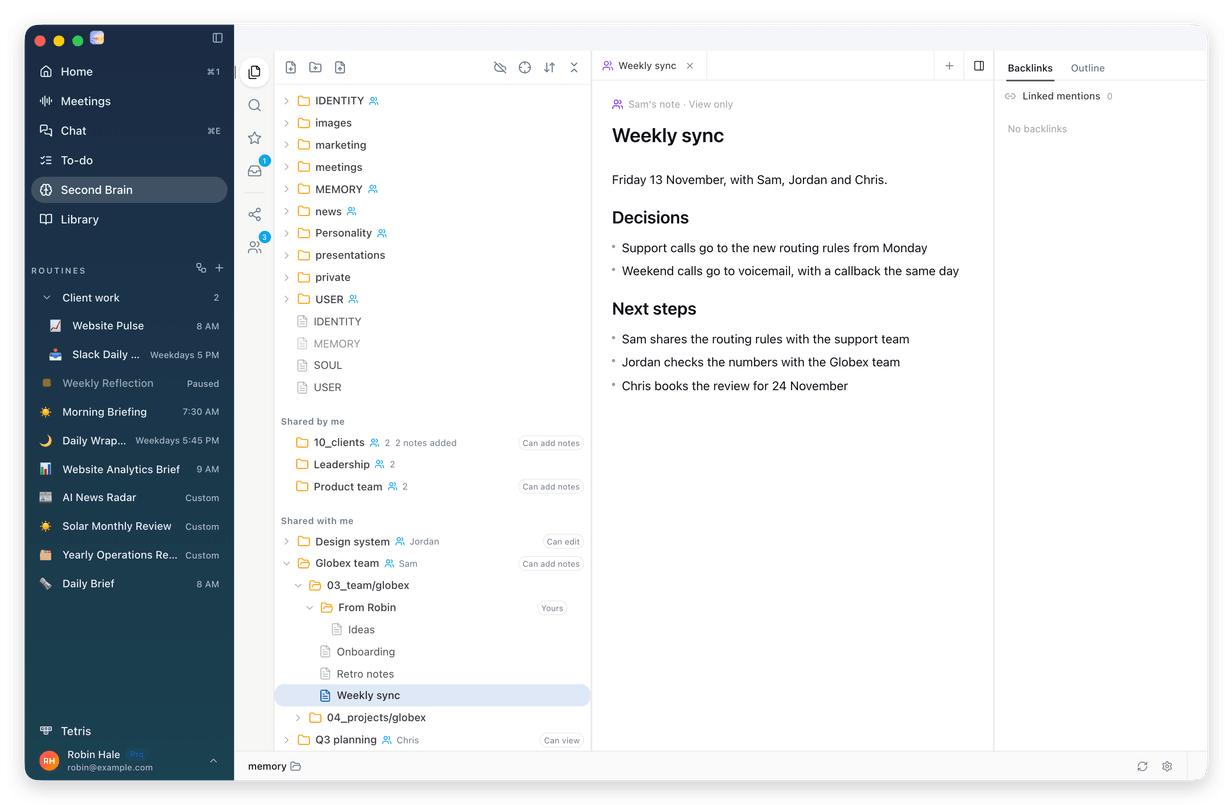
2 Ask about a shared folder in any chat, for example: What changed in it this week? |
||
|
03 A Daily Brief every morning The new Daily Brief recipe makes one card each morning with your top to-dos, new updates and your day's meetings. Prep me on a meeting opens a chat with the question typed in, and nothing is sent until you send it. 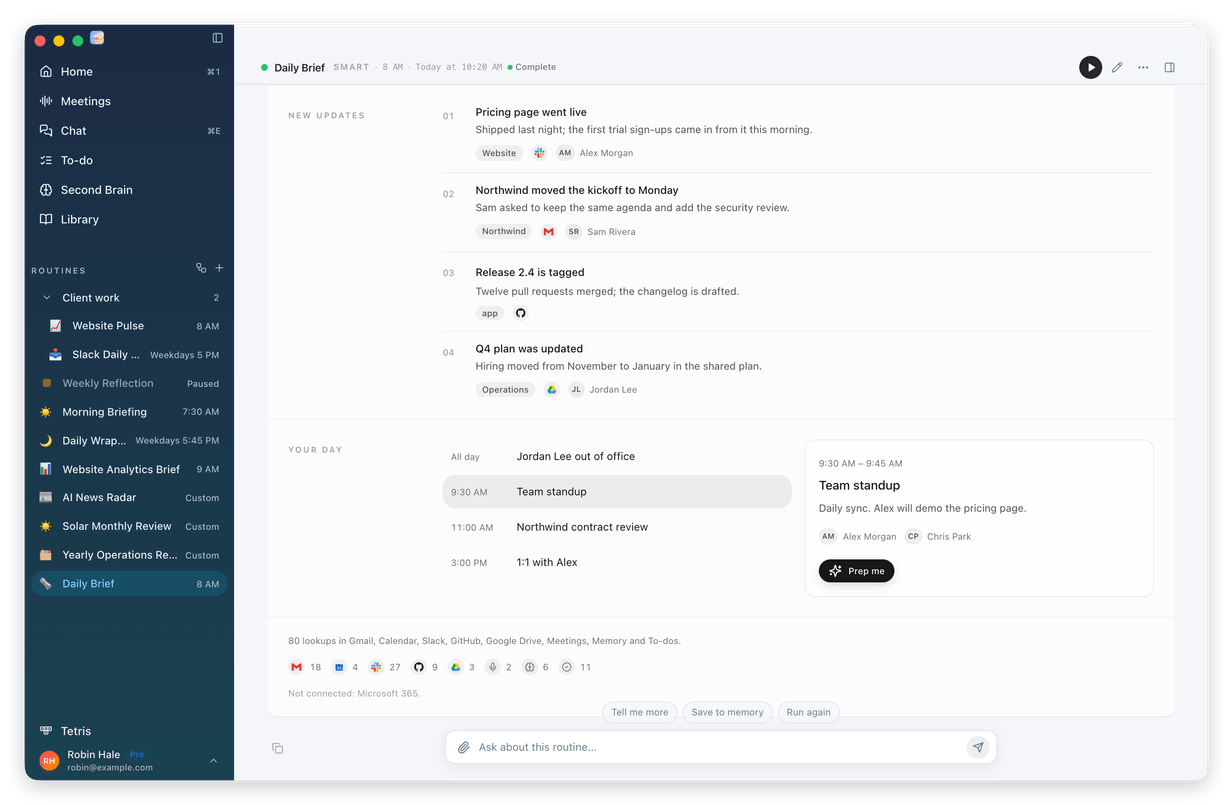
1 To get it, click your name at the bottom of the left menu, then Recipe Library, and pick Daily Brief. |
||
|
04 Better to-do details Click To-do in the left menu, then a to-do to open its details: notes, Due date, Tags, Source, Files and Open in chat. The Up and Down arrows move between to-dos. 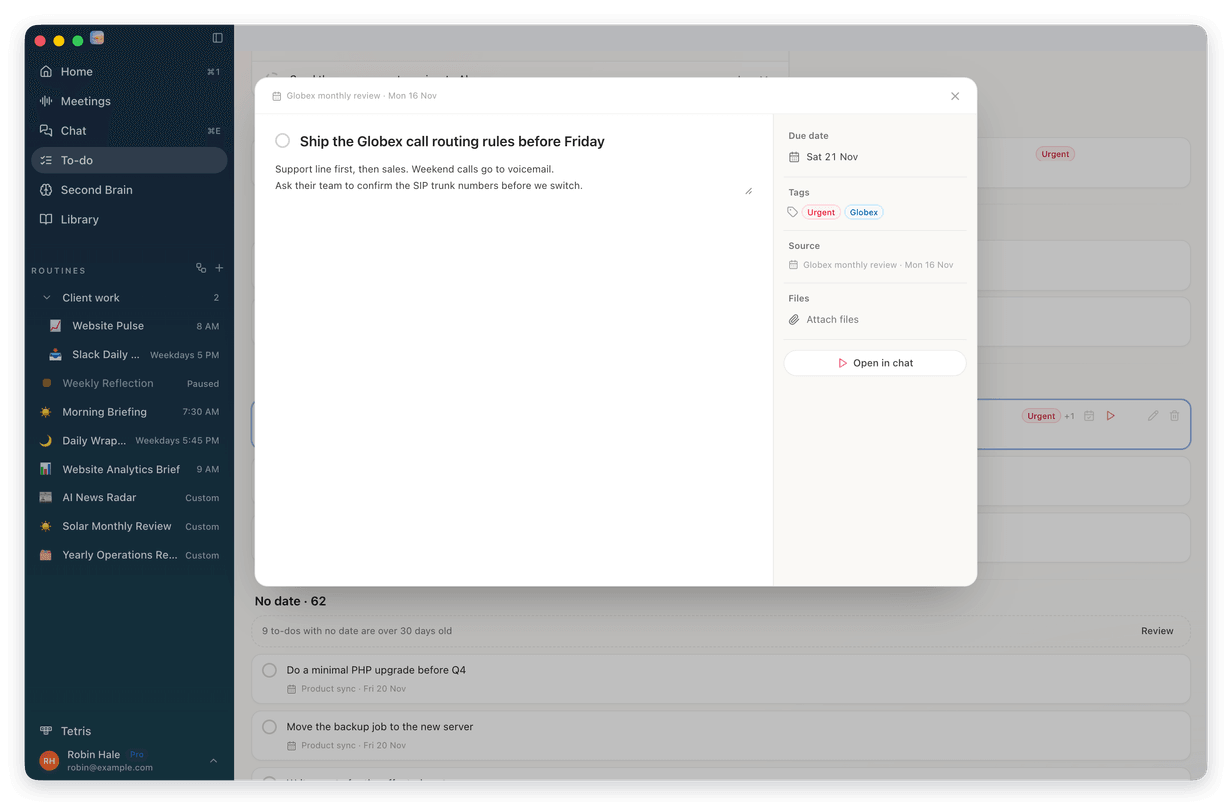
1 In From your meetings, click the circle on the left of a suggestion to mark it done. Keep all and Drop all act on a whole meeting. 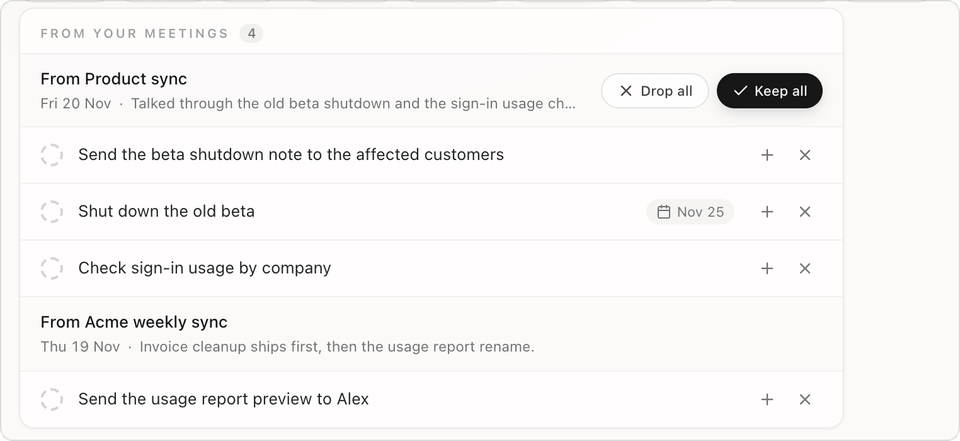
2 Point at a to-do for its quick actions. One click on the tag button opens its tags, so you can tag it without opening it. 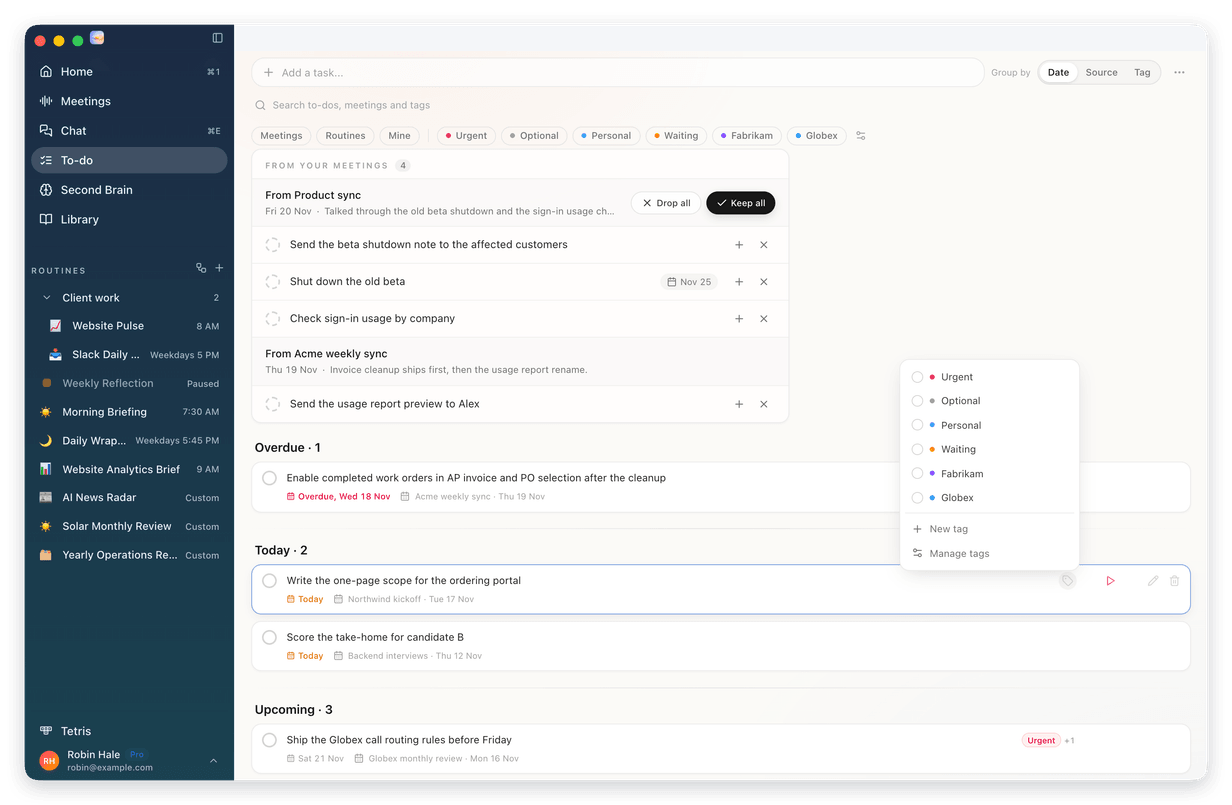
|
||
|
05 Dictation with your own xAI key Add your own xAI key in Settings, under Connections, then Service keys, and dictation uses xAI's speech model, which is more accurate for Romanian. You can also rename a connector from its page: click its name or the pencil next to it. |
||
|
Also new · If your microphone hits an error, dictation, chat voice input and the mic test now let it go instead of holding it until you quit. · A meeting with a blank attendee or title can be shared again. · If you picked Dutch as your meeting language, auto-detection no longer switches a meeting to another language. |
||
|
How to update 1 Open Routines. A few seconds later it tells you a new version is available. 2 Click Install & Relaunch. Routines updates and restarts on its own. Your to-dos, meetings and settings stay where they are. 3 Don't see it? Open Settings, click About, then Check for updates. Using Routines on more than one Mac? Update each one. Or download the newest version and drag it into your Applications folder:
|
||
This is the web version of the email we sent to Routines users on November 25, 2026, for version 1.23.0. |