Let people book time with you Hi there, Routines 1.22.0 is out. Share a booking link, a guest picks a free time from the calendars you choose, and you confirm the request. Diagrams and your Claude Code agents now work in every chat. Here is what changed, and at the end, how to update in one click. 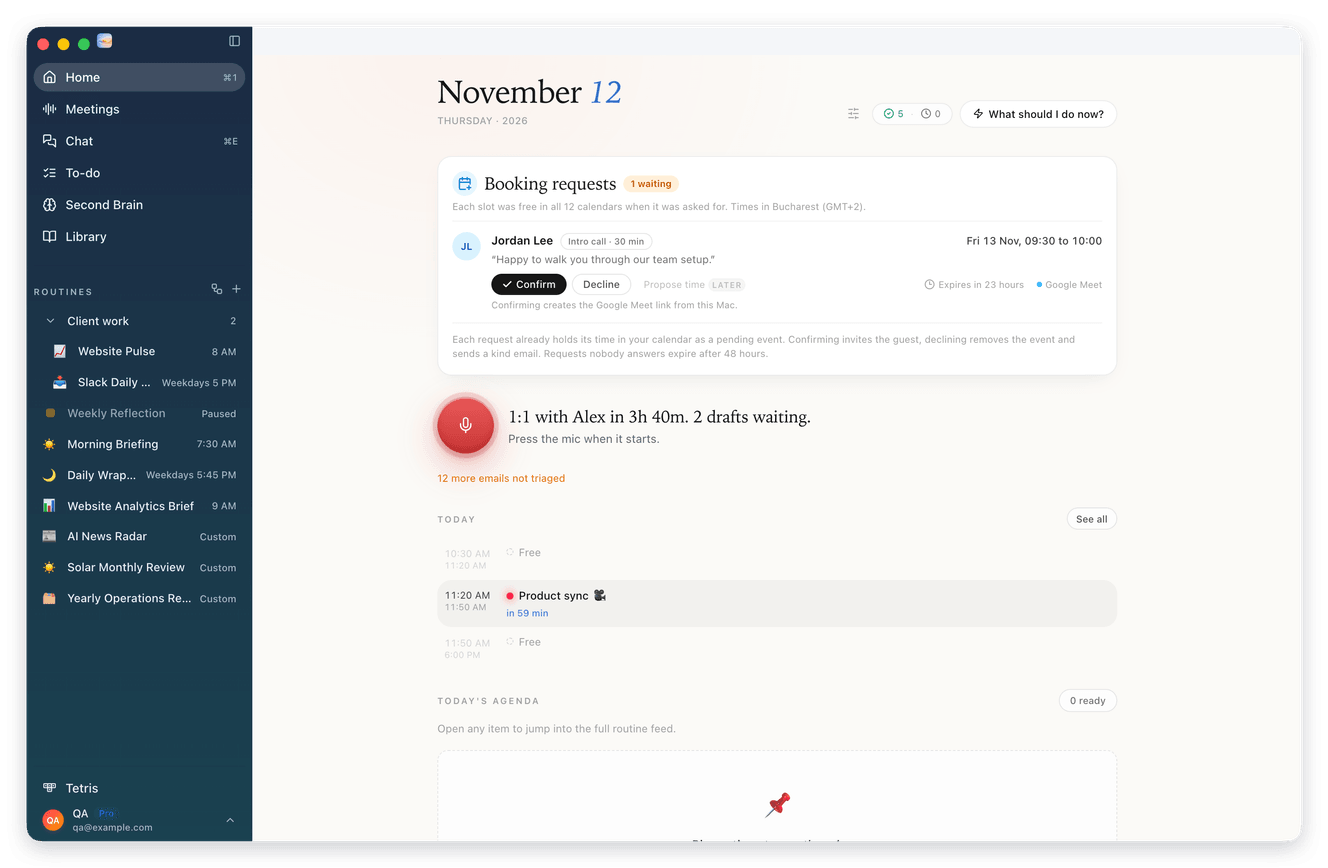
|

|
01 Share a link, get booked Open Settings and click Calendar. It opens on Booking links, where you click New booking link. The first time, you pick your link name. Share it, and people pick a time that suits you both. Booking links are part of Routines Pro. 1 Your guest opens the link and sees your photo, or your initials if you have none. They pick a day and a free time. Days that have passed are marked Past, and only times that are free in the calendars you choose show up. 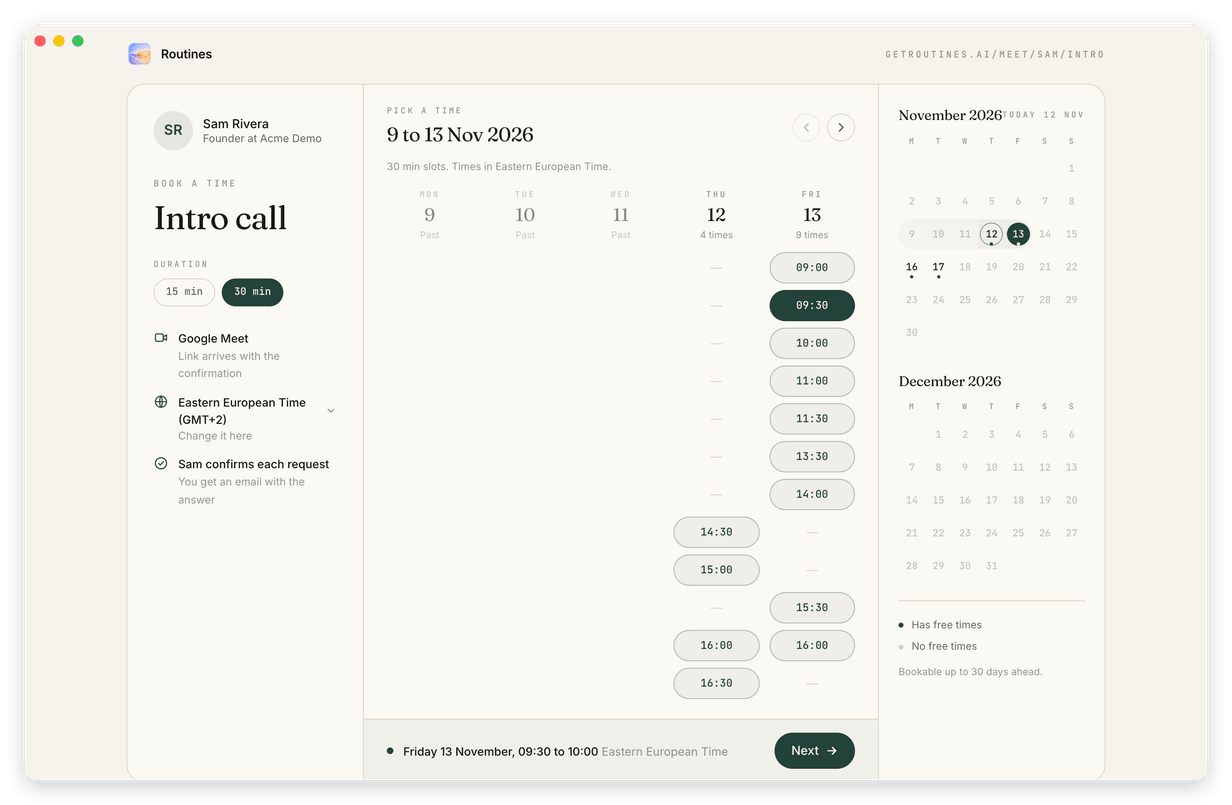
2 Next they add their name, their email and a comment if they want, then click Request meeting. They see Request sent. Once you confirm, they get an email with the details and a link to cancel. To change the time, they cancel and pick a new one. 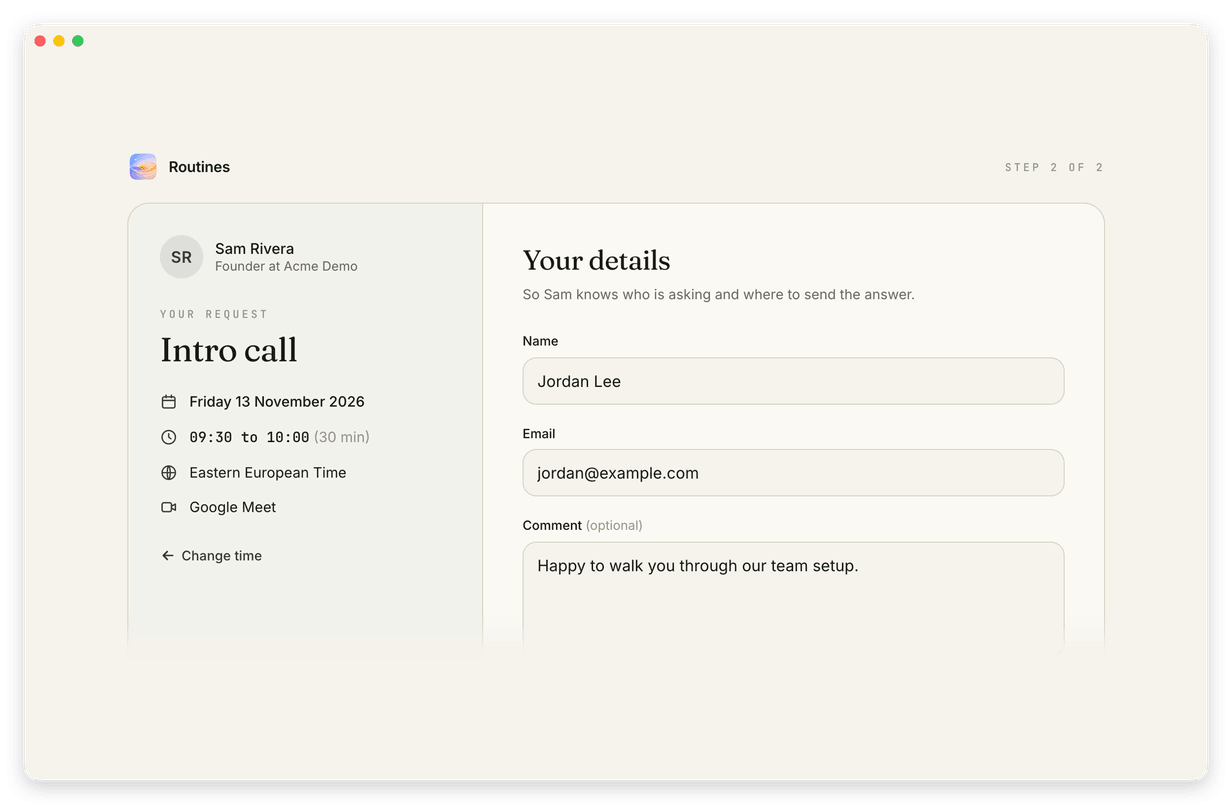
3 The request shows on Home under Booking requests, in the menu bar's day view as a pending event, and as a notification. By default you confirm each request. It holds its time in your calendar as a pending event until you answer. Confirm invites the guest. Decline frees the time, and the guest gets a kind email. A request nobody answers expires after 48 hours, or at its start time if that comes first. 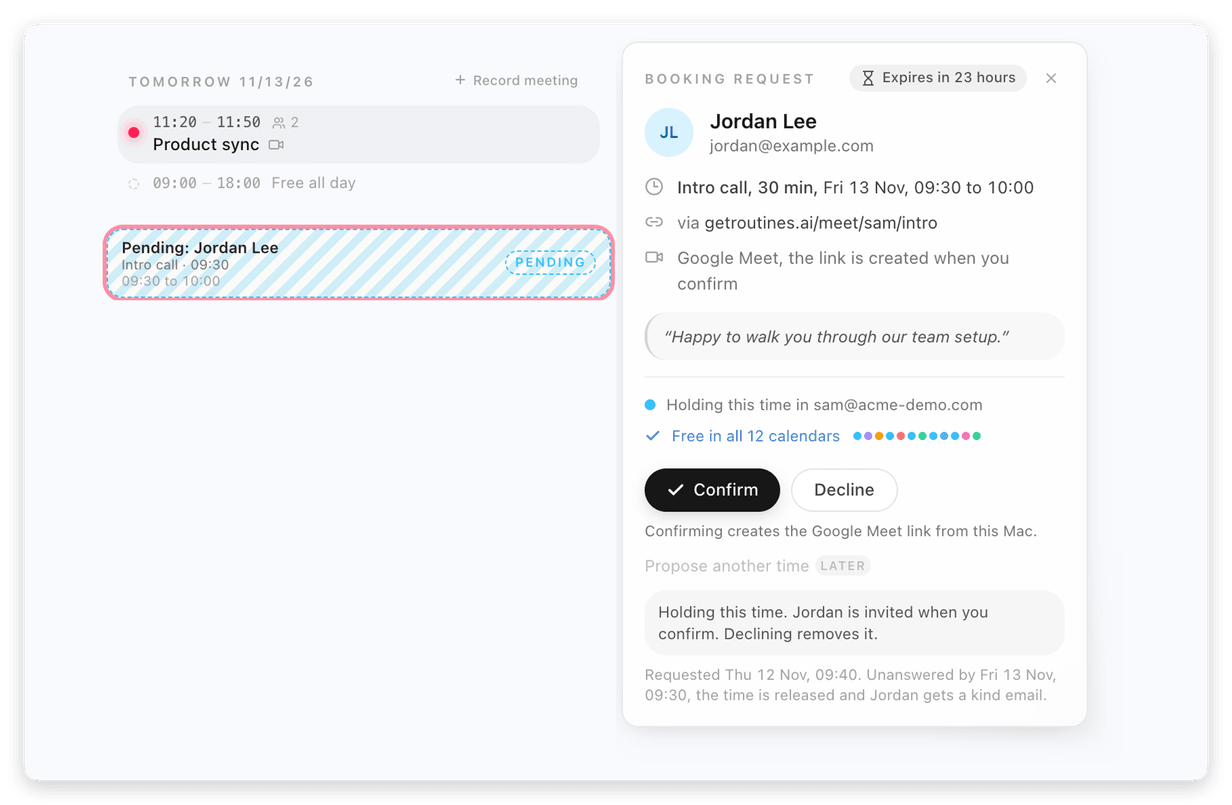
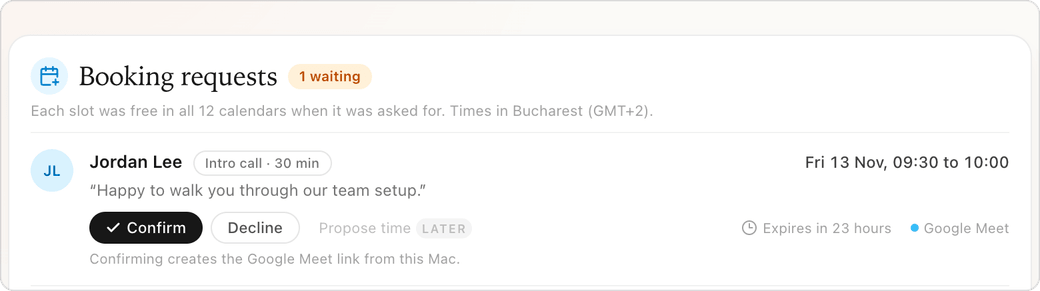
You can also answer right on the notification. If the link adds a video call, confirming creates the Google Meet link, or the Teams link with a Microsoft work or school account. To show your free times, your Mac uploads busy times and your calendars' names, account labels and colors to getroutines.ai, so your links keep working when your Mac is off. The titles, attendees and notes of your other events stay on your devices. The requests guests send, and the video link created when you confirm, are kept on getroutines.ai. |
||
|
02 Diagrams in every chat Ask for a flowchart, a timeline or a sequence, and the answer draws it as a diagram. It works in the main chat, in meeting chats and in routine chats. The copy button copies the diagram's source. If a diagram cannot be drawn, you see its code with the note Could not draw this diagram. 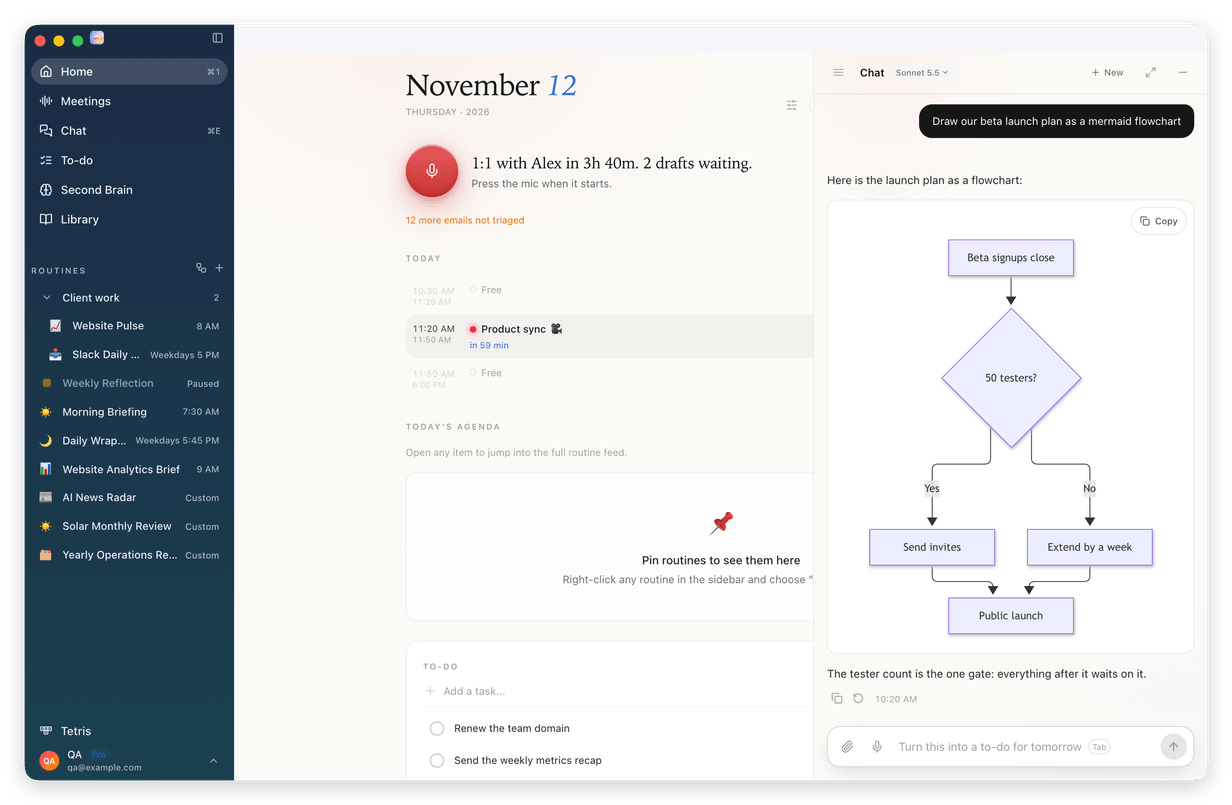
|
||
|
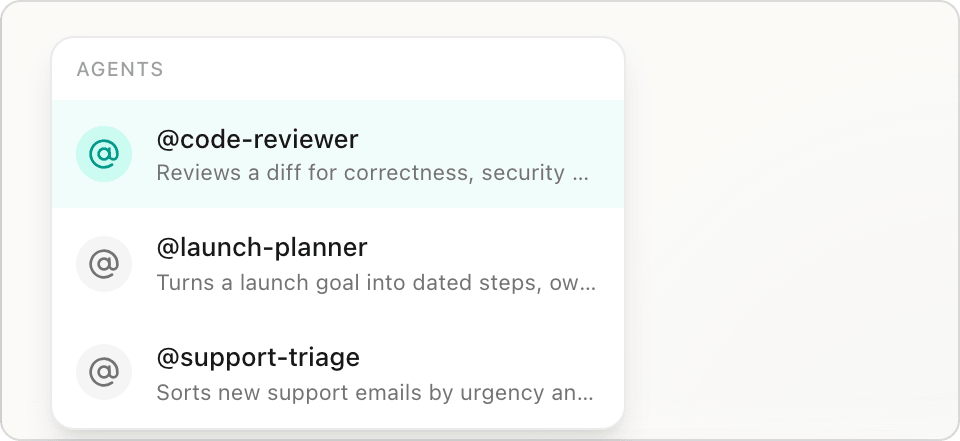
03 Your Claude Code agents and skills, in every chat Type @ in any chat to pick one of your Claude Code agents, from your own agents folder or your workspace. Routines answers as that agent, and when the agent lists its tools, it uses only those. The answer is marked with the agent's name. Type / and your Claude Code skills are listed after Routines' own. 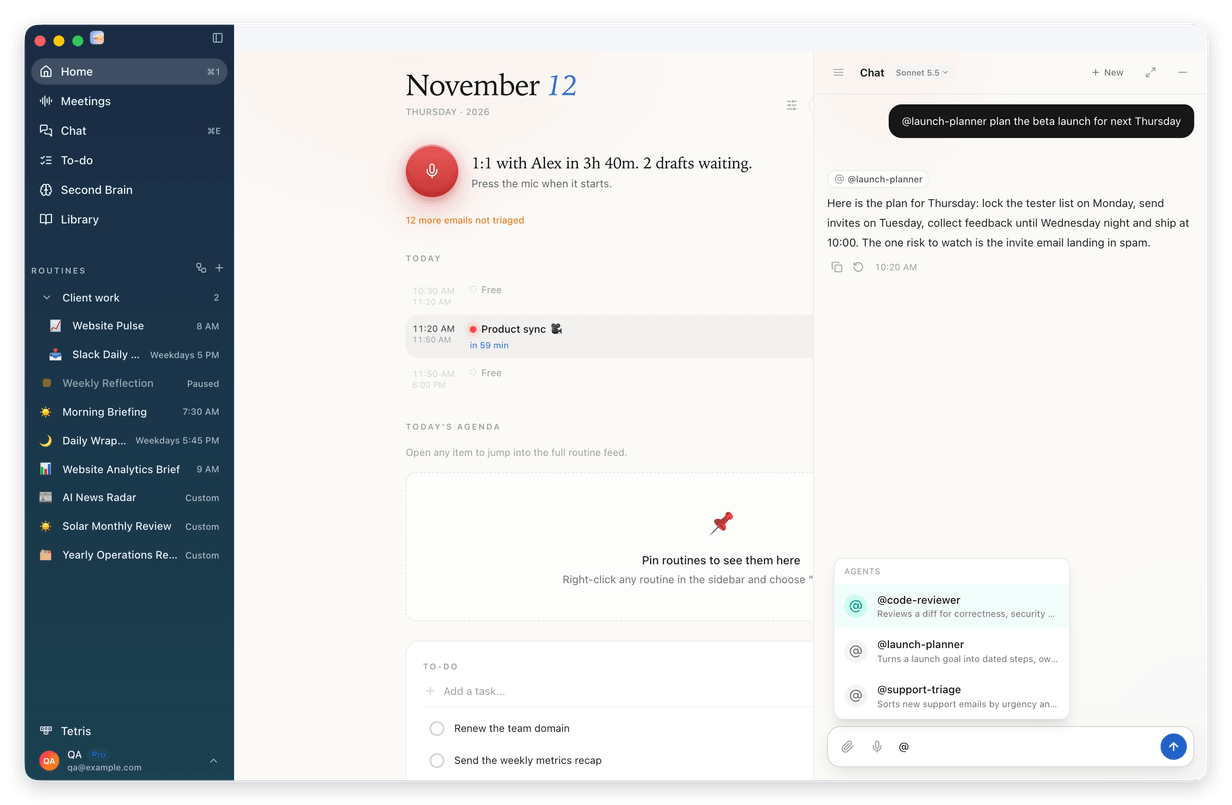
|
||
|
04 A new slim rail when the sidebar is closed The closed sidebar is redesigned as a slim rail in the sidebar's own color. Cmd+B opens and closes it. The window buttons sit at its top, with one button under them to open the sidebar again. Your pages are icons, your routines show as their emoji, and your account sits at the foot. 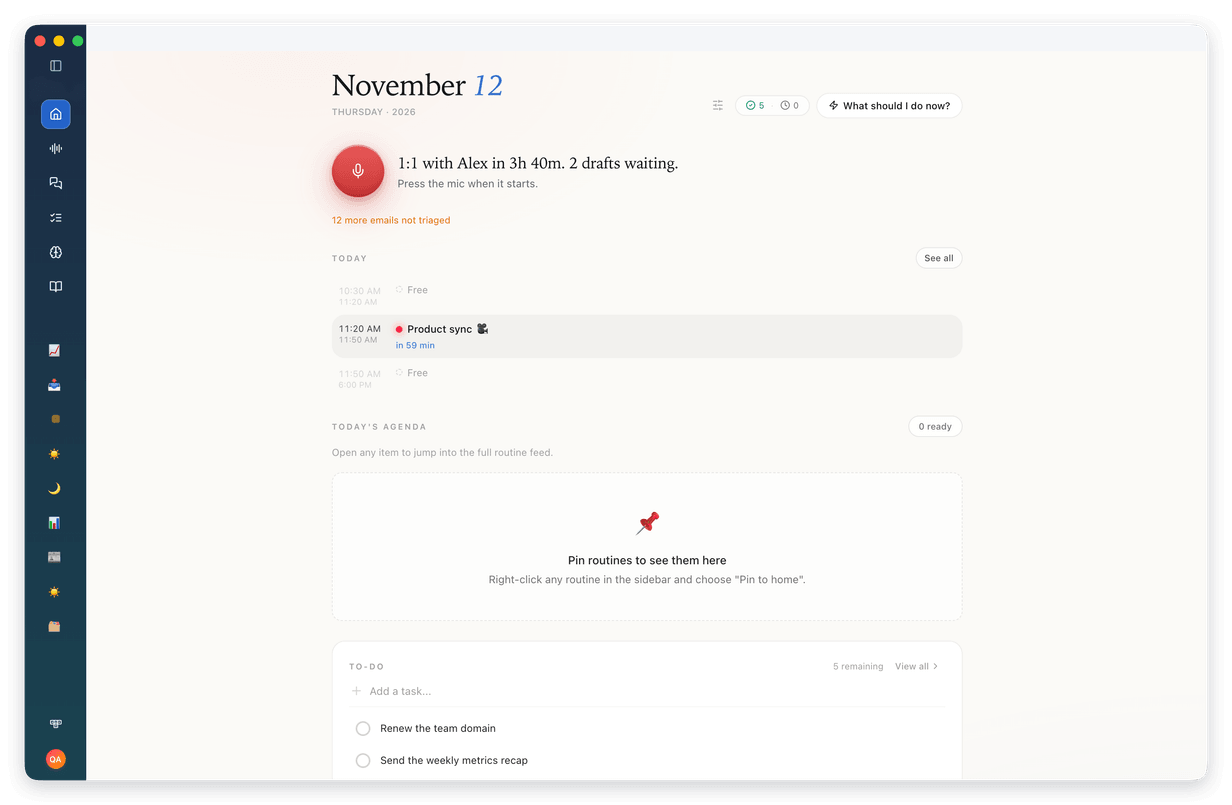
|
||
|
05 One More menu on the routine page The routine header keeps Run, Edit and the panel button, plus the Visual and Text switch when an output has both. Everything else sits in one More actions menu. Under Share you find Share this output, a public link that expires in 7 days, and Share routine, the setup only, without results. Then Pause schedule, Pin to home, Copy for Claude Code and Clear history. 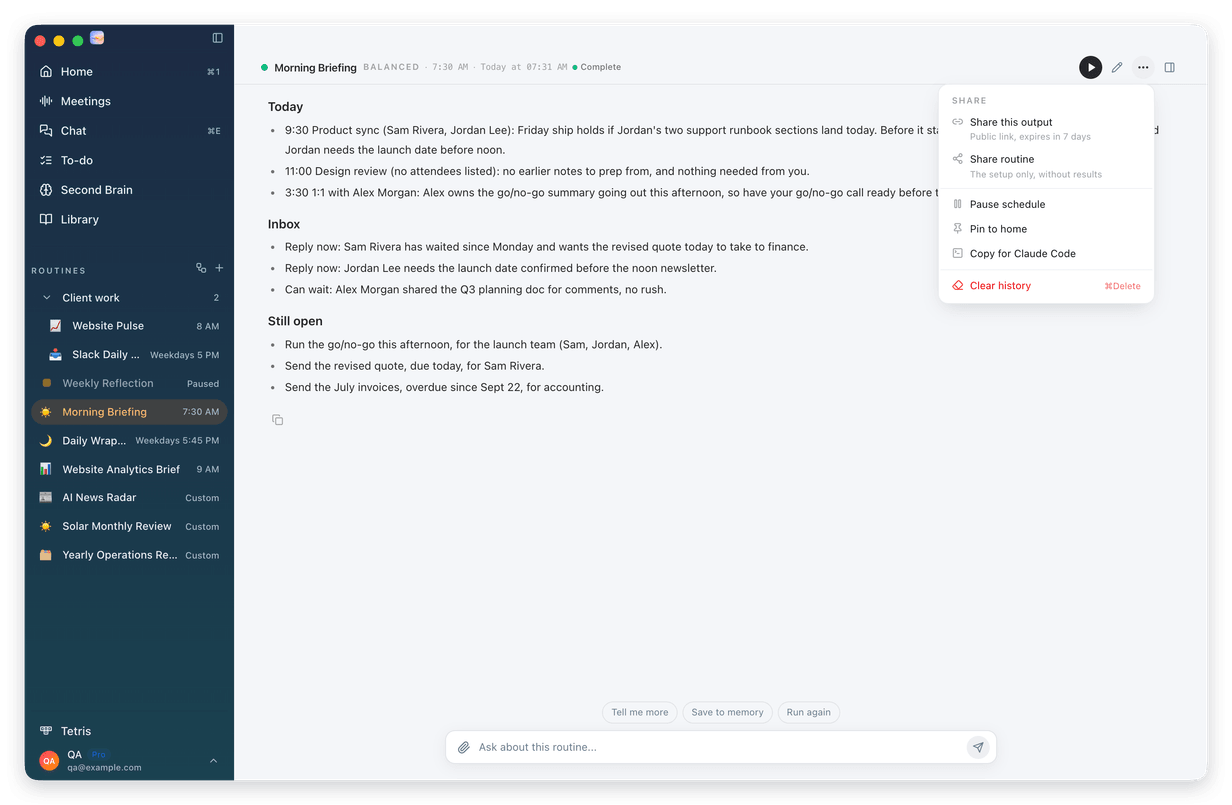
|
||
|
Also new · Press Cmd+K and type a meeting's title or a person in it. The Meetings group shows the matches, and Enter opens the meeting page. · Cmd+K also finds the Calendar settings, where your booking links live, even when you type availability or scheduling. · A calendar event opens as a calm sheet: a large title, one line for when it happens in your time zone, and one row of actions. Long descriptions fold behind Show more. · Dictation can press Return after it pastes, which sends the text in terminals and chats. Turn on Press Return after pasting for each shortcut in Settings, under Voice & Dictation. · Once your words are ready, dictation pastes as soon as your shortcut keys are up, instead of always waiting 300 ms, and its preview shows before the microphone opens. · When an account must sign in again, Home names that account, and Reconnect signs in exactly that one. · A setting you change by asking the assistant now syncs to your other Macs, like the same change in Settings. · On a Mac with two displays, clicking Routines should no longer switch the other display to another desktop: Routines' hidden panels now leave every Space when they hide. |
||
|
How to update 1 Open Routines. A few seconds later it tells you a new version is available. 2 Click Install & Relaunch. Routines updates and restarts on its own. Your to-dos, meetings and settings stay where they are. 3 Don't see it? Open Settings, click About, then Check for updates. Using Routines on more than one Mac? Update each one. Or download the newest version and drag it into your Applications folder:
|
||
This is the web version of the email we sent to Routines users on November 13, 2026, for version 1.22.0. |